
You avoid cloaking detection by making sure there is nothing to detect: reviewers, crawlers and real users must all land on a page that meets platform policy. Platforms compare what their systems see with what people see, and a mismatch is treated as a serious violation. If you run a restricted vertical such as CBD, peptides, kratom, crypto or supplements, the practical goal is a setup that survives review, a documented paper trail, and a plan for the day something is flagged.
TL;DR
- Google treats cloaking as an egregious violation, and accounts can be suspended without warning once it is detected.
- Detection is about mismatch: different content for crawlers, reviewers and users. Language, location and offer variations are fine when the product stays the same.
- Most accidental flags come from blocked crawlers, uncertified trackers, compromised sites and redirects nobody audited.
- If you are suspended, inspect every asset and URL, find the likely cause, fix it and appeal with detail.
- We build and manage setups for high-risk niches, so you can scope what fits your vertical before you spend on ads.
Table of Contents
- What platforms mean by cloaking
- How detection works in practice
- Why the stakes are high
- Checks that keep reviewers and users on the same page
- Restricted verticals: where flags concentrate
- What to do if you are flagged or suspended
- Our perspective
- Fix the page first, then scale
- Work with a specialist on your setup
- FAQ
- Sources
What platforms mean by cloaking
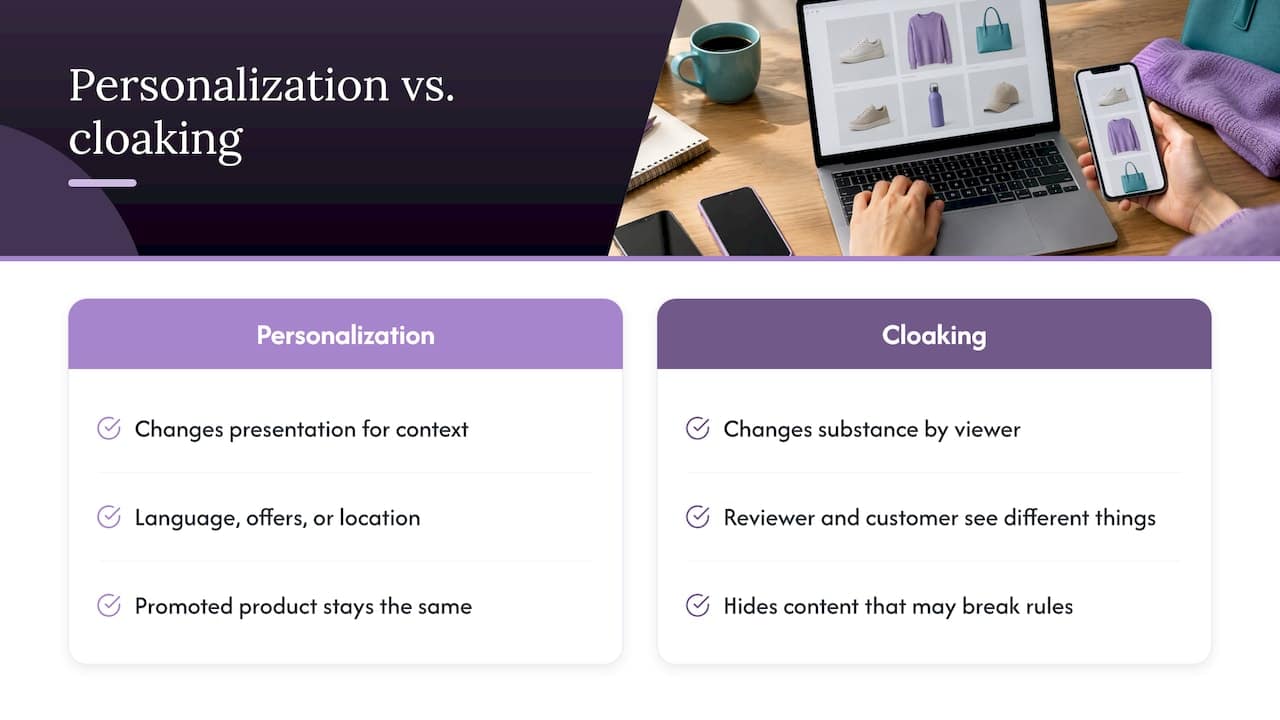
Google’s policy describes cloaking as showing different content to people than to Google, in order to hide things that might break the rules. The same page explains that legitimate variations, such as language, special offers or location, are allowed as long as the promoted product or service stays the same.
That line is the whole test. Personalization changes presentation for a user’s context. Cloaking changes substance depending on who is looking, so that a reviewer sees one thing and a customer sees another.
The practical consequence: “avoiding detection” is not a trick of timing or fingerprints. Platforms run their own crawlers and human reviews, they revisit pages, and they compare results. Any system whose purpose is to show the reviewer something different is built to fail that comparison eventually.
How detection works in practice
No platform publishes its full detection logic, and you should be skeptical of anyone who claims to know it. What is public is enough to plan around.
Crawlers verify the destination. Google requires that your ad destination be crawlable by AdsBot so it can confirm users reach a page that matches the ad. Its own troubleshooting guidance tells advertisers to check that robots.txt permits AdsBot-Google and Googlebot and that no server configuration blocks access. A page that is intermittently unreachable or blocks those agents creates exactly the signal that looks like hiding.
Reviewers look at the live experience. A reviewer opening your ad sees the landing page, the checkout path and the claims. If the sequence a customer would follow is different, the review is no longer testing your real offer.
Policy teams look at patterns. Repeated disapprovals, new accounts spun up after suspensions and URLs that resolve differently across requests all feed into the same picture.
Security tools add noise. Google recommends regularly running its Safe Browsing tool so your site is not compromised, and using only Google-certified click trackers. A hacked site or an uncertified redirect can produce a cloaking-style mismatch you never intended.
Why the stakes are high
Google states that violations of the circumventing systems policy, which includes cloaking, are considered egregious. Accounts found in violation are suspended upon detection, often permanently and with no prior warning, and the advertiser cannot run ads with Google again.
That is the reason the most valuable question is not “how do I avoid being caught?” but “what would a reviewer find if they looked right now?” For a business with a real product and real customers, a permanent ban on the largest ad platform is the outcome to design against.
Checks that keep reviewers and users on the same page
The research behind this topic leaves one practical question open: how do you confirm that reviewers and users see the same destination? There is no single button for it, but a routine covers most of the risk. This is the audit we would run before any submission.
1. Test the page as different visitors
Open your final URL from a clean browser, a mobile device, a different network and a different country if you target several. Walk the full path: ad click, landing page, product page, checkout. Note every difference in copy, claims, pricing and product. Differences in language or currency are fine. Differences in what the product is or what it claims are not.
2. Confirm crawler access
Read your robots.txt and make sure it does not disallow AdsBot-Google or Googlebot for landing pages, as Google’s troubleshooting guide describes. Check your firewall, CDN and security plugins as well. Bot protection that blocks platform crawlers is a common cause of “cannot crawl” disapprovals.
3. Audit every redirect and tracker
List every hop between the ad and the final page. Google’s guidance points to certified click trackers only. A forgotten redirect from an old campaign, or a tracker that routes by device or location, can change what a reviewer lands on. Our 7-step audit on circumventing systems walks through this in order.
4. Scan site security
Run Safe Browsing checks on a schedule. Injected scripts on a compromised WordPress or Shopify theme can serve spam to crawlers while you see a normal page, which looks identical to deliberate cloaking from the platform’s side.
5. Make every variant compliant
If you personalize by region, language or offer, each variant must stand on its own against policy. Do not keep a version you would not want a reviewer to see. If a variant would fail review, it is the page that needs fixing, not the reviewer’s view of it.
6. Keep the claims consistent with the ad
Health, income and medical claims are a top reason for rejection in restricted verticals. The ad, the landing page and the checkout should make the same claims in the same terms. Our medical claims policy guide covers how to word these for review.
7. Document what you ran
Keep screenshots of the live path with dates, a list of tracking domains and the changes you made. If you ever appeal, this record is your evidence.
Restricted verticals: where flags concentrate
Restricted categories are reviewed harder, and the rules differ by platform and country. As one example, Google allows topical hemp-derived CBD products with 0.3% THC or less, but advertisers must apply and can only target California, Colorado and Puerto Rico. Other CBD products, kratom, many peptides and smoking products face tighter limits or outright bans depending on platform.
Practical consequences:
- Check the category policy for each platform before building a funnel, not after the first rejection.
- Match your targeting to the geographies that policy allows.
- Expect more frequent re-review of restricted accounts, so a page that was fine at approval has to stay fine.
Vertical-specific guides help here: CBD on Facebook, kratom ad rules and enforcement, cannabis ad guidelines and crypto ad approval each cover the points reviewers focus on in that niche.
The pattern differs a little on other networks. See our notes on YouTube ad cloaking and its risks, Bing’s Microsoft policy and five checks before a Twitter review.
What to do if you are flagged or suspended
Act methodically. Search Engine Land’s guide on diagnosing a circumventing systems suspension recommends that you inspect every account asset and URL, work out the likely cause, fix what you can and submit an appeal with as much detail as possible.
In practice:
- Freeze changes. Do not create new accounts or launch new campaigns while the suspension is open.
- Collect evidence. Pull every ad, extension, final URL, tracker and redirect chain tied to the account.
- Find the mismatch. Compare what a crawler and a user would each see. Look at security, redirects and blocked agents first.
- Fix and document. Correct the cause and capture before and after screenshots.
- Appeal once, in detail. Explain what you found, what you changed and how you will prevent it.
Google’s help page on why an account is suspended for cloaking lists the same fundamentals: certified click trackers, secure sites, easy access for Google to all pages and policy-compliant content for users. Our guides on securing, documenting and appealing and ad account recovery lay out the appeal steps in more detail.
Our perspective
We work with advertisers whose products are legal and real but sit in categories that platforms review aggressively: CBD, peptides, supplements, crypto, forex, replicas and affiliate offers. The common story is not a bad actor. It is a good product that keeps getting rejected because of a sentence on a page, a tracker nobody checked or a policy that nobody read end to end.
That is why we start with the page and the setup, not with a promise. Our approach is to configure servers, landing pages and bot and reviewer detection around each platform’s requirements, then keep watching the account so small issues are caught before they turn into suspensions. We claim a 24-hour approval turnaround and guaranteed approval on managed engagements, and we back that with ongoing account support.
Our view is that the risk lives in the details: who can crawl what, which redirects fire, which claims appear where. Platforms state plainly how seriously they treat mismatches, so any setup has to be built carefully, monitored and documented. A specialist who knows platform-by-platform behavior is cheaper than rebuilding an account from scratch.
Umar
Fix the page first, then scale
Before anyone escalates to technical measures, we look at whether a cleaner page would pass. Many rejections come from claims, imagery or checkout wording that can be adjusted. Our piece on fixing the page before escalating shows that sequence for a hard vertical, and our comparison of audits versus bypassing review explains where an audit is enough.
For affiliate offers, the five compliance fixes cover the changes that most often clear review.
Work with a specialist on your setup
If you run a restricted vertical and want a setup built and monitored for you, we offer three routes: a consultation call to scope your case, a cloaking system setup at 1,599 one-off (see the services page), and a Done-For-You engagement at 3,599 one-off, with ongoing account support. The consultation call has no published price. Start with a consultation call and tell us the platform, vertical and what has been rejected so far.
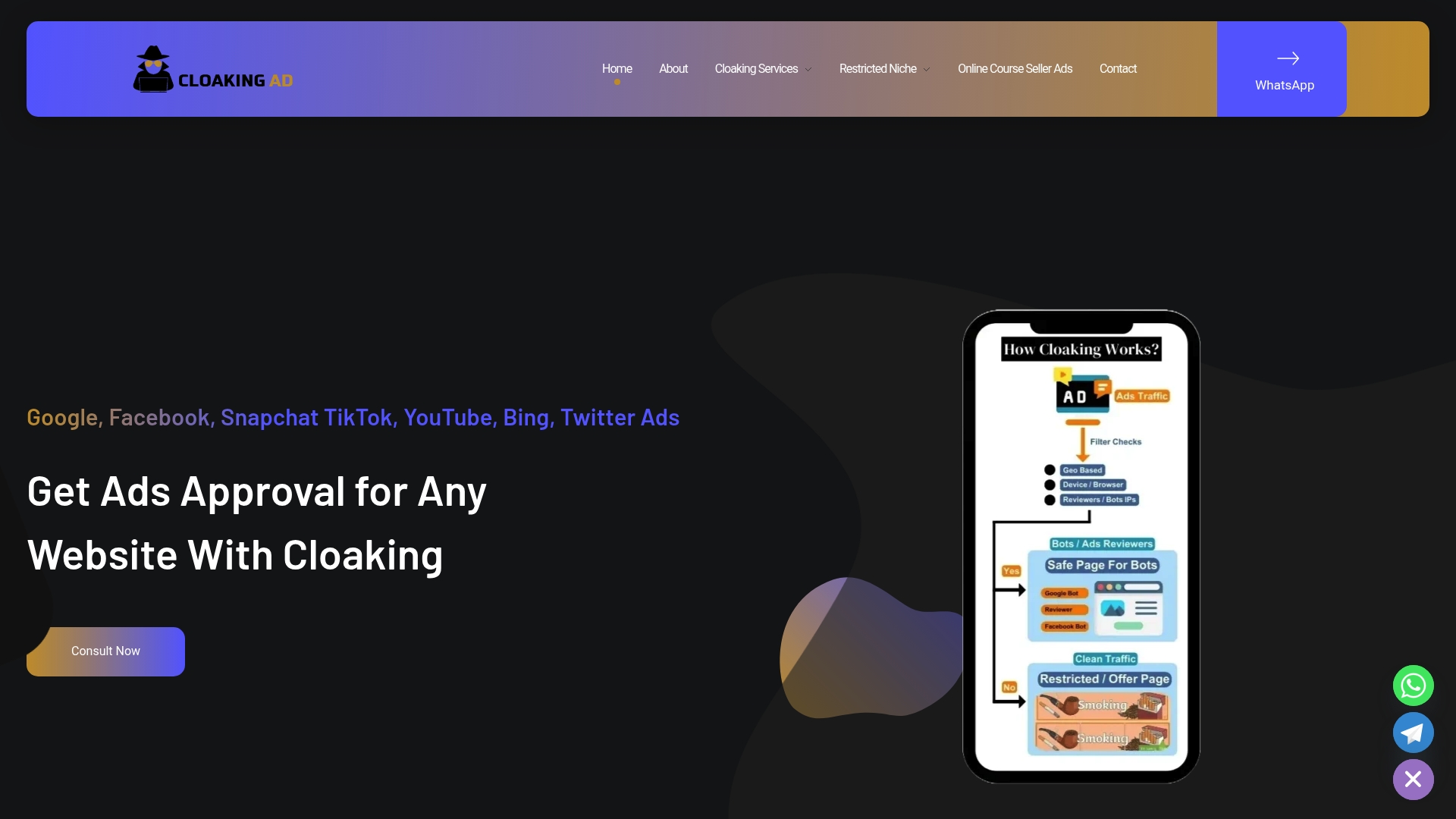
For a platform-specific starting point, read about Google Ads cloaking and approval or how a cloaking server setup works and what it risks.
FAQ
Can Google detect cloaking?
Google states that accounts found violating the cloaking policy are suspended upon detection, often without warning. Its systems crawl landing pages and compare them with what users get, so a mismatch is a real exposure. The safest planning assumption is that any difference between reviewer and user will eventually be found.
Is showing different content by location the same as cloaking?
No. Google allows variations such as language, special offers or location, provided the promoted product or service stays the same. The problem starts when the product, claims or purpose differ for a reviewer. Make sure every variant would pass review on its own.
What causes accidental cloaking flags?
Common causes are robots.txt or firewall rules that block AdsBot and Googlebot, uncertified click trackers, compromised sites and forgotten redirects. Google recommends certified trackers, Safe Browsing checks and easy crawl access for all pages. Running the seven-step audit above catches most of them.
What should I do after a cloaking suspension?
Stop launching new campaigns, inspect every asset and URL, identify the likely cause, fix it and submit a detailed appeal. Keep dated screenshots and a list of changes. Our recovery guide goes through the appeal sequence.
Can CBD brands advertise on Google at all?
Sometimes. Google allows topical hemp-derived CBD with 0.3% THC or less for approved advertisers, limited to California, Colorado and Puerto Rico. Check the policy page for the current rules before building campaigns.
Sources
- Circumventing systems – Advertising Policies Help
- Why is my account suspended for cloaking under the circumventing systems policy
- Troubleshoot uncrawlable landing pages – Google Help
- Dangerous products or services – Advertising Policies Help
- Google Ads Circumventing Systems: How to diagnose and fix a suspension – Search Engine Land