
YouTube ad cloaking means showing Google’s reviewers one version of your destination and real viewers another, so that content that might break the rules never reaches review. Because YouTube video ads run through Google Ads, they follow Google’s rules, and Google prohibits cloaking outright. This guide explains the mechanics, the enforcement risk, and what restricted-niche advertisers can do instead when a video ad keeps getting rejected.
TL;DR
- YouTube ads are Google Ads. Cloaking is defined by Google Ads Help as showing Google and users different destination content to hide material that may violate the rules.
- Google says suspected cloaking can lead to suspension without prior warning, and reinstatement is limited to compelling circumstances.
- Legitimate variation (language, geography, special offers) is allowed when the promoted product stays the same.
- Most video rejections in restricted niches are fixed by the creative, the claims and the landing page, not by hiding anything.
- If you are already flagged, document everything and appeal honestly before changing anything else.
Table of Contents
- What YouTube ad cloaking actually is
- Why advertisers are tempted
- Why YouTube is the same as Google review
- What happens when cloaking is detected
- Cloaking versus legitimate variation
- Our perspective
- A compliant checklist for a rejected YouTube ad
- Creative and landing page risk, side by side
- If your account is already flagged or suspended
- Working with us
- FAQ
- Sources
What YouTube ad cloaking actually is
A YouTube video ad has three parts a reviewer can see: the video itself, the ad text and display URL, and the page the click lands on. Cloaking targets that last part. A server checks who is visiting. If the visitor looks like a Google reviewer or crawler, it serves a clean “safe” page. If the visitor looks like a real person from a target audience, it serves the real offer.
Google’s own definition is plain: cloaking is showing different website content to people or to Google in order to hide things that might break its rules (Google Ads Help). The method does not matter much. Server-side checks, redirect chains and JavaScript tricks all fall under the same idea if the purpose is to hide the real destination.
The ranking guides on this topic describe a few common ingredients:
- IP and network filtering: known Google ranges, data centers and proxies get the safe page.
- Device and browser fingerprints: headless browsers and unusual user agents are treated as reviewers.
- Geographic rules: visitors outside the target country see the safe page.
- Click-source checks: only traffic arriving with a valid ad click identifier sees the real page.
We list these so you recognize what a “cloaker” is claiming to do, not as a recommendation. Each one is exactly the pattern Google’s enforcement is built to look for.
Why advertisers are tempted
The pull is strongest in restricted verticals: CBD and hemp, kratom, peptides, supplements with health claims, crypto, forex, pharma and similar categories. These offers are either restricted or prohibited on Google, and a rejected video can cost days. The advertiser sees a landing page that is fine in their eyes, a reviewer who disagrees, and a promise from a vendor that a technical workaround will fix it.
Google’s Circumventing systems policy addresses exactly this. It states that cloaking is prohibited because it can mislead users and hide conduct that violates advertising policies (Google Ads policy). The wider policy hub groups cloaking with hidden true destinations, bridge or gateway destinations, malware and attempts to manipulate review systems under abuse of the ad network (Google Ads policies).
So the honest answer to “does it work?” is: sometimes, briefly, and the downside is much larger than the upside.
Why YouTube is the same as Google review
A common mistake is treating YouTube as a separate platform with a separate, lighter review. It is not. Video campaigns are created and policed in Google Ads, under the same account, the same policies and the same enforcement team. A cloaking flag on a YouTube campaign is a flag on the whole advertiser account.
That has three practical consequences:
- The creative is reviewed too. A video that makes a prohibited claim is disapproved no matter what the landing page shows. Cloaking the page does nothing for the video.
- Detection is not limited to a page fetch. Google says it may assess suspected cloaking using information from the ad, the website, the accounts and third-party sources (Google Ads Help). A filter that fools one crawler does not address that.
- The damage spreads. Suspension affects every campaign in the account, search and display included.
What happens when cloaking is detected
This is the part sales pages for cloakers tend to skip. Google states that suspected cloaking can lead to account suspension upon detection, without prior warning, and that advertisers will not be allowed to advertise with Google Ads again. Reinstatement is limited to compelling circumstances (Google Ads Help).
In plain terms, you are trading a delayed approval for the possibility of a permanent ban. For a business whose revenue depends on paid video, that is a poor trade.
| Path | Upside | Downside |
|---|---|---|
| Cloaking the destination | Possibly faster live date | Suspension without warning, possible permanent loss of Google Ads access |
| Fixing creative and page | Slower first approval | Account stays healthy, results are repeatable |
| Moving to a different channel | Avoids Google rules | Different audience and costs |
There is also a legal and platform dimension beyond Google. We cover that in our piece on ad cloaking, platform bans and FTC scrutiny.
Cloaking versus legitimate variation
Not every difference between what two visitors see is cloaking, and advertisers sometimes panic about normal practice. Google allows slight content differences when the promoted product or service remains the same. Its examples include language versions, special offers, geographic adaptation and adjustments for slower internet speeds (Google Ads Help).
A simple test: would you be comfortable if the reviewer saw exactly what the viewer sees, in the same session?
- A Spanish page for visitors in Mexico and an English page for the US: fine.
- A 10 percent launch discount shown only to new visitors: fine.
- A “wellness blog” for reviewers and a product page with disease claims for viewers: cloaking.
- A redirect that sends clicks through a gateway page the reviewer never sees: a hidden true destination.
Google also expects destinations to be functional, useful and easy to navigate, with display URLs that accurately reflect the landing-page URL (Google Ads policies). Mismatched display URLs are a quick way to trigger a review you did not need.
Our perspective
We work with advertisers in the hardest categories every week, so we see why cloaking gets pitched and what happens afterward. Our position is straightforward: on Google and YouTube, the account is the asset, and anything that puts it at risk needs a very good reason.
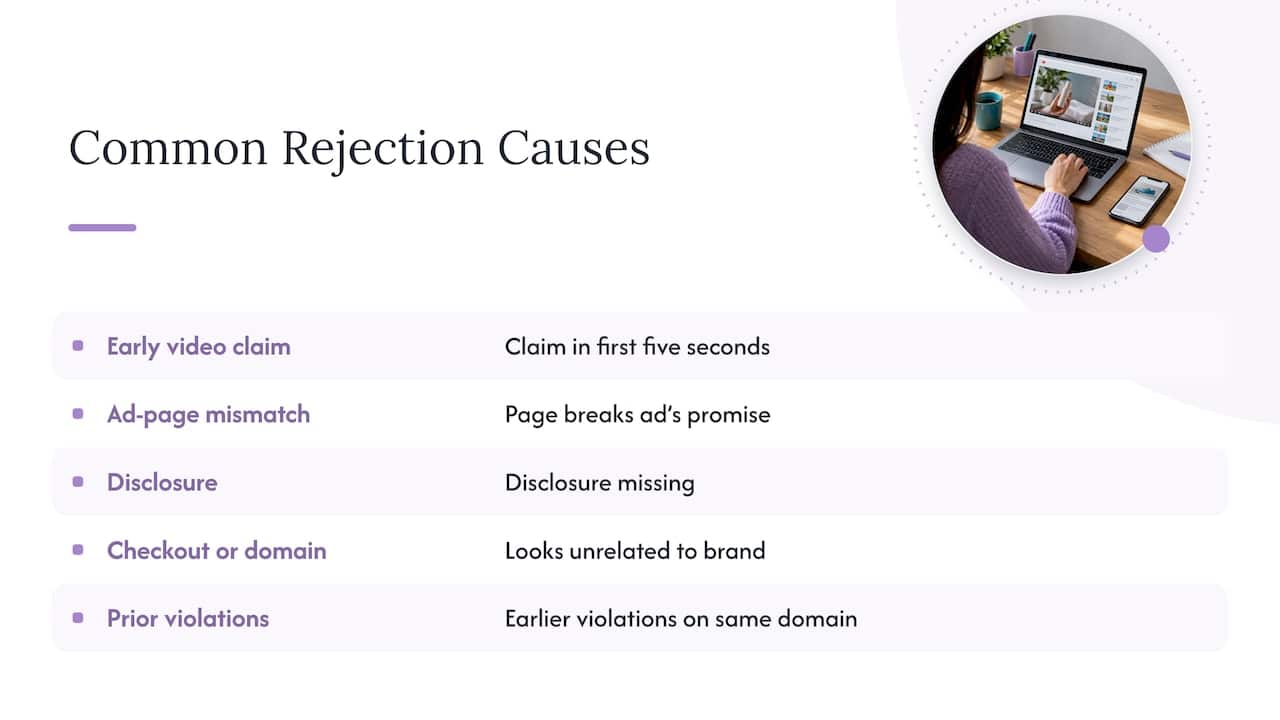
In our experience the rejections that frustrate clients most are not mysterious. They come from a short list: a claim in the first five seconds of the video, a landing page that does not match the ad’s promise, a missing disclosure, a checkout or domain that looks unrelated to the brand, or a history of earlier violations on the same domain. These are fixable, and fixing them produces an account that survives.
Where we add value is in the work around the rejection: reading the policy line that was triggered, rewriting the creative and page to a version that is truthful and reviewable, structuring accounts so one disapproval does not take down the rest, and handling appeals. We have written about why audits beat cloaking in restricted industries and about what restricted advertisers risk with cloaking versus compliance, and we would rather you read those before you decide anything.
If a vendor guarantees that you will never be detected, treat that as a warning sign. Nobody outside Google controls its detection.
— Umar
A compliant checklist for a rejected YouTube ad
When a video ad is disapproved, work through this order before anything else. It follows the steps Google lists for advertisers dealing with cloaking-related enforcement (Google Ads Help).
- Read the exact disapproval reason in the policy manager. Note the policy name, not just “disapproved”.
- Check whether your site was hacked. Injected redirects can look like cloaking to Google even when you did nothing.
- Remove redirects you do not need, including old tracking hops and leftover affiliate gateways.
- Let Google reach your pages. Do not block its crawlers by IP, region or login wall.
- Show policy-compliant content to everyone. If the offer cannot be shown compliantly, it cannot run on Google.
- Use certified click trackers only, and make sure they do not alter the final destination.
- Match the display URL to the real landing page domain.
- Review the video itself. Look at the opening seconds, on-screen text, voiceover claims and end card.
- Appeal once, thoroughly. If you believe the enforcement was a mistake, submit an accurate and honest appeal. Repeated vague appeals do not help.
For niche-specific edits, our YouTube ads policy fixes page covers the changes we see resolve most delays, and the seven-step audit for circumventing systems suspensions helps you find issues before a reviewer does.
Creative and landing page risk, side by side
Cloaking talk focuses on the page, but video ads add risks that the page cannot hide.
| Element | What reviewers look at | Common restricted-niche problem |
|---|---|---|
| Video opening | Claims, imagery, product shown | Before-and-after results, disease or cure language |
| Audio and captions | Spoken claims | Income or health guarantees |
| Ad text and CTA | Accuracy, relevance | Promise that the page does not support |
| Display URL | Domain match | Different domain than the final page |
| Landing page | Content, navigation, disclosures | Thin pages, missing contact and policy pages |
| Destination behavior | Redirects, load behavior | Gateway pages, forced hops |
If your category is health related, our guide to the medical claims policy explains which wording reviewers flag and which alternatives usually pass. Peptide, supplement and CBD advertisers should also check whether their product is permitted at all in the target country before spending on production. Some products are simply not allowed, and no wording fixes that.
If your account is already flagged or suspended
Stop launching new campaigns and new accounts. Creating a new account to get around a suspension is itself a violation that makes matters worse. Instead:
- Save screenshots of the notice, the policy cited and every affected asset.
- Audit the site and videos against the cited policy and correct what you find.
- Write the appeal in plain facts: what changed, what you understand about the rule, what you will do going forward.
- Expect that, for cloaking specifically, Google describes reinstatement as limited to compelling circumstances, so set expectations realistically.
We have step-by-step material on recovering from an ad account suspension and on how to appeal and get reinstated.
Working with us
CloakingAd serves advertisers in restricted and high-risk categories across Google, Facebook, TikTok, Bing, YouTube and other platforms. Our offers are:
- Consultation call: we review your offer, creative and page and tell you what is realistic on each platform. No price is published for the call.
- Setup Cloaking System: $1,599 one-off, covering custom setup and server configuration. See the services page.
- Done-For-You: $3,599 one-off, our fully managed option with ongoing ad account management. Start from the main site.
For Google and YouTube specifically, we start with the consultation so we can look at whether your offer can run compliantly there, because that determines everything else. Details on our approach to the platform are on our Google Ads approval service page.
FAQ
Is YouTube ad cloaking allowed?
No. Google Ads prohibits showing Google and users different destination content to hide things that might break its rules, and YouTube ads fall under the same policies. Suspected cloaking can lead to account suspension without prior warning.
Can Google detect cloaking if I filter by IP?
Google says it may use information from the ad, the website, the accounts and third-party sources, not only a single page fetch. That means an IP filter does not guarantee anything. Relying on one is a gamble with the entire account.
What is the difference between cloaking and personalization?
Personalization keeps the promoted product or service the same while adapting things like language, geography or offers. Cloaking changes what is shown specifically to hide content that may violate the rules. If the reviewer and the viewer would both recognize the same offer, you are on the right side.
What should I do first when my YouTube ad is rejected?
Read the exact policy named in the disapproval, then check the video’s opening seconds, the claims and the landing page against it. Remove unnecessary redirects, make pages reachable and fix the cited issue. If you believe the decision was wrong, submit one accurate, thorough appeal.
Sources
- Why is my account suspended for cloaking under the Circumventing systems policy? (Google Ads Help)
- Abusing the ad network: Circumventing systems (Google Advertising Policies)
- Google Ads policies (Google Ads Help)