
You avoid ad disapproval by doing four things in order. Read the exact policy reason the platform gives, make the ad and the landing page match, apply for any certification your category needs, and appeal once with clear changes instead of resubmitting blindly. Most rejections come from a mismatch between what the ad says and what the page shows, or from a restricted category that needs permission first. Both can be fixed, and this guide shows how.
It is written for advertisers in sensitive verticals such as CBD, hemp, kratom, peptides, supplements, smoking products, crypto and forex, where rejections and account suspensions are routine.
TL;DR
- Find the real reason first: Google shows it in the Policy details column and the notification email, Meta in Ads Manager and Account Quality, TikTok on the Disapproved label.
- Ads, assets and landing pages are all reviewed. Fix the one the policy cites, then save, which triggers a new review.
- Restricted healthcare, financial and crypto categories can require an application or certification before ads run.
- Appeal once, with changes documented. Repeat appeals within 24 hours can be treated as duplicates.
- Never open new accounts after a ban and never treat a rejection as something to hide. Fix the cause, or get an expert audit.
Table of Contents
- Why ads get disapproved in the first place
- Step 1: Find the exact rejection reason
- Step 2: Fix the ad and the landing page together
- Step 3: Handle restricted categories before you launch
- Step 4: Appeal the right way
- Step 5: Keep disapprovals from coming back
- Common mistakes by vertical
- Work with us on approvals
- Perspective: why audits come first
- FAQ
- Sources
Why ads get disapproved in the first place
Platform reviewers check three things: the ad copy and creative, the assets attached to it, and the page people land on. Google states that disapprovals can involve policy issues with ads, assets or landing pages, so an ad with perfect copy can still fail because of its destination.
In practice the causes fall into a handful of groups:
- Prohibited or restricted content. The product itself, or a claim about it, is not allowed in that region or category.
- Misleading or unprovable claims. Health outcomes, income promises or guaranteed returns.
- Ad and page mismatch. The ad promises one thing and the page shows another. Meta guidance names failure to align the two as a common cause of rejection.
- Technical page problems. Broken mobile layouts, missing business information, slow or unreachable pages.
- Formatting habits. Heavy capitalization, stacked exclamation marks and odd symbols that look like attention tricks.
- Account history. Earlier violations make later reviews stricter.
CBD, kratom, peptides and similar products sit in categories where policies differ by country, and some restricted categories carry age or targeting requirements. That is why the same ad can pass in one market and fail in another.
Step 1: Find the exact rejection reason
Guessing wastes weeks. Every major platform tells you which policy was triggered, and sometimes which element.
Google Ads
Hover over the Disapproved status in the Campaigns menu, open the Policy details column, or follow the link in the notification email to Policy Manager. Google documents all three routes on its page about fixing a disapproved ad.
Meta (Facebook and Instagram)
Rejection reasons appear in Ads Manager, Account Quality or Business Support Home, usually naming the policy and often the affected creative, according to this overview of Meta and TikTok rejections.
TikTok
Click the Disapproved label on an ad in Ads Manager to see the violation details. Our guide to TikTok ad review and landing page fixes walks through what reviewers look at there.
Bing
Microsoft Advertising returns reason codes you can read and, if you manage many ads, retrieve through its API. We cover that in reading Bing reason codes.
Write the reason down verbatim in a simple log: date, platform, ad ID, policy name, your fix. After three or four entries, patterns show up quickly, and patterns are what you need to stop repeat rejections.
Step 2: Fix the ad and the landing page together
Edit the ad, asset or destination URL to address the cited violation, then save. On Google, saving automatically triggers a new review. If the landing page cannot be fixed quickly, point the ad to a compliant destination instead of waiting.
A review checklist you can run before every submission:
- Read the ad as a reviewer would. Strip the marketing mindset. Would a stranger consider any claim a promise of a medical or financial result?
- Match the page to the ad. Same product, same offer, same price, same language. A mismatch is the single most fixable cause of rejection.
- Test on a phone. Reviewers and users see the mobile page. Check that it loads, scrolls and shows the content you claim.
- Show who you are. Clear business name, contact details, privacy policy and terms.
- Remove symbols and shouting. Cut extra capitals, repeated punctuation and decorative characters.
- Check regional rules. A product legal in one US state or country may be restricted in another, and targeting should reflect that.
Claims language in health verticals
For supplements, peptides, CBD and anything near medicine, claims are the usual trigger. Describe what the product is and how it is used, not what it cures or treats. Our medical claims policy guide shows how to rephrase typical problem lines, and the healthcare ads page covers the category more broadly.
What a clean page looks like
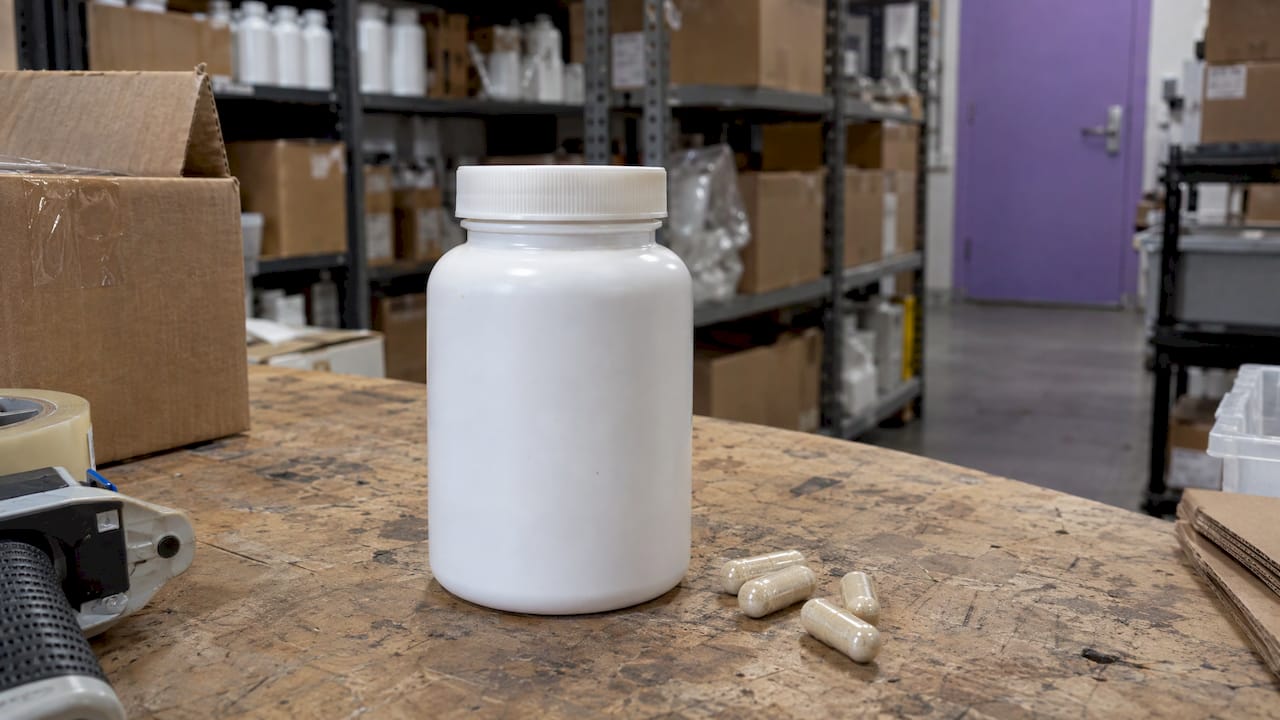
A clean page is plain: a clear product description, honest imagery, visible company details and no countdown timers or inflated testimonials. If you want concrete layouts, see safe page examples built for restricted ads that pass review.
Step 3: Handle restricted categories before you launch
Some categories are not just risky, they are gated. Google has a policy page on how to apply to advertise certain products and services: certain healthcare, financial and cryptocurrency offerings require an application or certification in specified locations. Running without it means disapprovals no edit can fix.
Practical steps:
- Identify which of your products fall in a gated category in each country you target.
- Collect documents showing eligibility: licenses, registrations, company details. For restricted categories, preparing documentation up front and seeking pre-authorization can streamline later reviews.
- Keep your website, legal entity name and ad account details consistent.
- If you advertise through Google and need a certification, our Google Ads license service explains the compliance and setup path.
Each vertical has its own quirks. Affiliate marketers will find the five compliance fixes for affiliate ads useful, forex advertisers can see how financial leads approval works, and CBD, hemp, kratom and vape sellers have a dedicated page on approval for those categories.
Step 4: Appeal the right way
An appeal is a request for a human or second automated look. Treat it as a short, factual submission.
- On Google, appeal through Policy Manager or the Ads page, then choose whether you dispute the decision or have made changes to comply. This is described in the official appeal instructions.
- Wait for the result. Status may show In progress, with an update available within 24 hours, per the same page.
- Do not spam. Repeated appeals on the same ad inside 24 hours may be flagged as duplicates, and Google may suspend processing of further appeals.
- On Meta, use Account Quality to identify the issue and request a review, rather than creating a new account.
If you chose to make changes, say exactly what you changed: which headline, which page section, which claim was removed. If you think the decision was wrong, point to the specific policy wording and the part of the ad that complies. For suspended accounts, our ad account recovery guide lays out the appeal sequence, and the TikTok account ban recovery guide covers that platform.
Step 5: Keep disapprovals from coming back
Policies change, so prevention is a routine rather than a one-time fix.
- Keep a policy log. Review each platform’s policy pages for your category every quarter and after any rejection.
- Build a pre-launch checklist from the checklist in Step 2 and apply it to every new creative and landing page.
- Stage new creative. Launch a small number of ads first so one violation does not put the whole account in a worse standing.
- Check ad and page after every site change. A redesign or plugin update can silently break the match between ad and page.
- Never open fresh accounts to escape a ban. Meta treats creating new accounts after disabling, along with obfuscating ad text and cloaking, as attempts to circumvent its review and may restrict advertising assets.
That last point deserves care. Review circumvention is a platform-policy matter, and platforms enforce it. Any technique that shows reviewers something different from what users see should be set up by people who understand platform-specific detection and the consequences for your accounts. Our own material on what a cloaking server setup involves, including its risks and on audits versus bypassing review is written with exactly that in mind. For replica products, we also explain why fixing the page comes before escalating.
Common mistakes by vertical
| Vertical | Typical trigger | First fix to try |
|---|---|---|
| CBD, hemp, kratom | Product category restrictions, health claims | Remove claims, check regional rules, align page with ad |
| Peptides and supplements | Disease or performance claims, before-and-after imagery | Rewrite to descriptive language, add clear business details |
| Smoking and vape | Restricted product, age targeting | Check category rules and age settings per country |
| Crypto and forex | Missing certification, return promises | Apply for the required certification, remove guaranteed-return wording |
| Affiliate offers | Thin pages, redirects, mismatch | Build a real landing page that mirrors the ad |
The pattern across rows is the same: fix claims, match page to ad, and confirm that the category is permitted where you are targeting.
Work with us on approvals
If you are in a restricted vertical and rejections keep eating your budget, we offer three ways to work together: a consultation call, a cloaking-system setup, and a done-for-you engagement with ongoing ad account management. Our service includes custom setup, server configuration, safe landing pages and real-time bot and reviewer detection across Google, Facebook, TikTok, Bing and other platforms. We aim for approval turnaround within 24 hours, and our managed engagements are offered with an approval guarantee.
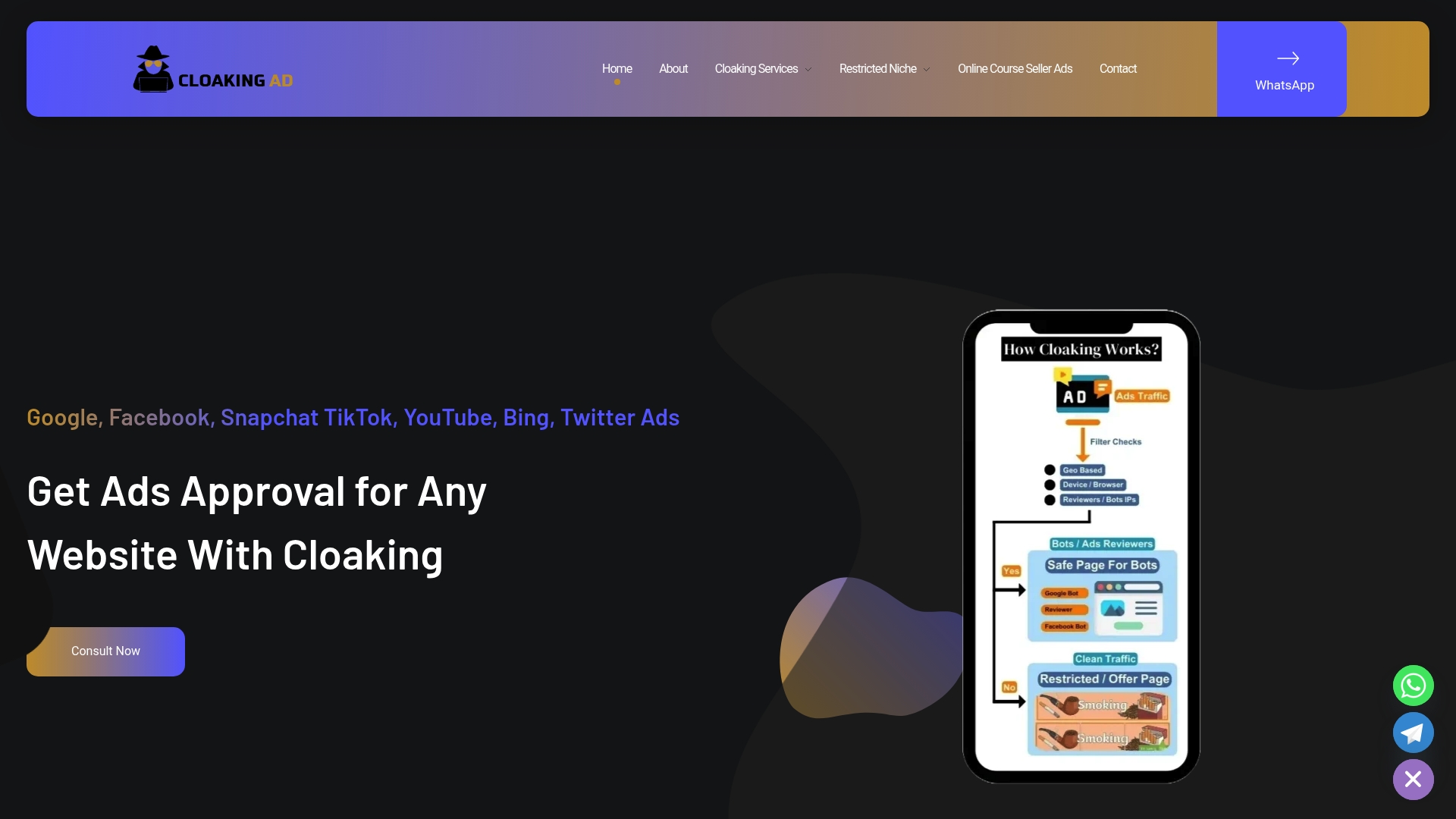
Start with a consultation call if you are not sure where your ads are failing, or look at the cloaking system setup if you already know what you need. Google advertisers can also see our Google Ads approval service.
Perspective: why audits come first
After working with restricted verticals, we see the same thing again and again: most rejected advertisers are not fighting one rule, they are fighting the gap between what their ad promises and what their page shows to a reviewer.
That is why we begin with a diagnosis of the rejection reason, the claims and the page, and only then decide whether a clean-up is enough or a more technical setup is justified. Bot and reviewer detection, safe landing pages and server configuration are tools we build carefully, for each platform separately, because Google, Meta and TikTok each detect and enforce differently.
For CBD, peptide, kratom, crypto and forex businesses, the goal is not a single approved ad. It is an account that stays active while campaigns scale, which takes ongoing management, not a one-off trick.
Umar
FAQ
How long does it take to get a disapproved ad reviewed again?
On Google, saving an edited ad triggers an automatic review. An appeal may show In progress, with an update available within 24 hours according to Google’s guidance. Timing on other platforms varies, so check the status in Ads Manager.
Should I appeal or edit the ad?
If the policy reason clearly applies, edit the ad or page and save. If you believe the decision is wrong, appeal and say which policy wording you comply with. Choose one route per ad and wait for the result before trying another.
Can I just create a new ad account after a ban?
No. Meta treats new accounts created after a disabling as an attempt to circumvent review, and it may restrict your advertising assets, per this Meta policy summary. Request a review through Account Quality instead, or see our account recovery guide.
Why was my ad rejected when the copy looks fine?
The landing page, an image or an attached asset may be the cause. Google reviews ads, assets and landing pages, so check the page on mobile and confirm it matches the ad word for word on product and offer.
Do CBD, crypto and supplement ads need special permission?
Often yes, depending on country and category. Google requires an application or certification for certain healthcare, financial and cryptocurrency products in specified locations, so confirm your status before launching.
Sources
- Fix a disapproved ad or appeal a policy decision (Google Ads Help)
- Apply to advertise certain products and services (Google Advertising Policies Help)
- Why Was My Ad Rejected? Meta and TikTok Explained
- Business Integrity 101 for Advertisers
- TikTok Ads Rejected? How to Fix Policy Violations 2026