
When advertisers talk about moderator bot patterns, they mean the signals automated reviewers use to approve, reject or escalate an ad: the creative, the landing page, the account history and how similar your ads look to ones already flagged. This guide covers the advertising side of the topic (Google, Meta and similar platforms), not the Discord or Telegram community bots that often share the phrase. If you sell CBD, peptides, kratom, supplements, crypto or forex, knowing these patterns is the fastest way to stop repeat rejections.
TL;DR
- Ad review is a mix of machine learning, rules and human reviewers. It checks the ad, the destination and the account together, not the ad alone.
- Patterns repeat: similar ads, similar domains, similar accounts and technical errors all get grouped, so one rejection can echo across your account.
- Restricted niches get extra scrutiny and extra certification requirements, so wording and landing-page consistency matter more there.
- Fix the stated reason, change one thing at a time, and appeal only when you can show the decision was wrong.
- Some tactics, including cloaking, carry platform-ban risk. Read the risks before you decide, and talk to a specialist about your vertical.
Table of Contents
- What a moderator bot actually reviews
- The patterns that get grouped and flagged
- Why restricted niches trigger more scrutiny
- How to read a disapproval
- Reducing repeat rejections
- A note on cloaking
- Where we can help
- FAQ
- Sources
What a moderator bot actually reviews
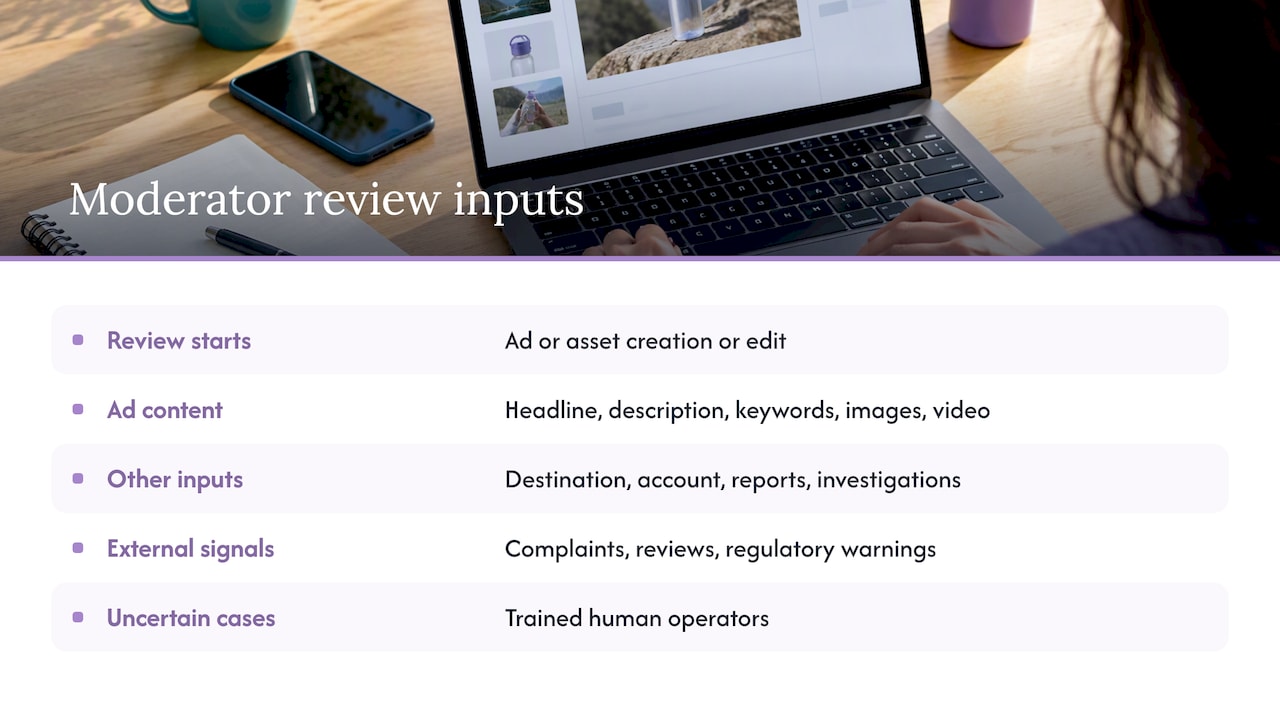
An ad platform does not read your ad the way a person would. It runs a pipeline. Google says its review looks at the ad creative, the associated destination, account information, reports and investigation results, and that nuanced cases may go to trained operators. Review starts automatically when you create or edit an ad or asset, and it examines the headline, description, keywords, destination, images and video.
Google also describes its enforcement as AI modeled on human reviewers’ decisions, with manual-review results fed back as training data. In practice the “bot” is a stack: machine-learning models, a rules engine, landing-page analysis and a human queue for uncertain cases, an architecture Google described in its public policy blog.
The platform also looks beyond its own systems. Google says it uses AI and human evaluation on ads, accounts, websites and content, and also considers user complaints, consumer reviews, regulatory warnings and other third-party sources. Regulators describe the same split elsewhere: Ofcom’s 2026 consultation says moderation of paid ads may be done by humans, automated tools, or both.
The patterns that get grouped and flagged
The most useful finding for advertisers comes from Google Ads Safety researchers. Their 2024 paper on scaling LLM reviews describes signals such as content similarity, actor similarity, model scores, duplicate detection, activity-based filtering and clustering. These are used to pick representative ads and propagate review decisions to similar ads.
That has a practical meaning. If one ad in a cluster is judged a violation, near copies can inherit the decision. Here is how those pattern types tend to show up in a real account.
| Pattern type | What the system compares | What it looks like in your account |
|---|---|---|
| Content similarity | Ad text, images, video, landing-page copy | Ten ad variants that differ by one word all disapproved together |
| Actor similarity | Account details, payment and contact information, connected sites | A new account hit soon after an older one was shut down |
| Duplicate detection | Identical or near-identical assets and domains | The same creative reused across accounts or domains |
| Activity-based filtering | Budget changes, edit frequency, submission bursts | Many edits in a short window, followed by a review hold |
| Technical signals | Destination behavior | Broken pages, redirect failures, blocked crawlers |
Google’s older description of account reviews lists signals including submitted ads and keywords, budget changes, contact details, IP address, connected disabled sites and disapproved ads. The same post calls policy enforcement a perpetual game of cat and mouse, because bad actors keep opening new accounts when old ones are shut down. That is why a clean advertiser can be caught by a pattern meant for someone else: if your setup resembles a flagged one, you share the same signals.
Technical patterns are the easiest to fix
Not every rejection is about content. Google lists destination problems as a cause of disapprovals: HTTP 4xx and 5xx errors, DNS errors, redirect failures, timeouts, authentication barriers and crawler blocking. If your landing page sits behind a login, a geo-block that also blocks the reviewer’s crawler, or a slow redirect chain, the bot sees a broken page and treats it as a violation. Before you rewrite a single headline, load your destination as a stranger would, from several regions and devices.
Why restricted niches trigger more scrutiny
CBD, kratom, peptides, supplements, smoking products, crypto and forex sit in categories where platforms apply stricter rules and more certification. A few examples that matter:
- Google globally restricts ads for pharmaceuticals and supplements, weight loss, and speculative financial products for teens above the digital age of consent but under 18.
- Meta requires certifications such as LegitScript for sensitive categories like CBD (US only), online pharmacies and addiction treatment, according to a 2026 guide to Meta’s ad guidelines. Confirm the current rule on Meta’s own policy pages before you apply.
- Health and wellness ads on Meta face wording limits, including second-person language and negative medical assertions, so “Are you suffering from…” style copy is a classic trigger.
For niche-specific walkthroughs, our guides on CBD Facebook ads compliance and the medical claims policy show the wording and landing-page checks that tend to pass review.
How to read a disapproval
Google defines a disapproved ad as one that will not run because it violates policy. You can inspect the stated reason, read the policy, fix the issue or appeal if you believe the decision is mistaken. Sort the cause into one of three buckets before you touch anything:
- Policy violation. The reason names a policy and the flagged element is real: a claim, an image, a product that needs certification. Fix the content.
- Technical issue. The reason names destination problems. Fix the server, redirects, or crawler access, then resubmit.
- Mistaken review. The ad is compliant and the reason does not match what is on the page. Collect evidence and appeal.
Google notes that a disapproval may come from the ad, its assets or its landing page, and that you should correct the relevant element and resubmit or appeal. Disapproved ads cannot run until the violation is addressed and the assets are re-reviewed.
Timing and the one-change rule
Google says reviews typically take one to two business days and can take longer, and that making multiple changes during review can restart the process. So avoid editing the same ad repeatedly while it is pending. Make one deliberate fix, resubmit, and wait.
Reducing repeat rejections
Repeat rejections come from the clustering described above. These habits break the cycle without changing what you sell.
Keep ads and landing pages telling the same story
The reviewer compares the ad to the destination. If the ad promises one thing and the page shows another, or the page carries claims the ad avoids, the mismatch itself is a signal. Write ad copy that you would be comfortable seeing next to the page copy, line for line.
Audit before you launch
Run a pre-launch checklist: claims, certifications, page speed, working legal pages, and no crawler blocking. Our 7-step audit on circumventing systems suspensions walks through the account and destination signals that cause the most damage.
Do not recycle flagged assets
Creating variations of disapproved ads or domains to get around a decision is exactly what Google’s policy targets. Its circumventing-systems page lists bypassing enforcement by creating variations of disapproved ads, domains or content, and says violations lead to suspension upon detection, without warning. Start from a fixed, compliant version rather than a lightly edited copy.
Keep account signals clean
Use consistent business details, avoid linking your account to disabled sites, and avoid bursts of budget and creative changes. Google’s own account-review signals are in the list above, so treat them as a checklist.
A note on cloaking
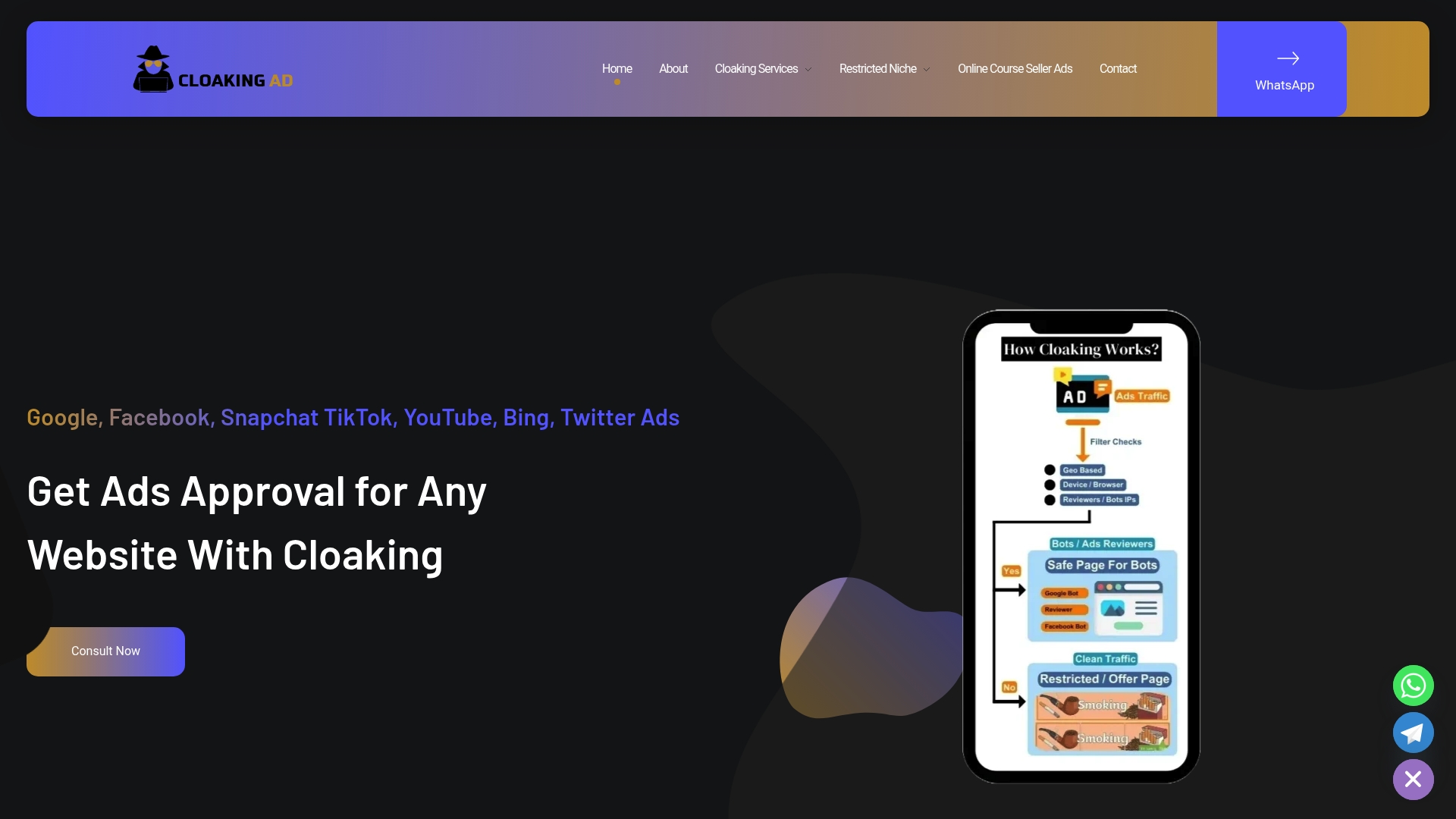
Cloaking means showing different content to reviewers and to users. Google states that cloaking isn’t allowed under its circumventing-systems policy, and that an egregious violation can mean account suspension on detection and a permanent bar from the platform. Any serious provider, including us, tells you this up front. Our write-up on ad cloaking, platform bans and FTC scrutiny covers the risks in detail, and the cloaking server setup guide explains what such a setup involves. If you are already suspended, start with our guides on documenting and appealing a suspension and ad account recovery.
Our perspective on moderator bot patterns
We spend our days with advertisers in CBD, peptides, crypto, supplements and other high-risk niches, and the same story repeats. A good product gets caught by a pattern meant for something else. The review system groups ads by wording, domains and account signals, so one flagged ad can drag a whole account down.
Our view is that you win by understanding the reviewer, not by guessing. We study how each platform treats a vertical, where the landing page and creative need to line up, and which technical errors quietly cost approvals. That is why we offer a consultation call before any build: we look at your vertical, your platforms and your history, and tell you plainly what fits.
For clients who want hands-on help, our managed engagements pair setup with ongoing account management, because approval is only the start. Keeping the account stable while you scale takes steady monitoring. We claim a fast approval turnaround and guaranteed approval on managed engagements, and we build every plan around the risks, not around ignoring them.
Umar
Where we can help
If your ads keep getting flagged and you want an expert to look at the whole picture, start with a consultation call. We review your vertical, platforms, landing pages and account history, then recommend the lightest option that fits: a consultation, a cloaking and server setup, or a fully managed done-for-you engagement. Current prices are published on our site, and our Google Ads cloaking and approval service page explains how that option works.
You can book a consultation call to talk through your situation before you commit to anything.
FAQ
Are moderator bot patterns the same on every platform?
No. The building blocks are similar (machine-learning models, rules and human review), but each platform weighs signals differently and sets its own category rules. Google, Meta, TikTok and Bing publish separate policies, so check each one for your vertical before you copy a setup across them.
Can one rejected ad affect my other ads?
Yes, it can. Google’s research describes clustering and propagating review decisions to similar ads, so near-duplicate creative and pages may share an outcome. Fix the root cause in the flagged ad, then update similar assets before they are reviewed.
How long does a re-review take?
Google says reviews typically take one to two business days and may take longer. Making several changes while an ad is under review can restart the process, so make one clear fix and resubmit.
Should I appeal or edit the ad?
Edit when the stated reason matches something real on the ad or page, such as a claim or a broken destination. Appeal when the ad complies and the reason does not fit what is there. Read the policy detail first, then decide, and see our appeal and reinstatement guide if the account itself is affected.
Sources
- How automation is used in content moderation, Google Advertising Policies Help
- About the ad review process, Google Advertising Policies Help
- Inside view on ads review, Google Public Policy Blog
- What happens if you violate our policies, Google Ads Help
- What happens if you violate our policies, Advertising Policies Help
- Fraudulent Advertising Codes Consultation, Ofcom
- Scaling Up LLM Reviews for Google Ads Content Moderation
- Destination not working, Advertising Policies Help
- Ad-serving protections for teens, Advertising Policies Help
- Meta ad guidelines 2026
- Meta ads rules reference
- Disapproved: Definition, Advertising Policies Help
- Fix a disapproved ad or appeal a policy decision
- Ad review timing, Google Ads Help
- Circumventing systems, Advertising Policies Help