
Domain rotation in advertising means sending ad clicks to different destination domains over time or by rule, instead of always sending them to one. It is not the same as ad rotation, which swaps the creatives people see. Used to test landing pages or route visitors by country, it is a normal tracking practice. Used to hide a destination from reviewers, it breaks the rules of every major ad platform and tends to end in suspended accounts.
This guide covers both sides: the mechanics, the legitimate uses, what Google’s policies actually say, and how to manage several domains without putting your ad account at risk.
TL;DR
- Domain rotation changes where a click lands. Ad rotation changes which ad is shown. The two get confused in search results, but they solve different problems.
- Legitimate uses include landing-page testing, geo or device routing, and replacing an expired promotion without editing live ads.
- Google disallows destination mismatch, cloaking and gateway pages. A rotating domain that shows reviewers something different from users is the textbook case.
- If every destination would pass review on its own, rotation is a testing tool. If it exists to get past review, it is a liability.
- In restricted verticals, fixing the landing page and compliance first usually beats any routing trick.
Table of Contents
- Domain rotation vs. ad rotation
- How domain rotation works
- Legitimate reasons to rotate destinations
- What Google’s policies say
- When rotation turns into evasion
- How to run multiple domains without policy trouble
- Restricted verticals: where the temptation is strongest
- Our perspective
- Working with us
- Quick decision guide
- FAQ
- Sources
Domain rotation vs. ad rotation
Search for “domain rotation ads” and most results are about something else: ad rotation. The IAB’s glossary defines ad rotation as changing the advertisements shown on a site across user sessions. It is about creative and impression delivery. The Google Ads “ad rotation” setting works the same way: it controls how often ads in an ad group are served relative to each other.
Domain rotation is about the destination. The ad, its headline and its display URL can stay the same while the page behind the click changes. That is a different lever with different risks, and it is the one platforms scrutinize.
| Ad rotation | Domain rotation | |
|---|---|---|
| What changes | The creative shown | The domain or page the click reaches |
| Where it is set | Inside the ad platform | Usually on a redirect or routing layer outside it |
| Main purpose | Fair testing of ad angles | Landing-page tests, routing, or (problematically) evading review |
| Policy exposure | Low | Moderate to severe, depending on how it is used |
How domain rotation works
A click rarely goes straight from ad to page. Google Ads explains that a click may pass through a tracking template or intermediate tracking servers before it reaches the final URL, and that URL parameters can record details such as source, campaign or creative. Redirects across domains can happen before or after the landing page.
Domain rotation adds a decision at one of those hops. A routing layer receives the click and picks a destination by rule. Typical rules:
- Weighted split: 50% to page A, 50% to page B.
- Geo, device or language: one destination for mobile users in Canada, another for desktop users in the US. Routing tools document selection by country, device, language, browser, operating system, source or referrer, with weighted or ordered fallbacks.
- Time-based: swap in a new destination when a promotion ends.
One testing guide describes the core idea well: keep one ad link constant and route clicks among several destinations by configured percentages, so the destination, not the creative, becomes the test variable. The same guide notes that this lets you change allocation without editing the live ad, but that the ad platform cannot optimize directly among the hidden variants. That last point matters: you give up some of the platform’s own learning in exchange for flexibility.
Legitimate reasons to rotate destinations
Plenty of campaigns have honest reasons to send traffic to more than one place.
- Landing-page testing. You want to know whether a short form or a long-form page converts better, without rebuilding the ad.
- Fighting ad fatigue. Rotating landing variants can show different messaging angles to audience segments and change destinations without constantly editing ad entries.
- Geographic or device routing. Sending a visitor to the right regional store or the right app-store page.
- Retiring expired promotions. The S.EE guide lists landing-page testing, geo or device routing and replacing an expired time-limited promotion as normal operational uses.
- Retailer destinations. Google itself gives an example: a consumer-packaged-goods manufacturer may, with prior approval, redirect users to a pre-approved list of retailers where the product is sold.
Notice the pattern in that last example: the exception exists, but it requires approval. Rotation that platforms accept is rotation they know about.
What Google’s policies say
The rules are specific, and they are stricter than many media buyers assume.
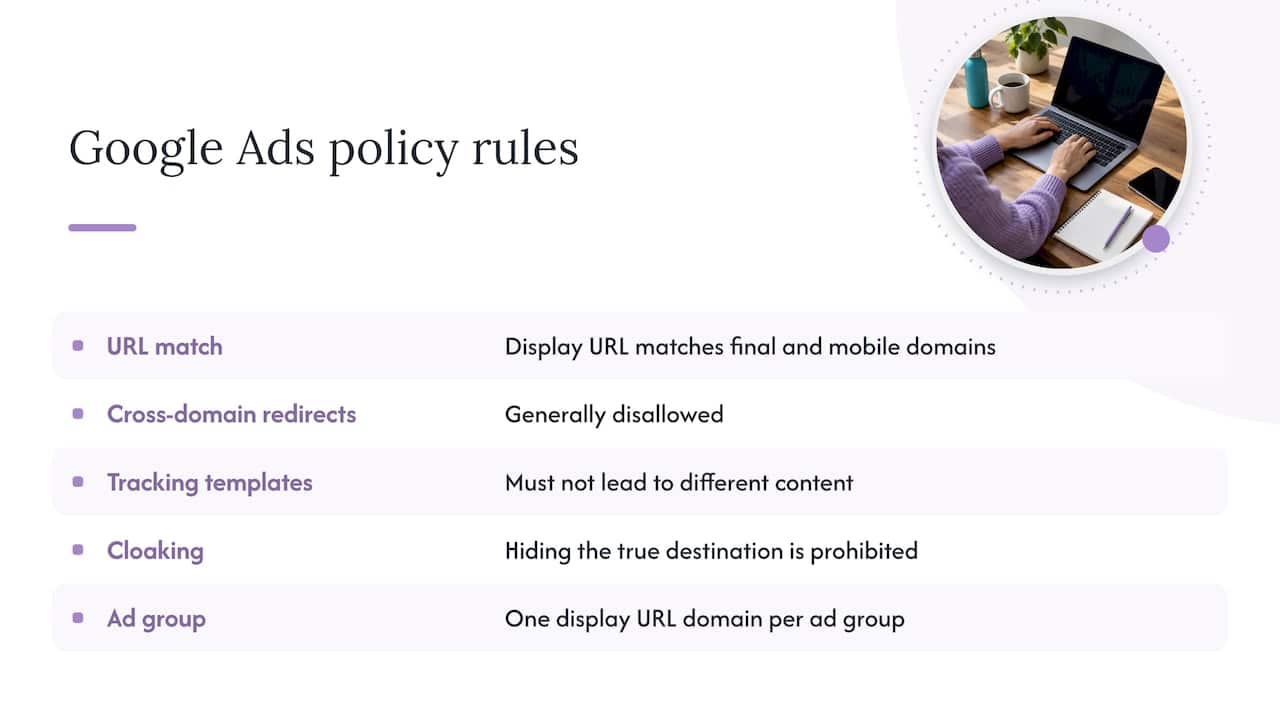
Destination mismatch. Google requires the display URL to match the domain of the final and mobile URLs. A final URL that redirects to another domain is generally disallowed. The same page names the usual triggers: geo-redirection to different domains, link shorteners that do not lead to the expected final URL, and tracking templates that lead to different content.
Cloaking and circumvention. Google’s policy prohibits cloaking or techniques to hide the true destination, bridge or gateway destinations designed only to send users elsewhere, and attempts to circumvent its review systems.
Misrepresentation. Ads and destinations must not deceive users by omitting relevant product, billing, business, licensing, contact or offer information, per the same policy.
One website per ad group. Google does not allow more than one display URL domain in a single ad group. To advertise another site, move its ads and keywords into a new ad group or campaign. This is the clean, supported way to run several domains.
Other platforms are similar. Smaller networks spell it out as well: one published ad policy lists display and final domains that differ, final URLs redirecting elsewhere and tracking templates leading to different content as prohibited, along with automatic redirects, intrusive interstitials and disabled back buttons. For platform-specific detail on our side, see our notes on Bing’s cloaking policy, YouTube and Twitter.
When rotation turns into evasion
The line is intent and outcome. If a reviewer or a bot sees domain A and a real user lands on domain B with different content, that is cloaking, however the domains are shuffled.
The wider industry treats this pattern as a warning sign. The EU’s intellectual property office reports in an advertising discussion paper that infringers rotate generic domain names and redirect domains through innocuous-looking sites to evade blocklists while keeping ad revenue flowing. Spamhaus, a security organization, notes that traffic-distribution systems have legitimate advertising, affiliate and geolocation uses, but that redirect chains and domain rotation are also used to hide phishing, malware and malvertising.
That context shapes how platforms and security filters treat rotation. Your intent may be harmless, but detection systems see patterns, not intent. A cluster of short-lived domains, rapid redirects and content that varies by visitor looks the same in the logs whether the operator is a legitimate affiliate or a scammer.
The practical consequences in a typical case:
- Ad disapprovals that repeat across new domains.
- Account-level suspension for circumventing systems, which is harder to appeal than a single ad disapproval.
- Payment-profile and domain flags that follow you to the next account.
- Wasted spend on domains that are burned within days.
For more on how hidden destinations get detected, see our write-up on cloaked redirect ads and paired fetches.
How to run multiple domains without policy trouble
If you have a real need for several domains, this approach keeps you on the right side of review.
Make every destination reviewable
Ask of each page: would this pass review if the reviewer saw only this one? If the answer is no for any variant, the problem is the page, not the routing. The S.EE guide’s advice is to use a branded domain and ensure every destination would pass review.
Keep the display URL honest
The domain in the ad should match the domain the user ends up on. If you need a different domain, use a separate ad group or campaign, as Google’s one-website rule describes.
Check your tracking templates
Tracking templates are fine when the final content is what the ad promised. Audit them for hops that change the destination domain. Our guide to Google ad tracking alongside cloaking setups walks through the integration points that most often cause mismatches.
Test long enough, and measure downstream
Let the split run long enough to collect meaningful data, and compare downstream performance (leads, sales, refunds) rather than clicks. Remember that routing behind a stable link moves the burden of allocation and statistical interpretation onto you: the platform will not sort out the variants for you.
Keep a change log
Record every domain, its purpose, its launch date and its review status. When an ad is disapproved, you will know within minutes which domain and which template was involved.
Restricted verticals: where the temptation is strongest
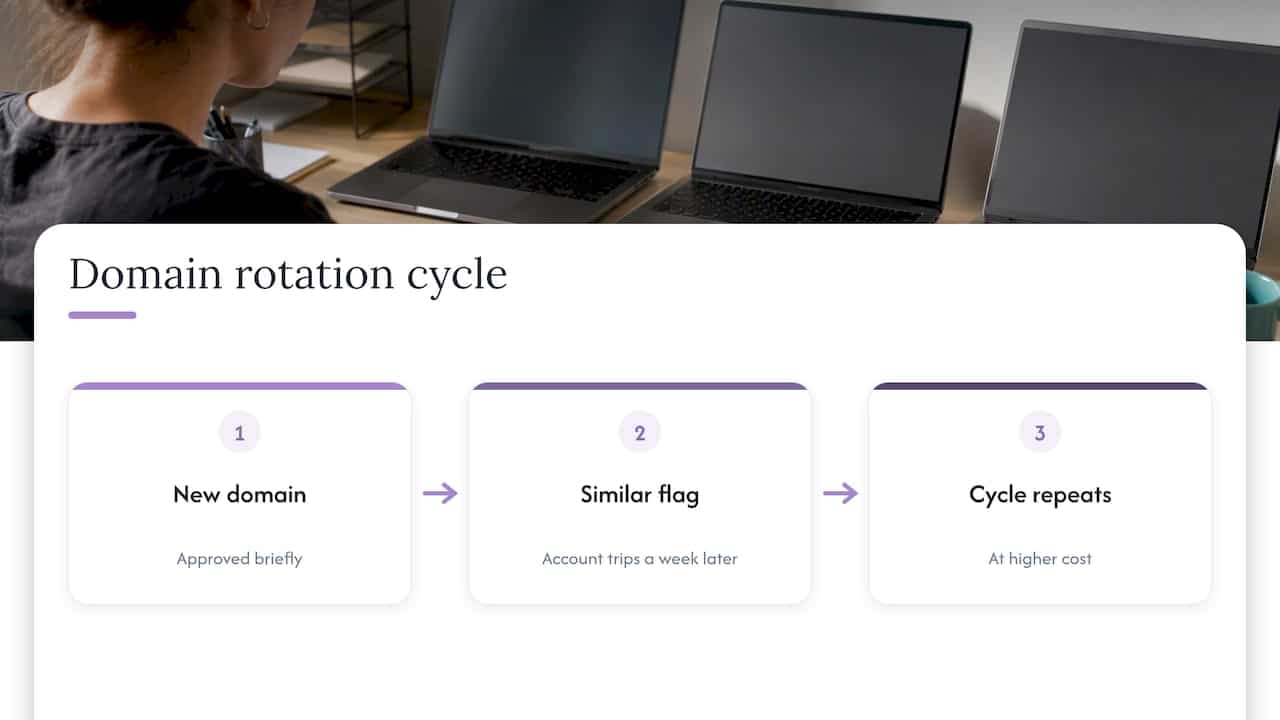
CBD, peptides, supplements, crypto, forex and pharma advertisers face the most disapprovals, so they are the most tempted to rotate domains hoping a fresh one gets through. In our experience, the pattern is predictable: a new domain gets approved briefly, the account trips a similar flag a week later, and the cycle repeats at higher cost.
Most of these rejections come from the page and the offer, not the domain: missing licensing information, unsupported health claims, no clear business details, or a checkout that does not match the ad. Changing domains changes none of that. If this is your situation, start with the vertical-specific guidance: CBD, hemp and kratom, peptides and pills, crypto, healthcare, or the general piece on affiliate ads approval fixes.
Our perspective
We run cloaking and approval setups for restricted niches, so people expect us to tell them rotating domains is the answer. It usually is not.
Here is how we see it. Domain rotation is a routing tool, and routing does not make a non-compliant offer compliant. We tell new clients to settle three things before anyone touches a server:
- Is the page defensible? If a reviewer read every word and clicked every link, would the page stand on its own? Our piece on audits beating cloaking in restricted industries explains why this is where we start.
- Is the tracking clean? A messy tracking template creates mismatches that look like cloaking even when none is intended.
- Do you understand the risk? Any technique that shows reviewers something different from users violates platform policy. We say so plainly in our own material on cloaking server setup and its risks. Platforms can and do suspend accounts for it, and no setup removes that risk entirely.
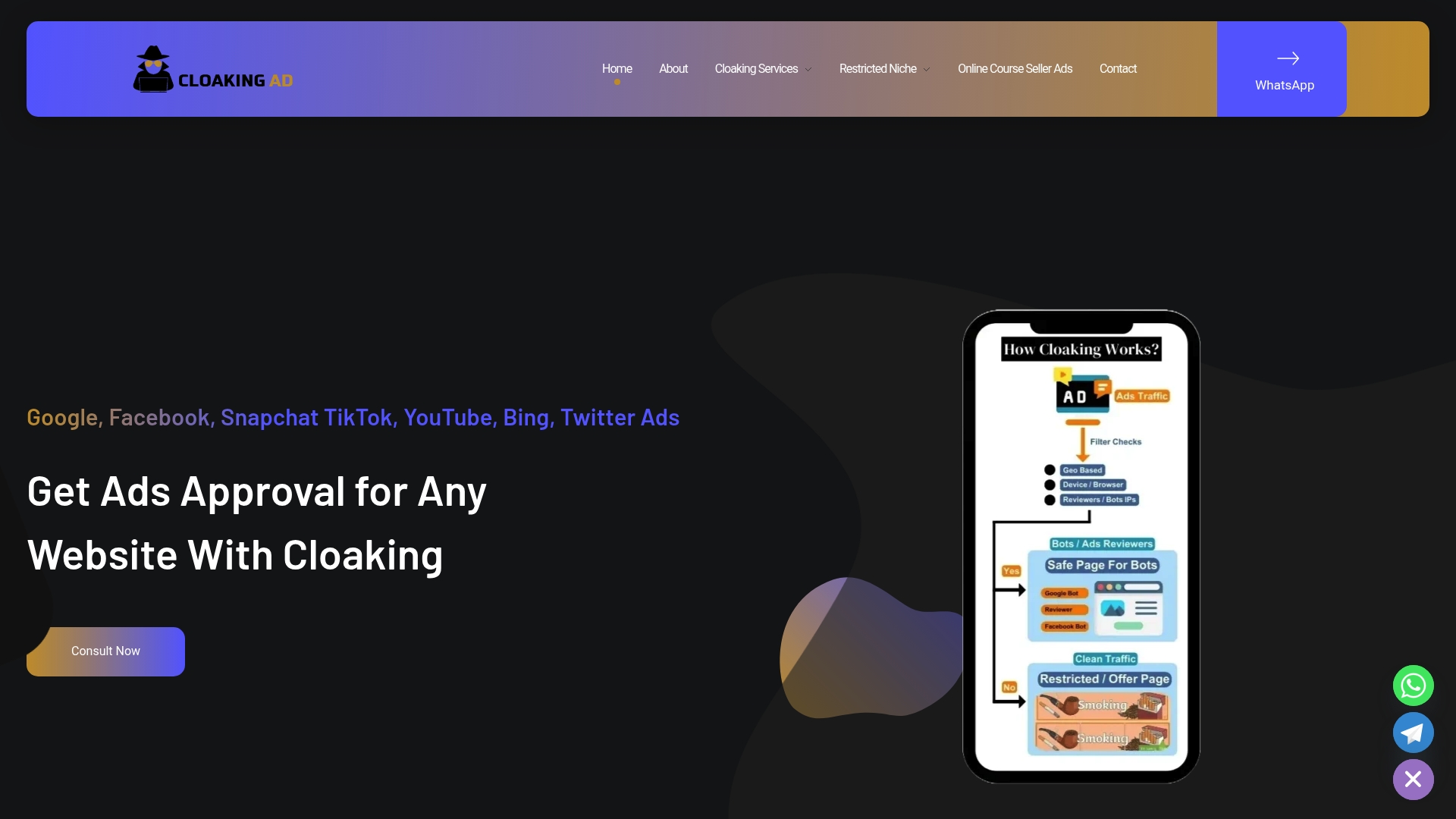
Where clients still need advanced setups, such as bot and reviewer detection, device-level checks or custom server configuration, we build them with the risk laid out in advance, and we pair them with ongoing account management so problems are caught early. For the technical side, see device cloaking for media buyers and our overview of cloaking ads for restricted campaigns.
Our rule of thumb: rotate to learn, never to hide. If a domain only works when it is hidden, it is not a domain you can build a business on.
— Umar
Working with us
If you advertise in a restricted vertical and your ads keep getting rejected, the quickest first step is a conversation about what is actually failing review. We offer a consultation call, a cloaking system setup, and a done-for-you option that includes ad management. You can book a consultation to talk through your account, or look at the setup service if you already know you need server and landing-page configuration.
We will tell you honestly whether your problem is a page fix, a tracking fix or something that needs a deeper setup.
Quick decision guide
| Your situation | Sensible move |
|---|---|
| Testing two landing pages for the same offer | Route by percentage, keep both pages fully compliant, measure downstream results |
| Different regions need different stores | Use separate campaigns or ad groups per domain, with matching display URLs |
| Ads keep getting disapproved in a restricted niche | Audit the page, claims and tracking before changing any domain |
| Promotion expired | Update the destination or final URL through the platform, not a hidden redirect |
| A domain was flagged | Find the cause on the page and offer; a new domain with the same content gets the same result |
FAQ
Is domain rotation the same as ad rotation?
No. Ad rotation controls which creative is shown, and it is a standard setting in Google Ads and other platforms. Domain rotation controls which destination a click reaches, and it is subject to destination-mismatch and cloaking rules.
Is rotating domains allowed on Google Ads?
Only in limited forms. The display URL must match the final URL domain, and redirects to a different domain are generally disallowed, with narrow approved exceptions such as pre-approved retailer lists. Running separate domains in separate ad groups or campaigns is the supported route.
Why do advertisers rotate domains?
Honest reasons include landing-page tests, geo or device routing and replacing expired promotions. Less honest reasons involve avoiding blocklists or review. Platforms and security researchers have documented the second group, which is why the practice draws scrutiny.
Will a new domain fix repeated ad disapprovals?
Usually not. Disapprovals typically trace to the content of the page, the claims, missing business information or a mismatch between ad and destination. A fresh domain carrying the same content tends to be flagged again.
What should I measure when splitting traffic across destinations?
Compare downstream results such as leads, sales and refunds, not just clicks. Let the test run long enough to gather meaningful data, and keep in mind that the ad platform cannot optimize among hidden variants for you.
Sources
- Digital Glossary, IAB Ireland
- Learn about final URLs and tracking templates, Google Ads Help
- Destination mismatch, Google Advertising Policies Help
- Google Ads policies, Advertising Policies Help
- One website per ad group, Advertising Policies Help
- How to Set Up Link Rotation for Split-Testing Ad Creative, S.EE
- Reducing Ad Fatigue by Rotating Landing Pages with Smart Short Links
- URL rotation: split and route campaign traffic, Linka Factory
- Advertising Policies of Xiaomi (PDF)
- Online Advertising: Challenges and good practices, EUIPO (PDF)
- TDS Abuse: What’s hiding behind the veil?, Spamhaus