
Yes, you can run forex ads on Google, but only as a certified advertiser in a location Google allows, with a licensed business behind the account and a landing page that discloses what Google requires. Unlicensed brokers, signal sellers and most affiliate sites are shut out. Below you will find who qualifies, what to submit, how to build a compliant campaign, and what to do when an ad is disapproved.
TL;DR
- Google allows forex ads for licensed providers of rolling spot forex, CFDs and financial spread betting, in eligible locations only, after certification.
- You need location-specific Financial Services Verification, and each targeted location needs its own application.
- Landing pages must show your physical address and fees clearly, with no roll-over text or hidden tabs.
- Trading signals, tips and broker-review affiliate content lead to disapproval.
- If an account is flagged, fix the page first and then appeal. Google gives at least 7 days’ warning before a suspension for these violations.
Table of Contents
- Who can advertise forex on Google
- Which countries are eligible
- Certification and Financial Services Verification
- Landing page requirements that decide approval
- Building the campaign
- Why forex ads get disapproved, and how to fix them
- Where licensing help fits
- Our perspective
- Work with us on your forex approval
- FAQ
- Sources
Who can advertise forex on Google
Google treats forex as a “complex speculative financial product”. Under its policy, forex brokers can advertise if they offer rolling spot forex and hold Google certification in an eligible location. The same policy covers contracts for difference (CFDs) and financial spread betting, provided the advertiser is a licensed provider or an aggregator.
That sentence rules out a lot of what people hope to run:
- Educational courses that promise trading results.
- Signal channels and “tips” services.
- Broker comparison and review sites run by affiliates.
- Brokers without a license in the country they want to target.
The policy is also explicit that ad destinations offering trading signals, tips or speculative trading information, or affiliate sites with related content or broker reviews, lead to disapproval. If your business model is affiliate, plan for that before you spend a dollar on traffic.
Which countries are eligible
Google defines the eligible locations for these products strictly. They include major markets such as the UK, the USA, Japan, Singapore and most EEA countries, and the requirements differ by market. A US advertiser must be licensed by the NFA. A UK advertiser needs FCA authorization. In the EEA, your license comes from the national regulator that applies to your firm.
Two practical consequences:
- You can only target eligible locations. If a country is not on the list, no certification will unlock it.
- Advertising in more than one location means a separate application for each location or group of locations. A broker licensed in the UK and the EU should expect to file at least two applications, not one.
If you run global campaigns, build the account structure around this. Keep one campaign group per certified location so a rejection in one market does not stall the rest.
Certification and Financial Services Verification
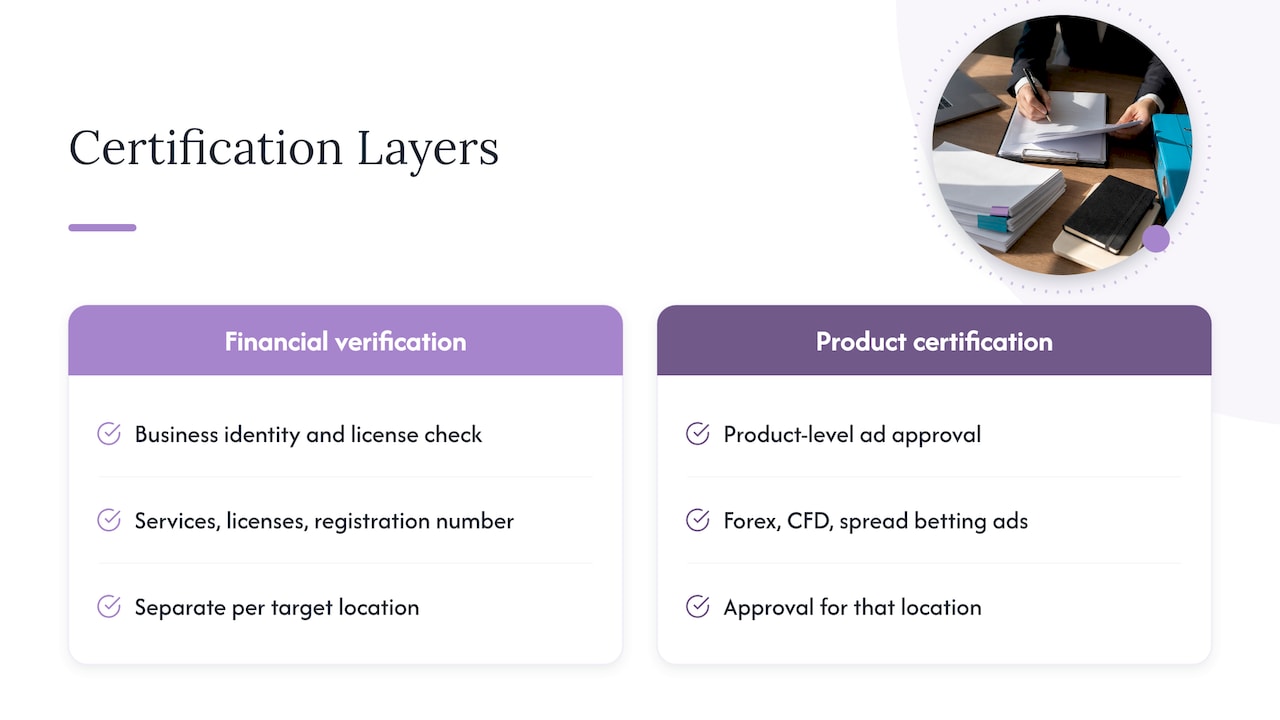
There are two layers, and brokers often confuse them.
Financial Services Verification is the identity and license check. You provide the services you offer, the licenses you hold, your registration number and other details about the business. It is done separately for each location you target.
Complex speculative financial products certification is the product-level approval that lets you run forex, CFD or spread betting ads in that location.
One process change matters for anyone planning a launch now. From June 2026, new certification applications are no longer supported through the Google Ads Help Center and must be submitted from inside a Google Ads account. Existing applications are not affected. So set up and verify the account first, then apply from within it.
Check the rules for each new country
Regulators and enforcement dates change. Before you enter a new market, open Google’s Financial Services Verification page and pick your target location from the drop-down. It lists the relevant regulators, registries and enforcement dates for that place. Do this every time, not once. For a walkthrough of how the NFA, ESMA-aligned and FCA checks line up, see our forex Google Ads policy guide.
Landing page requirements that decide approval
Most forex disapprovals we see come from the page, not the ad text. Google’s disclosure policy asks for the following:
- The business’s physical address and the associated fees must be disclosed clearly and immediately.
- Where you assert or imply an affiliation, include a link to the third-party accreditation or endorsement, especially when it boosts your reputation.
- Disclosures must be visible without a click or hover. They cannot sit in roll-over text or behind another link or tab.
A short checklist you can hand to your web developer:
| Element | What to do |
|---|---|
| Physical address | In the page body or header, readable on mobile |
| Fees and costs | Spreads, commissions, financing costs shown on the page itself |
| Licenses | Regulator name and registration number matching your verification |
| Affiliation claims | Link to the accrediting body wherever you mention it |
| Risk warning | Visible on load, not in a tooltip or modal |
| Content | No signals, tips or broker reviews on the destination |
Also keep your landing page consistent with the ad. If an ad says “zero commission” and the page shows fees below the fold, that mismatch is a common cause of rejection.
EU, UK and Switzerland traffic
If you serve users in those regions, the consent layer matters too. Google’s EU User Consent Policy reflects the GDPR, the ePrivacy Directive and equivalent UK laws and applies to the EEA, the UK and Switzerland. You must disclose that third parties, including Google, may access collected user data, and link to Google’s Business Data Responsibility Site. Put this in your consent banner and privacy notice before launch.
Building the campaign
Once certification is in place, the mechanics are ordinary Search work, with a few forex-specific habits.
- Structure by location and product. Separate campaigns for each certified country, and separate ad groups for spot forex, CFDs and other products.
- Use tight keyword groups. Smaller, closely themed ad groups keep ad text relevant and make it easier to see which queries convert.
- Prune search terms weekly. Add negatives for “free signals”, “forex course” and similar terms that bring the wrong intent.
- Use price assets carefully. Price items must use an ISO 4217 currency code, and headers and descriptions can each be up to 25 characters, shortened on narrow mobile screens. Write them so they still read well when trimmed.
- Review anything automated. If you let Google crawl your site for automated campaign setup, you stay responsible for reviewing, approving or removing the generated campaigns and assets. A generated headline that promises returns can cost you the account.
- Track beyond the click. For forex the metric that matters is the funded account or first-time deposit, not the lead. Our write-up on forex ads that work covers how to wire that up.
Search versus social for forex
Google Search captures people who already typed a broker or product query, so intent is high and so is the cost per click. Social platforms create demand rather than catching it and have their own financial-ad rules. Many brokers run both, with Search for bottom-funnel and social for reach. If Meta is part of your plan, read our guide to Facebook forex ads and FTD tracking so your measurement does not break on the way.
Why forex ads get disapproved, and how to fix them
The usual causes, in the order we would check them:
- Missing or hidden disclosures. Address, fees or accreditation links absent or tucked behind a tab.
- Wrong destination content. Signals, tips, speculative commentary or broker reviews on the landing page.
- Targeting a location you are not certified for.
- License mismatch. The registration number or business name on the page does not match the verification.
- Aggressive claims. Guaranteed profits, risk-free language, or implied endorsements.
The fix for a disclosure problem is simple in principle: correct the landing page to provide the required information, then appeal the decision from your Google Ads account. Do not appeal before the page is fixed. A repeat rejection on an unchanged page wastes time.
Time also matters. Google issues a warning at least 7 days before suspending an account for these violations. Treat that warning as a deadline: audit every live destination, not just the one named in the notice. If a suspension has already happened, our guides on ad account recovery and appeals and documenting and appealing a suspension lay out the evidence to gather.
One warning from our side as well. Google’s rules on circumventing its systems are strict, and an account flagged under them is hard to restore. Before you change anything about how pages are served to reviewers, run the 7-step circumventing systems audit so you know exactly where the lines are.
Where licensing help fits
Some advertisers are not brokers themselves. They are introducing brokers, fintech brands or agencies that run campaigns on behalf of a licensed entity. In those cases the question is usually how to structure the account so the verified business and the advertiser line up. Our overview of the Google Ads license service explains how that setup works, and our look at the future of financial ads covers where fintech advertising rules are heading.
Our perspective
Forex is one of the least forgiving verticals we work in. The policy is not vague: it is a licensing question, a disclosure question and a destination-content question, and each one can be answered before launch.
What we see in practice is that advertisers lose weeks because they treat approval as a single event. It is a chain. Verification by location, certification by product, a page that matches the license, tracking that proves funded accounts, and an account history that stays clean while you scale. A break anywhere sets you back to the start.
That is why we offer more than one way in. Some teams only need a consultation to map their licenses to the right markets. Others want the technical setup handled. Others want us to run the whole engagement, from approvals to ongoing account management and scaling. Our aim is the same in each case: faster approvals, stable accounts, and campaigns that can grow without constant firefighting. We built our process around high-risk verticals, and forex is exactly the kind of niche where that specialization pays off.
Umar
Work with us on your forex approval
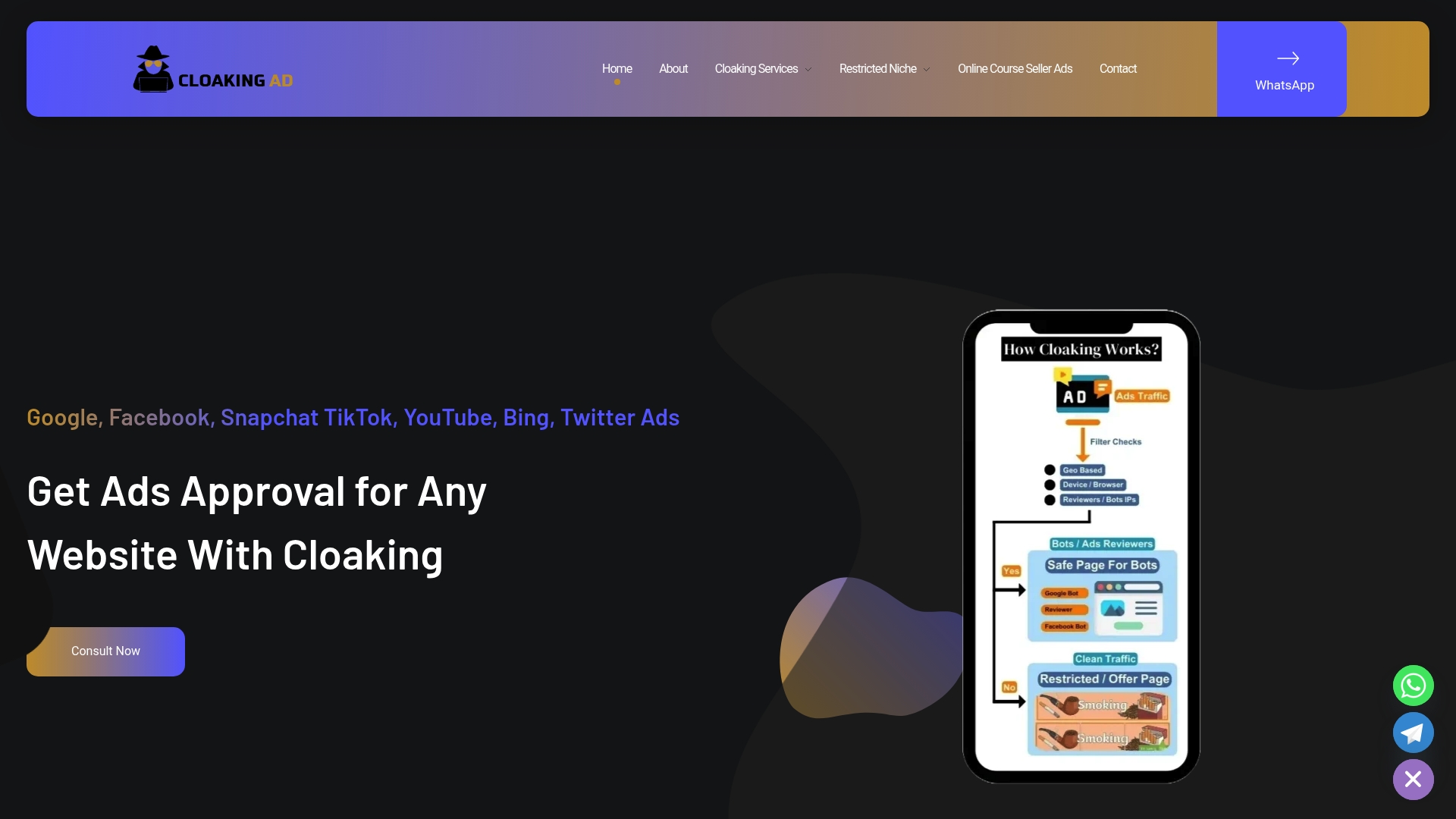
If you would rather not learn the approval chain by trial and error, we can take on as much of it as you need. Our offers are a consultation call, a cloaking and server setup, and a fully managed Done-For-You engagement. The setup service is listed at 3599 for Done-For-You and 1599 for the Setup Cloaking System, both one-off. The consultation call has no published price. We claim a 24-hour approval turnaround and guaranteed approval on managed engagements, and we tailor each engagement to your licenses and target markets.
Start with the consultation call or Done-For-You option, see the setup service, or read how our Google Ads approval service works.
FAQ
Can I run forex ads on Google without a license?
No. Google requires an eligible advertiser type, such as a licensed provider or aggregator, plus certification for each location you target. In the US that means NFA licensing, and in the UK it means FCA authorization. Without those, applications are rejected.
Can affiliates advertise forex brokers on Google?
It is very difficult. Destinations with trading signals, tips, speculative information or broker reviews lead to disapproval under Google’s complex speculative financial products policy. Affiliates generally need to work through the licensed broker’s own compliant pages and confirm what is allowed with the broker.
Do I need separate approval for every country?
Yes. Verification is location-specific, and you must submit a separate application for each location or group of locations. Only eligible locations can be targeted, so check Google’s drop-down list of regulators before you expand.
What should I do first when a forex ad is disapproved?
Read the policy reason, then fix the landing page: address, fees, accreditation links and visible disclosures. Only then appeal from your Google Ads account. Since Google warns at least 7 days before suspension for these violations, use that window to audit every live destination.
Sources
- Complex speculative financial products, Google Advertising Policies
- Financial Services Verification: Relevant Regulators and Requirements, Google Advertising Policies
- Financial products and services disclosures, Google Advertising Policies
- Fix issues with your EU User Consent Policy consent audit, Google Ads Help
- About price assets, Google Ads Help
- Important updates to the Google Ads Terms of Service, Google Ads Help