
Scaling restricted ads comes down to three things: knowing which category rules apply to your product in each location, keeping every ad and landing page consistent with what the platform reviews, and raising spend in steps small enough that one rejection does not take the whole account down. Most advertisers in CBD, kratom, peptides, supplements, crypto and smoking-related niches lose accounts because they scale before the foundation is clean, not because the niche is closed to them.
This guide covers what “restricted” means on Google and Meta, which triggers matter most, how to appeal, a scaling plan by phase, and what to do when a product is simply not eligible for paid ads.
TL;DR
- “Restricted” is not one thing. A disapproved ad, a limited ad and a suspended account are different problems with different fixes.
- Eligibility depends on product and location. Google’s CBD advertising, for example, is limited to a few places and requires certification.
- Google’s policies name cloaking and hidden destinations as circumvention. Platforms can suspend accounts for it, so audit your pages before you consider anything more aggressive.
- Scale in steps, keep rejection rates low, and never spread risk across shared payment methods or thin accounts.
- If a product cannot be advertised on a platform, move to compliant channels instead of forcing it through.
Table of Contents
- What “restricted” actually means
- Which rules hit restricted niches hardest
- What triggers restrictions as spend grows
- Build the foundation before you add budget
- A scaling plan that protects the account
- When something is restricted anyway
- Perspective: what we see in restricted accounts
- When the product is not eligible for paid ads
- How we can help
- FAQ
- Sources
What “restricted” actually means
Advertisers use the word loosely, but the platforms do not. On Google, a disapproved ad or asset cannot run until it is fixed and reviewed, while an ad marked eligible-limited may serve in a narrower set of targeted locations. An account suspension is the heavy version: it stops all ads in the account and may also suspend related accounts.
Meta works on a wider surface. It reviews ad text, images, video, targeting and landing pages, and it also assesses ad accounts, Pages, Business Accounts and user accounts. A violation can therefore restrict individual ads and the assets behind them. Meta also says suspicious activity, inauthentic behavior or possible misrepresentation can lead to business-asset restrictions, and that ads may be re-reviewed at any time.
That last point matters for scaling. An ad that was approved last month is not permanently safe. Higher spend means more impressions, more user reports and more reviews.
| Status | What it means | What to do |
|---|---|---|
| Disapproved ad | The ad cannot run until changed and re-reviewed | Fix the ad, assets or landing page, then resubmit |
| Eligible (limited) | The ad serves only in some locations or on a limited basis | Check which locations qualify and target only those |
| Account restriction | Advertising privileges are limited on the account or assets | Request a review and document your business |
| Suspension | All ads stop, related accounts may be affected | Appeal through the platform, do not open replacement accounts in a hurry |
Which rules hit restricted niches hardest
Each vertical has its own gate, and the gate often differs by location.
CBD and hemp. Google requires CBD Ads Certification for FDA-approved pharmaceutical CBD ads, limited to California, Colorado and Puerto Rico. Non-pharmaceutical topical CBD advertisers must first obtain LegitScript certification. If you are targeting the whole US with ingestible CBD, expect disapprovals on Google no matter how clean the creative is.
Peptides, supplements and kratom. Google maintains a non-exhaustive list of unapproved pharmaceuticals and supplements, such as ephedra and hCG for weight loss, which are prohibited regardless of local legality. Peptide and kratom sellers should read that policy against their exact product names and claims, not their category.
Crypto and forex. Financial products usually require licensing or certification, and requirements vary by country. Google says some restricted industries need an eligibility application, and that advertisers must check the rules for every target location before scaling.
Smoking and vaping products. These fall in the same pattern: platform-level limits first, then local law. Treat every new country you add as a new compliance review, not a budget change.
If your niche is one of these, our pages on CBD, hemp, kratom and vape ad approval and crypto advertising approval go deeper on each vertical.
What triggers restrictions as spend grows
Restrictions follow patterns. Four show up again and again.
Claims the platform cannot verify
Google’s Misrepresentation policy prohibits clickbait, sensational text or imagery, and fear-based appeals that exploit illness, accidents or bankruptcy. It also bans misleading designs such as fake buttons or ads that do not clearly appear to be advertisements. Health-adjacent niches trip this constantly: before-and-after language, disease claims, “cure” wording. Our guide to the medical claims policy shows how to rewrite those lines.
Unclear pricing, offers or business identity
Google says restrictions can follow ads or destinations that deceive users, omit relevant product information or mislead about a business. Its examples include unclear pricing, unavailable offers and misleading business identity. A landing page with no company name, no address, no returns policy and a countdown timer is asking for review.
Mismatch between ad, page and checkout
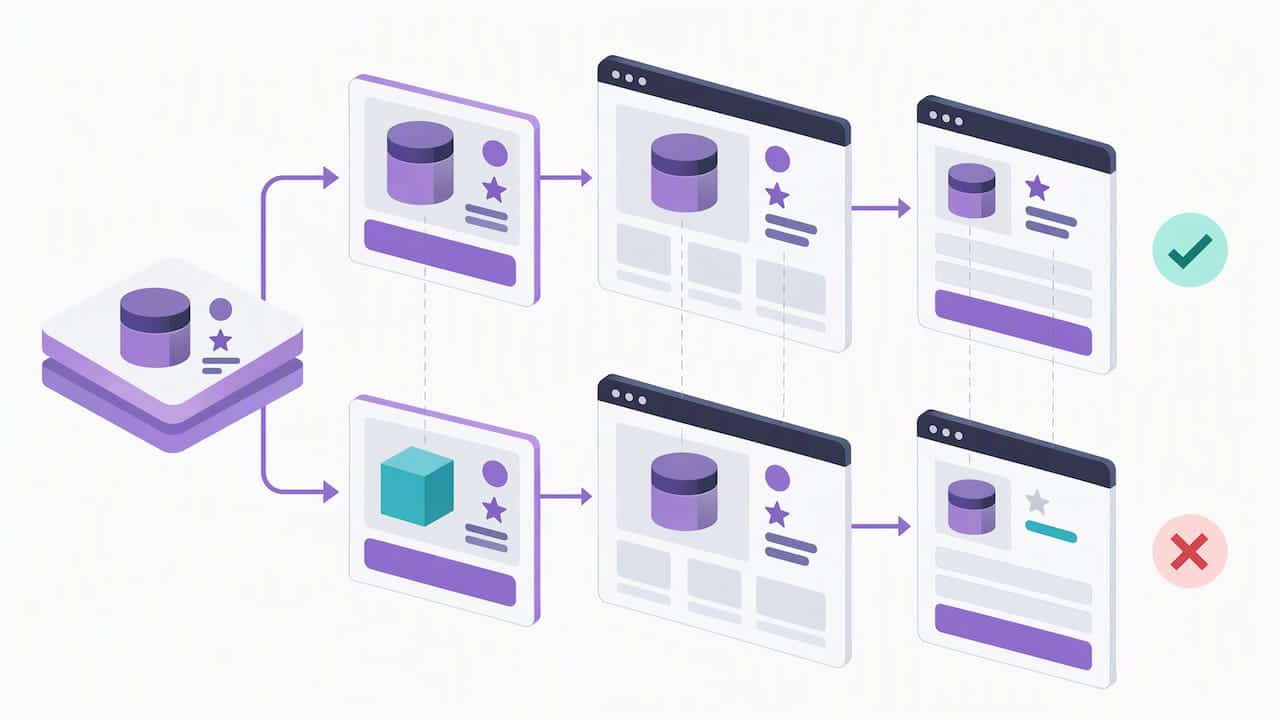
Reviewers compare what the ad promises with what the page delivers. Differences in product, price, or claims between the ad, the landing page and the checkout are a common cause of repeated disapprovals. Keep a single source of truth for claims and copy it everywhere.
Circumvention
This is the one that ends accounts. Google prohibits attempts to circumvent review, including cloaking, hiding the true destination, bridge or gateway pages whose main purpose is redirecting users elsewhere, and manipulating settings to bypass policy systems. Meta, for its part, prohibits helping anyone evade enforcement.
That is the honest background to any conversation about cloaking: the platforms name it as a violation, and a circumvention finding can end an account instead of fixing a single ad. Before anyone reaches for it, the cheaper test is whether the page itself is the problem. Our write-ups on why audits beat cloaking in restricted industries and the seven-step audit for circumventing-systems suspensions walk through that check.
Build the foundation before you add budget
Scaling magnifies whatever is already in the account. Do these before raising spend.
- Map eligibility by product and location. For each SKU, write down whether the platform allows it, where, and which certification is required. Remove locations where you do not qualify.
- Write a claims sheet. List every claim you make, its substantiation, and the approved wording. Anything on the sheet can appear in an ad. Anything off it cannot.
- Clean the landing page. Clear business identity, visible pricing, contact details, policies, and no fake urgency. The page must match the ad.
- Separate tracking from deception. Conversion tracking, server-side events and deduplication are legitimate. They are not a substitute for approval.
- Set up account hygiene. Use one established Business Manager or Google Ads account per legal entity, with payment methods that belong to that entity and no outstanding balances.
A scaling plan that protects the account
The SERP guides on scaling agree on one point: fast jumps get accounts disabled. The numbers differ by industry, so treat what follows as a working rule set rather than a promise.
Phase 1: prove approval at low spend
Run a small number of ads for a week or two. Your goal is not revenue; it is a stable approval record. Count how many ads are rejected out of those submitted. If more than a few percent are rejected, fix the cause before you spend more.
Phase 2: widen creative, not claims
Add new hooks, formats and audiences using the same approved claims. Every new claim is a new risk. Every new creative angle using old claims is cheap.
Phase 3: raise budgets in steps
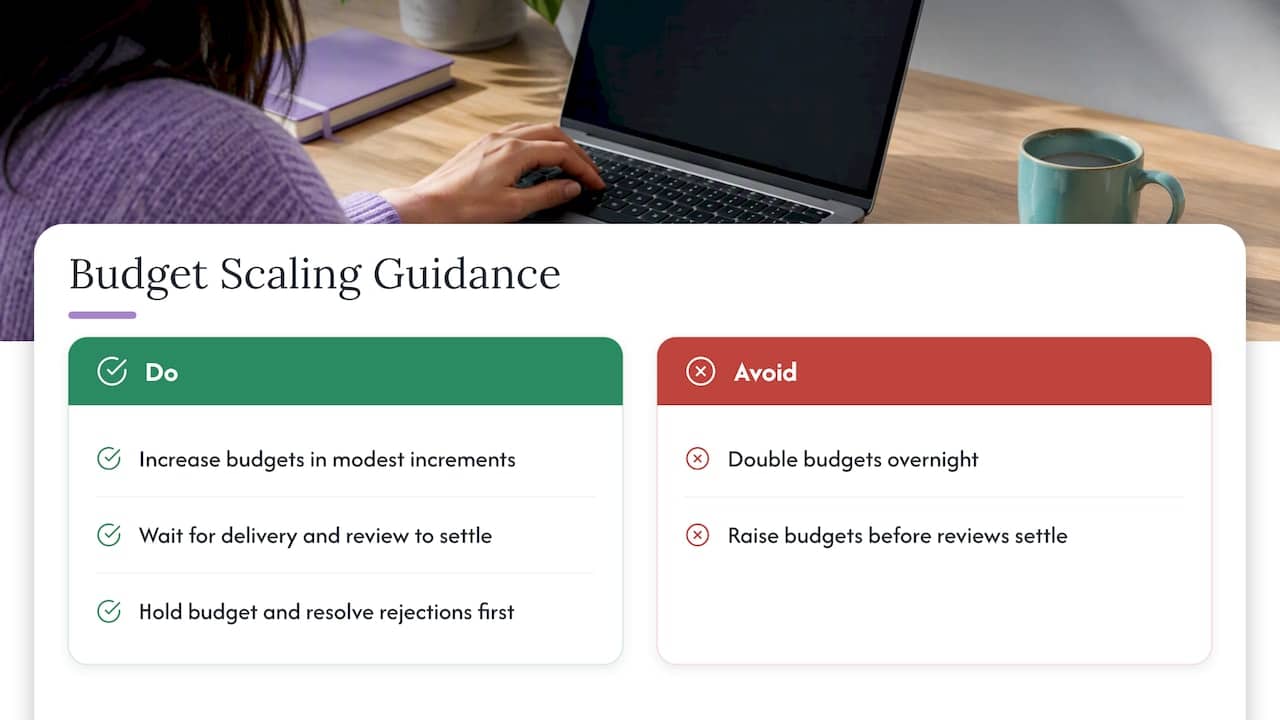
Increase budgets in modest increments rather than doubling overnight, and wait for the delivery system and policy review to settle before the next step. If a rejection appears, hold the budget where it is and resolve it first.
Phase 4: add geographies one at a time
A new country is a new rulebook. Verify the product is permitted, the certification covers it, and the page carries the required disclosures. Then launch it as its own small test.
Daily monitoring
Check the account quality view, policy status and disapproval notices every day while scaling. Spikes in rejections often arrive before a restriction, and they are your warning.
When something is restricted anyway
Assume it will happen once. The response should be calm and procedural.
On Meta, edit the ad or create a new one that complies. If you believe the decision was wrong, request a review in Account Quality.
On Google, a disapproved ad may need changes to the ad, the assets or the landing page before resubmission. You can appeal through Policy Manager or the Ads interface, but each ad is limited to three appeals, and repeated duplicate appeals should be avoided. Use them only after you have changed something or have evidence the decision was a mistake.
For account-level problems, document your business (registration, product sourcing, certifications, page changes), keep the appeal factual, and do not open replacement accounts to keep spending. Doing that is the pattern that gets related accounts suspended. Our walkthrough on recovering from an ad account suspension covers the documentation step by step.
Perspective: what we see in restricted accounts
We work with advertisers in CBD, peptides, crypto, forex, supplements and affiliate offers, and the pattern is consistent. Accounts rarely die from one bad ad. They die because a rushed budget increase meets a landing page that was never reviewed seriously, and then the advertiser reacts by making things more complicated.
Our first question on any consultation is therefore plain: what is the page showing, what does the ad claim, and what does the platform say about that product in that location? A surprising share of problems are solved there, with rewritten claims, clearer business identity and tighter geo targeting. We are also direct about the limits. Google’s own policies name cloaking and hidden destinations as circumvention, so we do not treat any technical setup as a free pass, and we do not promise outcomes that depend on a platform’s decision.
Where a business has done the groundwork and wants help with setup, server configuration, safe landing pages and ongoing account management, that is the work we do. The sequence matters more than the tool: eligibility, claims, page, then spend.
— Umar
When the product is not eligible for paid ads
Some products simply cannot be advertised on a given platform, in a given place, at any budget. Pushing harder wastes spend and endangers the account that carries your other products. Compliant alternatives worth building in parallel:
- Search and content. Educational articles, comparison pages and product guides that rank organically. They compound, and they do not depend on ad review.
- Email and SMS. Once a customer opts in, the list belongs to you. Make list-building the goal of your paid traffic on products that can be advertised.
- Affiliate and creator partnerships. Review each partner’s claims against the same sheet you use for your own ads.
- Marketplaces and retail. Where permitted, listings in established channels reach buyers without ad approval.
- Platforms with different rules. A product refused on one network may be allowed on another with certification. Check the category policy first, location by location.
- Certification. For CBD, LegitScript and Google’s certification routes exist for some product types. Where you qualify, they open the door legitimately.
How we can help
If you want a second pair of eyes before you add budget, start with a consultation call. We review your product, claims, landing page and target locations against the platform rules, and tell you plainly what is likely to pass and what is not. There is no published price for the call.
For advertisers who want hands-on work, the Done-For-You package is $3,599 one-off, and the cloaking system setup is $1,599 one-off. Because platforms treat circumvention as a serious violation, we recommend the audit first and the technical setup only where it fits your situation and risk tolerance. You can also browse our restricted niche overview to see how we handle your vertical.
FAQ
Why do my ads get rejected even after I fix them?
Usually the fix addressed the ad but not the landing page or the account. Google says a disapproved ad may require changes to the ad, assets or landing page before resubmission. Check all three, and confirm the claims are the same everywhere before you appeal.
How many times can I appeal a Google Ads disapproval?
Each ad is limited to three appeals, and Google asks advertisers to avoid repeated duplicate appeals. Change something or add evidence before each appeal rather than resubmitting the same ad.
Can I run CBD ads on Google across the whole US?
Not for pharmaceutical CBD: Google limits those ads, with certification, to California, Colorado and Puerto Rico. Non-pharmaceutical topical CBD advertisers need LegitScript certification first. Check the current policy page for your exact product before building a campaign.
Is cloaking safe for scaling restricted ads?
No platform treats it as safe. Google lists cloaking and hiding the true destination as circumvention, and Meta prohibits helping anyone evade enforcement. Audit the page and claims first, and understand that any circumvention carries account-level risk.
How fast can I raise a budget on a restricted account?
There is no universal number. Raise in modest steps, hold when a rejection appears, and keep your rejection rate low. Add new locations as separate tests, since each has its own rules.
Sources
- What happens if you violate our policies, Google Ads Help
- Introduction to the Advertising Standards, Meta Transparency Center
- Unapproved substances, Google Advertising Policies Help
- Misrepresentation, Google Advertising Policies Help
- Google Ads policies, Google Ads Help
- Fix a disapproved ad or appeal a policy decision, Google Advertising Policies Help
- Apply to advertise certain products and services using Google certification, Google Advertising Policies Help