
Most disabled Facebook ad accounts can be recovered, but only if you fix the exact problem Meta flagged before you appeal. The first move is not to write an appeal. It’s to open Account Quality inside Meta Business Suite and read the specific remedy listed for the affected asset. Don’t create a new ad account or make sweeping changes to campaigns until you know exactly what triggered the restriction — that single step determines whether you’re back in business in a day or stuck for months.
TL;DR:
- Most disabled accounts can be recovered if you fix the specific issue Meta flagged in Account Quality before appealing, rather than rushing to appeal immediately.
- Common triggers include unresolved billing, landing page violations, suspicious login activity, or rapid budget scaling, especially in sensitive niches like crypto or pharma.
- Proper documentation of the violation notice, payment status, and corrected landing pages is essential for a successful appeal, which should be concise and evidence-backed.
- Recovery times vary from hours for billing issues to several weeks for policy reviews, and repeated denials can decrease future chances of success.
- Using specialized services like cloaking can help restrict verticals avoid recurring disables and streamline subsequent campaign relaunches.
Table of Contents
- What Does “Facebook Ad Account Disabled” Actually Mean?
- What Should You Fix Before You Appeal?
- How Do I Appeal a Disabled Facebook Ad Account?
- How Long Does a Facebook Ad Account Review Take?
- How Do You Warm Up a Facebook Ad Account to Avoid Future Disables?
- What Do Advanced Reviewers Check That Most Advertisers Miss?
- When Should You Stop Appealing and Start Over?
- How Cloaking Ads Helps When Your Account Is on the Line
- Where to Check Official Facebook Account Status Updates
- Sources
- FAQ
What Does “Facebook Ad Account Disabled” Actually Mean?
“Disabled” gets used loosely, but Meta distinguishes several statuses, and mixing them up is the fastest way to waste an appeal. An ad rejection means one specific ad got blocked, usually for a policy issue with the creative or landing page, and the account itself stays active. A restricted account can still run existing ads but can’t launch new ones or scale spend. A disabled ad account is shut off completely. Then there’s a Page restriction, a Business Manager-level block (which can take down every ad account attached to it), and a personal profile suspension, which is a different animal entirely since it touches your login, not just your advertising.

Here’s why the distinction matters: appealing a Page restriction from the ad account’s review screen does nothing, because you’re appealing the wrong asset.
To find out which one you’re actually dealing with:
- Go to business.facebook.com/accountquality and log in with the admin account tied to the affected asset.
- Look for the asset marked with a warning icon. Meta labels it clearly as ad account, Page, or Business Portfolio.
- Click into the notice and read the exact wording Meta gives for the violation or issue.
- Copy the asset ID number and screenshot the full notice text before doing anything else.
That notice text is your evidence trail. Meta’s own enforcement is largely automated, which means a chunk of these disables are false positives triggered by scripts, not human reviewers. Knowing precisely which system flagged you and why is what separates a five-minute fix from a week of guessing.
What Should You Fix Before You Appeal?
Appealing before you’ve cleaned up the underlying issue almost always fails, and it burns one of your limited review attempts in the process. Work through this list in order.
- Check your billing first. Open Payment Settings, settle any outstanding balance, and confirm the payment method on file hasn’t expired or been flagged by your bank. A surprising number of “disabled” accounts are actually payment holds that clear automatically once the balance is paid and a valid card is verified. Add a backup payment method while you’re in there.
- Lock down security. Turn on two-factor authentication if it isn’t already active, and check the admin activity log for logins you don’t recognize. A compromised admin account is a common, underreported cause of sudden disables, because Meta’s systems read the strange login pattern as a red flag on the whole asset.
- Audit your landing pages and creative. Click through every destination URL currently live in your ads. Look for prohibited claims, mismatched offers, or content that violates Meta’s advertising standards. If the ad promises one thing and the page delivers something else, that mismatch alone can trigger enforcement.
- Review linked assets. Check the status of the Page and Business Manager tied to the disabled account. Save screenshots of every notice and record every asset ID you find. You’ll need this documentation for the appeal itself.
Pro Tip: Resist the urge to spin up a backup ad account while the original one is under review. Meta’s systems actively look for duplicate accounts created around the same time as a disable, and that pattern can get the new one flagged before it ever runs an ad.
Once billing is clean, security is locked down, and the landing page issue is fixed, you’re in a genuinely stronger position. Skipping straight to the appeal without doing this work is the single most common reason appeals get denied on the first try.
How Do I Appeal a Disabled Facebook Ad Account?
Submit your appeal through Business Support Home, or through the Request Review button that appears directly inside Account Quality when Meta offers one for that specific asset. Ads Manager sometimes surfaces its own review prompt too, but Business Support Home is the correct routing point for most business-asset issues, including reactivating an account someone else deactivated.
Write your appeal like you’re explaining the situation to a person who has thirty seconds to read it, because in practice, that’s often exactly what happens. A tight, evidence backed appeal reads something like this:
Ad account [ID number] was restricted for [the exact reason Meta listed]. We identified the cause as [root issue, e.g., a landing page claim that violated advertising standards] and corrected it by [specific fix taken]. Payment information has been verified and the balance is current. We request a review of this ad account.
Attach the following before you hit submit:
- The asset ID for the specific account, Page, or Business Manager under review.
- Screenshots of the original restriction notice.
- Proof of payment or a verified payment method, if billing was part of the issue.
- Any uploaded ID or business verification documents Meta has requested.
- Screenshots showing the corrected landing page or creative.
Keep the whole thing under roughly 200 words. Vague or repeated appeals don’t just fail, they use up review attempts that are limited in number, and a second denial makes the third attempt harder to win, not easier.
How Long Does a Facebook Ad Account Review Take?
Initial appeal reviews typically resolve within a couple of days for straightforward cases. Complex issues, second appeals, or anything involving business verification can stretch to several business days or weeks. Billing related restrictions frequently clear faster than that, sometimes within hours, once the payment issue itself is resolved.
A few things to keep in mind while you wait:
- Reviews are not unlimited. Repeated denials on the same asset make future appeals harder to win, not easier.
- Meta’s guidance treats a pattern of denials as a signal that the underlying issue hasn’t actually been fixed, not that the reviewer made a mistake.
- Accounts disabled for policy violations that remain ineligible for reinstatement for six months can become effectively unrecoverable, and any unused prepaid balance tied to that account is at risk too.
While the clock runs, don’t sit idle. Document your current audiences, save your best performing creative, pause any dependent budgets elsewhere, and start sketching a rebuild plan. That’s a far better use of the waiting period than launching a risky duplicate account that could jeopardize the review already in progress.
How Do You Warm Up a Facebook Ad Account to Avoid Future Disables?
Most future disables trace back to one of four habits: scaling budget too fast, unstable payment methods, weak account security, or creative that skirts advertising standards. Fix all four and your risk drops substantially.
- Warm up new or reactivated accounts gradually. Start with conservative daily budgets and simple campaign objectives (traffic or engagement rather than aggressive conversion campaigns) for the first one to two weeks, then increase spend incrementally rather than jumping from $20 a day to $2,000 overnight. Sudden budget spikes are exactly the kind of pattern that automated enforcement is built to catch.
- Keep your payment method stable and verified. Use a business card tied to a verified business, keep a backup on file, and avoid sudden high-value charges that don’t match your account’s spending history.
- Harden account access. Turn on two-factor authentication, complete business verification once and keep it current, and limit how many people have admin access to reduce the chance of an unfamiliar login triggering a flag.
- Vet every landing page before launch. Check claims, disclaimers, and page content against Meta’s advertising standards before you relaunch anything, especially if you operate in a restricted vertical where enforcement tends to run stricter.
Pro Tip: If you’re advertising in a niche like crypto, CBD, or pharma, treat warm-up as a permanent habit rather than a one-time setup step. Velocity and payment-pattern checks in these categories tend to be tuned more aggressively than in mainstream verticals.
What Do Advanced Reviewers Check That Most Advertisers Miss?
Most failed recoveries share one root cause: the appeal targeted the wrong asset. Before submitting anything, check the Business Manager’s status, the Page’s violation history, and the payment trail on the account, because a restriction that looks like an ad account issue is sometimes actually a Business Manager problem wearing an ad account’s notice.
- Match the review surface to the restriction type. Business Support Home handles most Business Manager and Page issues; Ads Manager’s own review prompt covers narrower ad account-only cases.
- Label every screenshot and document with the asset ID it corresponds to. Reviewers move faster through organized evidence.
- For identity flags, a government ID matching the admin listed on the account is often required. For Business Manager restrictions, formal business registration documents and proof of association carry more weight than a written explanation alone.
- If you operate in a sensitive category, a service built around pharma ad approval or similar restricted niches often has visibility into enforcement patterns that a first-time appeal writer won’t.
When Should You Stop Appealing and Start Over?
Escalating to paid help makes sense once appeals get denied more than once, the account carries meaningful ad spend history, or your case involves overlapping policy issues that are hard to untangle from the outside. At that point, more DIY appeals usually make things worse, not better.
Rebuilding from scratch should be your last resort, not your second move. If you do rebuild, do it under a genuinely separate legal and business entity, with its own payment method, domain, and verification, and document every step. Meta’s systems are good at connecting accounts that look related, even when the intent behind rebuilding is legitimate.
— Umar
How Cloaking Ads Helps When Your Account Is on the Line
Some services specialize in assisting businesses in restricted categories who need faster resolutions for ad account issues and to avoid rebuilds that get flagged early. Where a generic appeal template treats every advertiser the same, Cloaking Ads builds around the reality that CBD, crypto, forex, peptides, and similar niches get reviewed differently and need infrastructure built for that scrutiny from day one.
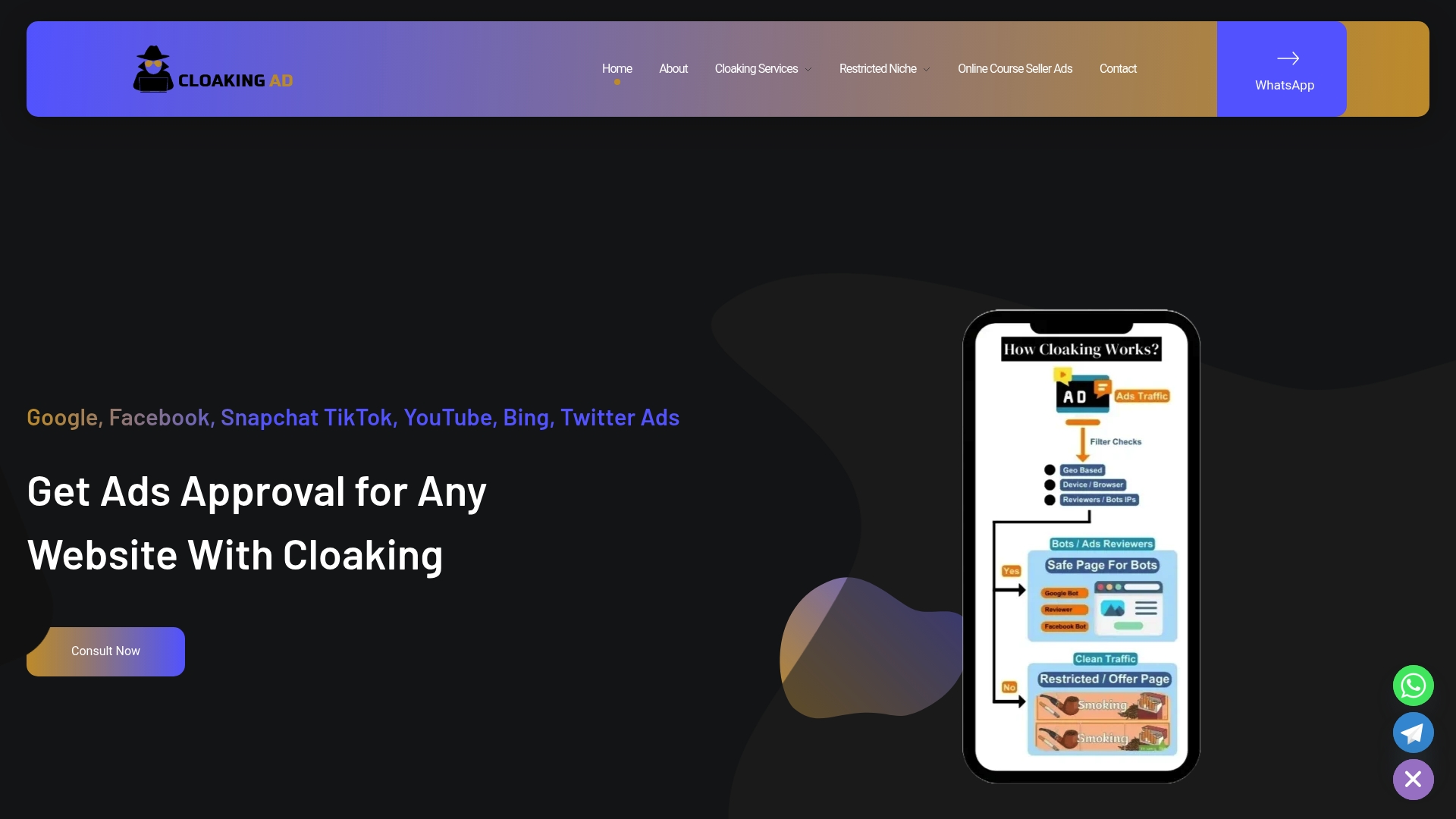
If your account keeps getting flagged despite clean fixes, a consultation call walks through your specific asset history and payment trail to find what’s actually triggering enforcement. For businesses that need a durable fix rather than a one-time appeal, the cloaking system setup is a $1,599 one-off engagement that configures server-side detection and compliant landing infrastructure so future campaigns don’t repeat the same disable cycle. Businesses that want the whole process handled, from diagnosis through relaunch, can go with the Done-For-You service at $3,599 one-off. Starting with a consultation call is recommended if uncertain which service option suits your situation.
Where to Check Official Facebook Account Status Updates
Bookmark these while your case is active: Business Support Home routes reactivation requests and reviews for business assets, the account troubleshooting page explains disable and restriction categories in Meta’s own language, and the appeals timing guidance tracks expected review windows. Check all three before assuming your case has stalled.
FAQ
How Do I Fix My Disabled Facebook Ad Account?
Start in Account Quality inside Meta Business Suite, identify the exact asset and reason listed, and fix the root cause (billing, security, or a policy issue with your landing page) before submitting an appeal. Most disabled accounts can be recovered when the appeal targets the correct asset with clear evidence attached.
Why Is My Ad Account Disabled?
The most common causes are unresolved billing issues, a landing page or ad claim that violates advertising standards, suspicious login activity, or scaling budget too fast. Meta’s enforcement is largely automated, so a real policy violation isn’t always the cause; a false positive triggered by an unusual spending or login pattern is common too.
How Do I Reactivate a Facebook Ad Account?
If the account was deactivated administratively rather than disabled for a violation, you can often reactivate it directly through Business Suite or Business Support Home. If it was disabled for a policy issue, you’ll need to fix the root cause first, then submit a review request from Account Quality.
How Long Does It Take to Recover a Disabled Facebook Account?
Simple billing fixes can clear within hours to a couple of days, while complex policy reviews or second appeals can take several business days to a few weeks. Accounts that remain ineligible for reinstatement over an extended period risk becoming unrecoverable.
What Should I Include in a Facebook Ad Account Appeal?
Include the asset ID, a one-sentence description of what triggered the restriction, a one-sentence explanation of the fix you made, and a direct request to review that specific asset. Attach screenshots of the original notice, proof of payment if billing was involved, and evidence the landing page or creative issue has been corrected.
Can Cloaking Ads Help If My Account Keeps Getting Disabled in a Restricted Niche?
Yes. Cloaking Ads specializes in restricted verticals like CBD, crypto, peptides, and forex, and offers a cloaking system setup for $1,599 one-off to reduce repeat enforcement, plus a fully managed Done-For-You recovery service. Pricing for the consultation call isn’t published; details are available directly on the Cloaking Ads site.