

Cloaked redirect ads show a harmless page to ad reviewers and a different, often non-compliant destination to real users, using visitor classification to fork each response. Ad platforms such as Google Ads treat this as circumventing their systems, so the consequences are severe. Researchers behind CrawlPhish have documented how the evasion logic works, which is why detection is possible.
TL;DR:
- Language or regional pages remain permissible only when every visitor sees the same product or service; differing reviewer and customer destinations cross the line.
- Change one request detail at a time, such as the browser identity, referrer, or region, then compare final URLs and page content.
- A clean scan proves little: cloaks may wait for mouse movement or delays, and third party tracers can be fingerprinted and shown benign pages.
- Google Ads treats substantive cloaking as circumventing systems and may suspend accounts; preserve paired outputs, headers, and screenshots before reporting and appealing.
- If your site redirects visitors, inspect injected scripts and DNS rules, remove suspect code, rotate credentials, and document repairs for platform appeals.
Table of Contents
- What counts as cloaking at the creative level and the URL level?
- How do cloaked redirect ads work under the hood?
- Which cloaking techniques show up most often?
- How are cloaked redirects different from domain cloaking and legitimate redirects?
- What do ad platforms require and what happens when cloaking is found?
- How can you detect a cloaked redirect ad?
- What should you do if you find cloaked redirects?
- Why do paired fetches still matter?
- When should you bring in a specialist for cloaking and ad approval?
- FAQ
- Sources
What counts as cloaking at the creative level and the URL level?
Cloaking happens at two layers. Creative-level cloaking hides the real ad message during review, so the approved ad differs from what runs later. URL-level, or redirect-level, cloaking masks the landing page: the reviewer’s request lands on a safe page while a visitor from a target audience lands somewhere else.
Vendors often use “cloaking” as a blanket term, which muddies the vocabulary. Some site changes are ordinary and permitted. Google distinguishes permitted site management such as language, region or bandwidth adjustments from prohibited cloaking, and the adjustment is acceptable only when the promoted product or service stays the same for every user. A Spanish-language version of a page for visitors in Madrid is localization. Showing a supplement page to reviewers and a different product to everyone else is cloaking.
How do cloaked redirect ads work under the hood?
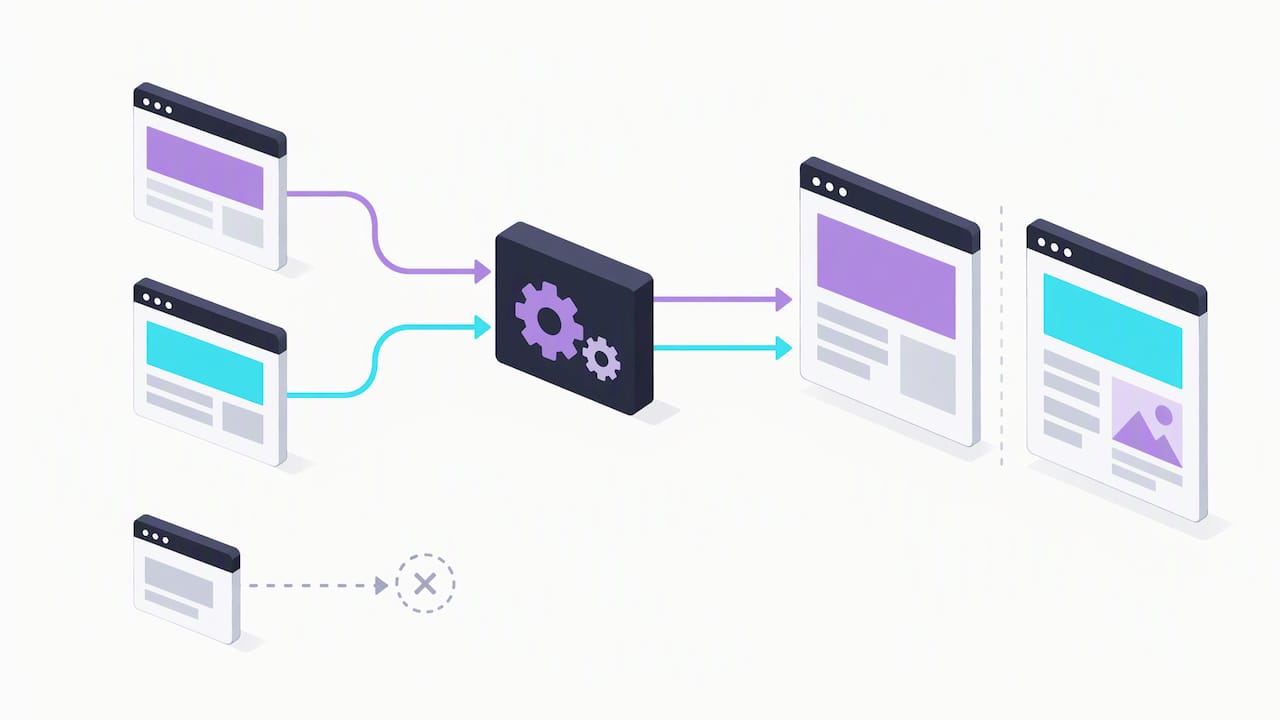
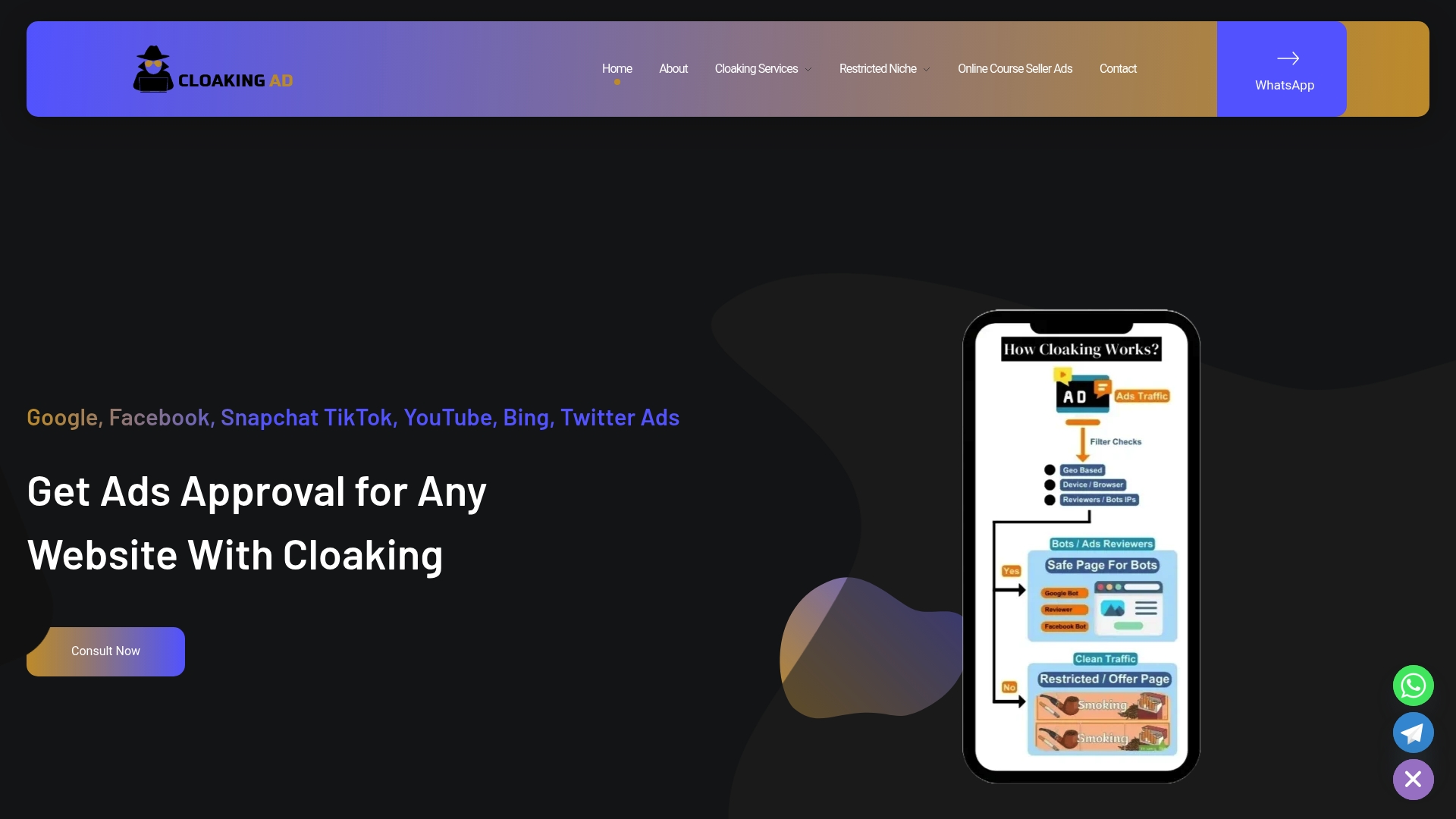
The core mechanism is visitor classification. The system inspects each request, looking at IP range, User-Agent, referrer, cookies and known bot signatures, and then forks the response. Reviewers and crawlers see a benign page, while the target visitor sees the live offer.
Implementations fall into two families. Server-side setups route traffic at the server, split hosting between a clean page and a live page, or tamper with DNS records. Client-side setups run JavaScript in the browser to fingerprint the device, measure timing or wait for human-like behavior before revealing the real content.
DNS and TLD-level redirection deserves special attention. The ICANN Security and Stability Advisory Committee warns that redirection and synthesized DNS responses destabilize reputation systems and are often used to bypass domain-based blacklists. If the redirect happens below the website, a scanner that checks only the site’s own files finds nothing wrong, and filters that depend on a domain’s reputation never see the switch.
Which cloaking techniques show up most often?
Most redirect cloaks combine a few recognizable patterns. Knowing them tells you where to look first.
- Mouse and click gates: the real page loads only after mouse movement, a click or a scroll, which most crawlers never produce.
- Fake CAPTCHAs and pop-ups: a verification prompt screens out automated visitors before the redirect fires.
- Timing delays: a script waits several seconds, long enough for a quick scanner to give up and record the safe page.
- Header checks: the server reads User-Agent and Referrer values and serves a clean page to anything that looks like a bot or a reviewer.
- IP-range checks: requests from known data-center or platform ranges get the benign version.
- Fingerprinting: cookies or JavaScript profiling decide who sees what.
- Post-approval swaps: the page passes review, then traffic is split-routed to a different landing page once the ad is live.
Client-side cloaking scripts commonly rely on mouse movement and timing delays to separate automated scanners from humans. Random triggers make the behavior harder to reproduce, so a single clean test never proves a page is clean.
How are cloaked redirects different from domain cloaking and legitimate redirects?
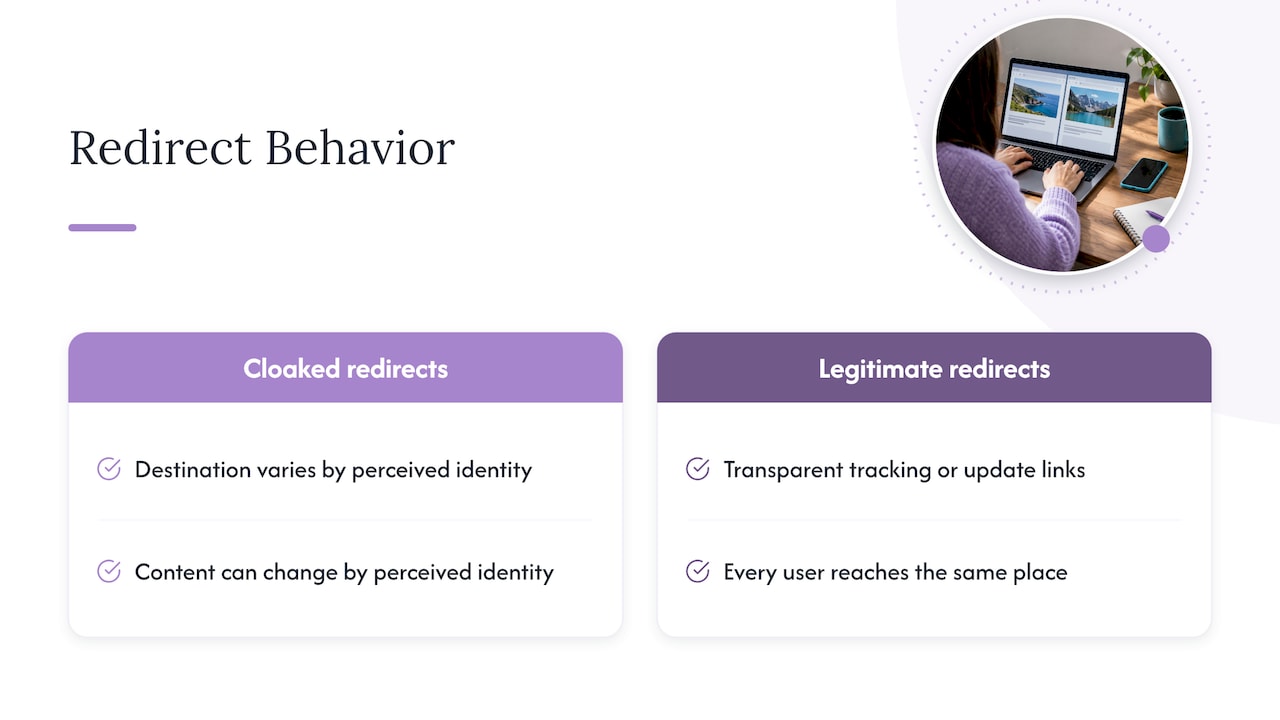
The term “domain cloaking” can refer to different practices. To distinguish a redirect from visitor-based cloaking, compare the final destination for different visitors. Cloaked redirects do the opposite: the content or destination changes depending on who the system thinks you are.
Legitimate redirect tools behave consistently. Campaign redirect links used for tracking or updating destinations are transparent and send every user to the same place. That consistency is a useful check. Different final destinations from the same link may indicate visitor-based routing, though other causes are possible.
What do ad platforms require and what happens when cloaking is found?
Google Ads files cloaking under its “circumventing systems” policy. Its help documentation lists examples such as destination mismatch and hiding prohibited content, and names account suspension and other severe penalties as the response. Other platforms may also have their own policy and review systems.
Enforcement can include account suspension and other penalties. Check the platform’s guidance for appeal requirements and explain what went wrong and what was fixed.
The permitted side matters too. Language and region variations are fine as long as the core product or service is identical for every visitor. The risk starts the moment reviewer-facing and user-facing content diverge in substance.
How can you detect a cloaked redirect ad?
Detection comes down to controlled comparison. Change one variable at a time and watch whether the result changes.
- Fetch the ad’s destination with a normal browser User-Agent and record the final URL and HTML.
- Repeat with one change: a mobile or bot User-Agent, a different Referrer, or a request from a different IP or region.
- Compare the final destinations and page source. A different landing page or HTML confirms visitor-based forking.
- Run the request with
curl -vto see every redirect hop and header, and open browser DevTools with “Preserve log” enabled so no redirect disappears on navigation. - Save the outputs and screenshots as evidence.
Pro Tip: Prefer manual tools over online link tracers. Practitioners rely on curl -v and DevTools with Preserve log because third-party tracers often fail against vendors that fingerprint those probes and serve them a clean page.
Researchers go further with CrawlPhish, which forces client-side code to execute and compares screenshots to expose hidden content. That method can help expose scripts that wait for human behavior, but it may miss triggers it was not built to anticipate.
What should you do if you find cloaked redirects?
Move quickly, and keep records. Evidence is what makes reports and appeals credible.
- Capture paired fetch outputs, headers and screenshots showing the different destinations.
- Report the ad to the ad platform and file abuse reports with the registrar and hosting provider.
- Review the site for compromise: look for injected scripts, unexpected redirect rules and altered DNS or registry settings.
- Rotate credentials, take affected assets offline, and remove suspect code.
- Work with platform support during any appeal and show the specific fixes you made.
Why do paired fetches still matter?
Umar’s note: after working through these cases, the pattern repeats. Scanners report a clean page, and a manual paired fetch with a changed referrer shows a completely different destination. Automated tools help with scale, but they inherit the same blind spots that cloaks are built to exploit. For brands facing repeat suspensions, a specialist who understands both the platform rules and the infrastructure usually resolves things faster than another round of internal trial and error.
— Umar
When should you bring in a specialist for cloaking and ad approval?
Complex niches, repeated suspensions and compromised hosting or registry accounts may be situations where outside help is useful. We offer a consultation call at no listed price, a one-time cloaking system setup for 1599, and a Done-For-You engagement for 3599, covering ongoing ad account support. Book a consultation to talk through your account and what a compliant setup would involve.
FAQ
How do I stop ads from redirecting?
Start by running a malware and extension check on your device and browser, then clear site permissions and cookies. If redirects come from a site you own, review it for injected scripts and altered DNS or redirect rules. Paired fetches with curl -v help you see where the redirect originates.
What is ads cloaking?
Ads cloaking means showing ad reviewers or crawlers different content than real users receive. Visitor classification forks the response, so a benign page goes to reviewers while target users see the live offer.
Are hidden ads legal?
Legality depends on the jurisdiction and the content, so check with a qualified professional for your market. Platform rules are clearer: Google Ads disallows cloaking under its circumventing systems policy and can suspend accounts that break it. Our guide on ad cloaking legal risks covers the compliance side in more depth.
How do I permanently block all ads?
No single setting blocks every ad everywhere. A content blocker, a privacy-focused DNS service and regular browser updates may reduce the ads you see, but they cannot guarantee that every ad is blocked. These measures also may not stop a compromised site from redirecting you.
Sources
- Adex
- Client-side Cloaking Techniques in Phishing
- SAC041-RedirectionNewgTLDs
- Why is my account suspended for cloaking under the circumventing systems policy? – Google Ads Help