
If your TikTok Ads account was banned, it usually means a policy, landing-page, or identity issue triggered enforcement. Sign in to Ads Manager right away and submit an Account Suspension Appeal through Ad Assistant rather than waiting. Don’t open a new ad account while the appeal is pending, and note that TikTok will not review an appeal filed after the appeal window closes.
TL;DR:
- Most account suspensions are caused by policy violations, misleading claims, or landing-page issues that change after review or redirect visitors unexpectedly.
- Suspected suspicious behavior such as frequent campaign edits, unusual billing activity, or quick appeal submissions can also trigger account suspension.
- An immediate suspension pauses all active ads and restricts some Ads Manager features, requiring prompt review of account health and documentation within 24 hours.
- Successful appeals depend on providing clear evidence, following TikTok’s exact wording in notifications, and fixing the specific violation before resubmitting within 180 days.
- Repeated violations and inappropriate vertical targeting increase the risk of permanent suspension, especially for new or unverified accounts, making compliance and documentation crucial.
Table of Contents
- Common reasons TikTok suspends ad accounts
- What happens when TikTok suspends an ad account
- Step-by-step how to appeal a suspended TikTok Ads account
- How to request a refund or close a suspended ad account
- Troubleshooting checklist and preventive steps before relaunching ads
- Types of suspensions and the difference between temporary, restricted, and permanent actions
- Differences in suspension reasons and appeal success rates by region or account type
- Impact of repeated violations on account status and long-term advertiser reputation
- Publisher perspective: when DIY appeals stop being enough
- CloakingAd services for advertisers in restricted verticals
- Official help articles and community threads to verify steps
- FAQ
Common reasons TikTok suspends ad accounts
Most suspensions trace back to one of a few recurring problems. TikTok’s Account suspensions help page lists policy violations, misleading claims, and disallowed products among the most common triggers, and warns that some issues are severe enough to cause immediate suspension, without warning.
Landing pages cause a large share of these cases. A page that looks compliant at review time but changes after launch, redirects visitors somewhere unexpected, or drops required disclosures reads as deceptive to TikTok’s systems even when the advertiser didn’t intend it that way.
Behavioral patterns matter too. Frequent edits to live campaigns, duplicate appeals filed in quick succession, unusual billing activity, or a sudden spike in spend can all read as suspicious, even for a legitimate business.
- Creative or claim violations: exaggerated results, prohibited products, or disallowed targeting.
- Landing-page mismatches: content, offers, or redirects that differ from what was submitted for review.
- Account behavior flags: rapid campaign edits, billing anomalies, or repeated appeal submissions.
- Identity gaps: unverified business profiles or inconsistent registration details.
Identity and verification issues have become a bigger factor recently, with stricter enforcement around advertiser identity and disclosure expectations. An unverified profile or mismatched business details can trigger a suspension even when the ad creative itself is fine.
Pro Tip: Before you appeal, pull up your ad’s live landing page and compare it, screenshot by screenshot, against what you submitted at launch. Mismatches here are one of the most common reasons appeals get rejected.
What happens when TikTok suspends an ad account
The moment suspension hits, every ad in the account pauses and stops accruing impressions, so any live campaigns go dark immediately. Some Ads Manager features and Business Center functions may also lock, which can block billing changes or new campaign creation until the issue clears.
Run this quick triage in the first 24 hours:
- Open Ads Manager and check the Account Health tab for the specific violation cited.
- Review campaign status pages to confirm which campaigns paused and when.
- Screenshot every relevant notification, timestamp, and violation notice before anything changes.
- Pull recent billing records in case a refund request becomes necessary later.
These screenshots and timestamps become the backbone of your appeal, so gather them before you do anything else.
Step-by-step how to appeal a suspended TikTok Ads account
TikTok’s troubleshooting help article lays out the exact appeal path, and following it precisely matters more than writing a persuasive case.
- Sign in to TikTok Ads Manager and click the question mark Help icon.
- Select Ad Assistant, then choose Submit ticket.
- Navigate to Account/Ad Review, then Account Review, then Account Suspension Appeal.
- Attach evidence: campaign IDs, screenshots of the ad and landing page as they currently exist, business verification documents, and a short explanation of the corrective steps you’ve already taken.
- Submit one appeal per incident. Filing several appeals for the same suspension slows review rather than speeding it up.
Keep the ticket language factual and specific. State the violation cited, what caused it, and what you changed, without arguing broader policy points. TikTok notes advertisers typically get a reply within a few business days of submitting an appeal, and you’ll typically get an email once it’s reviewed.
If the appeal is denied, don’t resubmit the same evidence. Request clarification on which specific policy was violated, fix that exact issue, and file a new appeal with updated proof. You have until the 180-day mark from suspension to get this done. After that, TikTok will not review the case at all.
Pro Tip: Mirror TikTok’s own wording when describing the violation in your ticket. Ad Assistant is likely routing tickets through pattern matching, and using the platform’s own terminology can reduce friction in review.
How to request a refund or close a suspended ad account
If your account holds unspent balance or unbilled charges, you can usually request a refund or close the account entirely. In Ads Manager, go to Tools, then Account setup or Settings, then Account health, where a close-account and refund option typically appears once the suspension is confirmed.
- Attach billing records, proof of the suspension notice, and any correspondence with TikTok support.
- Note that refund eligibility depends on billing status and how much ad delivery already occurred before suspension.
- Keep transaction IDs handy since support will reference them throughout the review.
- If the refund option isn’t visible in your account, submit a support ticket referencing your billing transaction IDs and request a manual refund review.
If TikTok’s own process stalls, contacting your payment provider is a reasonable next step, particularly for charges that occurred after the account was already flagged.
Pro Tip: Request itemized billing history before filing a refund claim. It’s easier to dispute specific charges than to ask for a blanket refund of the account balance.
Troubleshooting checklist and preventive steps before relaunching ads
Before you relaunch anything, work through this checklist:
- Audit Account Health for outstanding warnings or historical violations tied to the account.
- Compare every live creative and landing page against current policy for content parity and disclosures.
- Confirm your business profile details and billing information match your registered business exactly, and complete any required advertiser verification.
- Stagger new campaign launches instead of relaunching everything at once, and document every change you make for future reference.
- Avoid filing duplicate appeals or spinning up new ad accounts while a review is still active.
Reviewing your restricted-niche compliance practices before relaunch is worth the time if your vertical faces frequent scrutiny, since a second suspension is harder to reverse than the first.
Types of suspensions and the difference between temporary, restricted, and permanent actions
Not every suspension carries the same weight. A temporary suspension usually pauses specific ads or campaigns tied to a single flagged issue, and it often resolves once you fix the cited problem and pass review again. These tend to affect a narrower slice of account functionality.
A restricted status is broader. It can limit specific features, such as certain targeting options, creative formats, or billing changes, while leaving the rest of the account operational. Restricted accounts often stem from accumulated minor violations rather than one severe incident, and the fix usually involves addressing the pattern, not just a single ad.
Permanent suspension is the most serious outcome and typically follows severe or repeated violations. TikTok’s own guidance confirms that some violations are serious enough to trigger immediate suspension without a warning period, and permanent bans are far harder to reverse through the standard appeal path.
The practical difference matters for how you respond. Temporary and restricted statuses generally justify a straightforward appeal with corrective evidence. A permanent suspension calls for a much stronger case, sometimes with legal or compliance documentation, and even then reversal isn’t assured.
Differences in suspension reasons and appeal success rates by region or account type
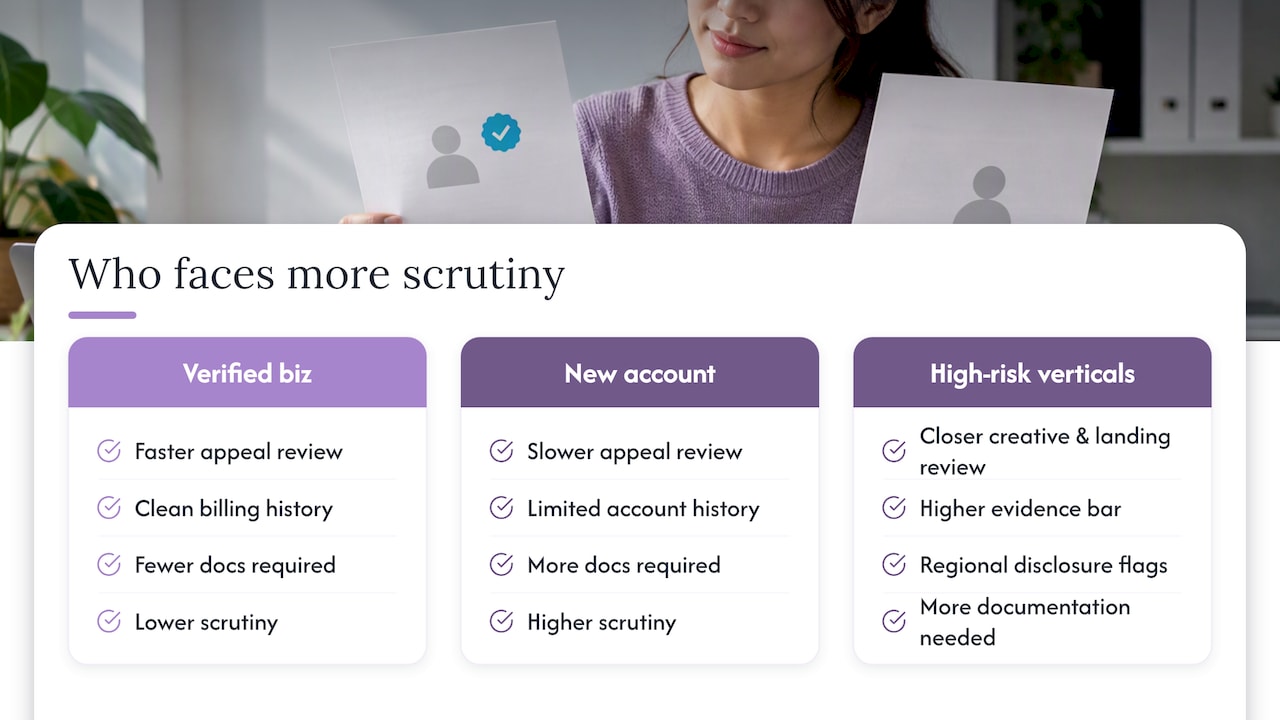
Enforcement isn’t uniform across every market or account type. Verified business accounts with a clean billing history tend to move through appeal review faster than newly created accounts with limited history, largely because TikTok has more context to evaluate the claim against.
Advertisers in high-risk verticals such as supplements, crypto, or CBD face more scrutiny regardless of region, since these categories draw closer creative and landing-page review from the start. That means the bar for a successful appeal is often higher, and the evidence needs to address the specific policy concern tied to the vertical, not just the technical violation.
Regional differences also show up indirectly, through the disclosure and verification requirements tied to different markets. An advertiser targeting audiences under stricter regional consumer-protection rules is more likely to get flagged for missing disclosures than one running the same creative elsewhere.
None of this changes the appeal mechanism itself. The steps stay the same everywhere. What shifts is how much documentation you need to make a convincing case, and advertisers in scrutinized categories or newer accounts should expect to submit more detailed evidence than a long-standing, verified account with a clean record.
Impact of repeated violations on account status and long-term advertiser reputation
A single violation rarely ends an advertiser’s relationship with TikTok, but a pattern does. Repeated flags accumulate on the account’s history, and each new incident gets reviewed against that record rather than in isolation. An account with several prior warnings is far more likely to see a temporary suspension escalate to restricted status, and a restricted account with continued issues is at real risk of permanent suspension.
This history follows the business, not just the individual ad account. Business Center profiles, billing details, and verification records tied to repeated violations can make it harder to get new accounts approved cleanly, since TikTok’s review systems weigh prior enforcement history when evaluating new submissions.
The long-term cost is reputational as much as operational. Advertisers who treat each suspension as an isolated glitch, rather than fixing the underlying pattern, tend to cycle through repeated bans. Advertisers who audit their creative, landing pages, and verification status after every incident, and document the fix, build a track record that works in their favor the next time a borderline ad gets flagged for review.
Publisher perspective: when DIY appeals stop being enough
Most first-time suspensions are worth appealing yourself. But advertisers in categories like CBD, kratom, crypto, or forex often hit a ceiling where every fix triggers a new flag, because the underlying ad approval process wasn’t built for their vertical. CloakingAd works specifically in these sectors, helping businesses get ads approved on TikTok, Google, and Facebook through cloaking mechanisms designed to maintain compliance while avoiding the blanket restrictions those categories usually face.
— Umar
CloakingAd services for advertisers in restricted verticals
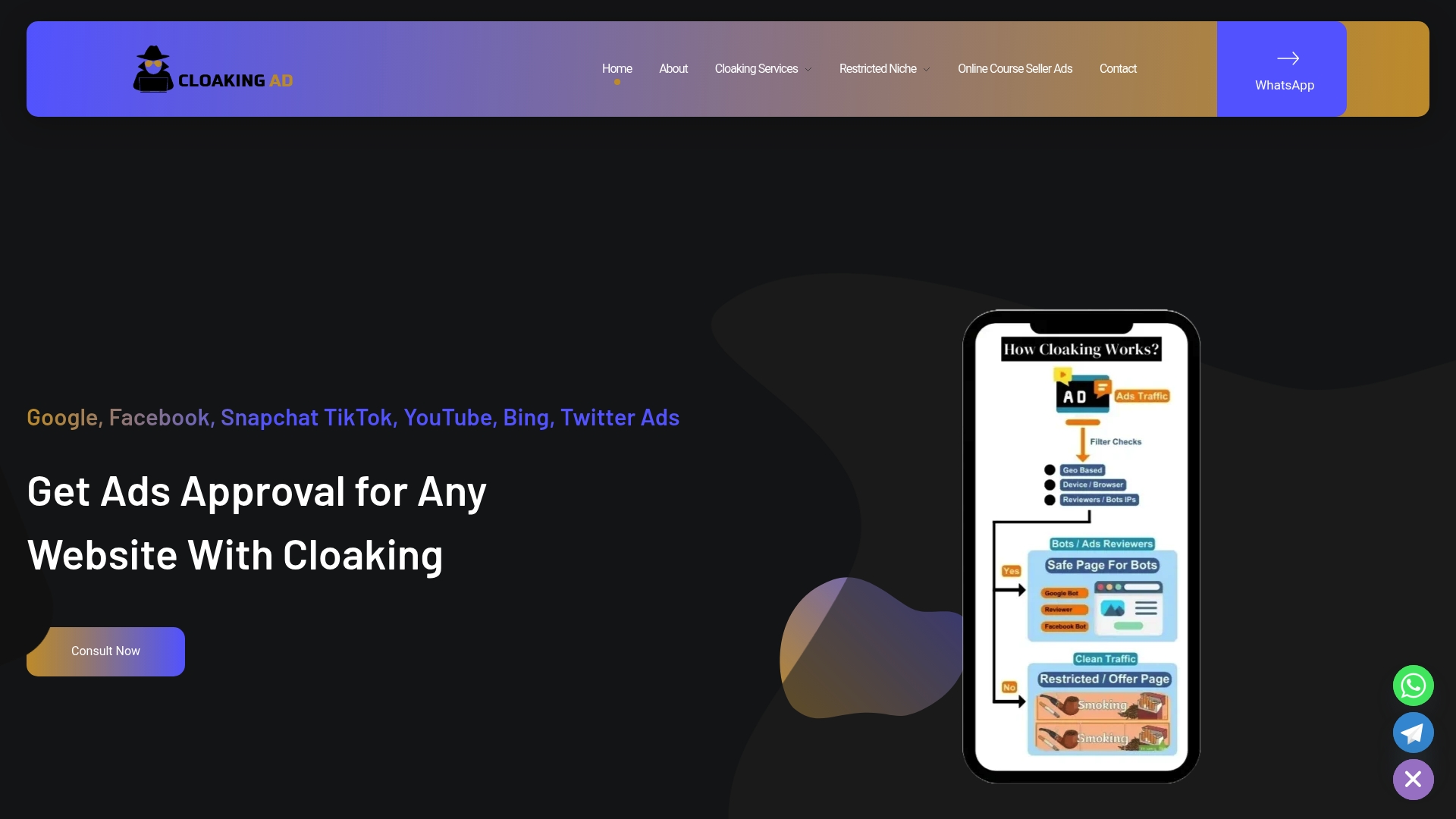
If your account keeps getting flagged despite your best fixes, the problem is often the vertical, not your execution. CloakingAd offers a consultation call to review your account history, a Done-For-You service for full managed remediation, and a Setup Cloaking System package for advertisers who want the technical infrastructure in place before relaunching.
- Account audit and evidence packaging for appeals in progress.
- Landing-page remediation built for policy compliance in sensitive categories.
- Ongoing management of tickets, verification, and campaign scaling once approved.
Book a consultation call or review the full service breakdown to see which option fits your account’s history.
Official help articles and community threads to verify steps
TikTok’s Business Help Center is the authoritative source for appeal steps, violation categories, and the 180-day window. Community threads on Reddit’s r/TikTokAds add practical, real-world context on what evidence tends to work, though they carry no official weight.
FAQ
Why has TikTok suddenly banned my account?
A sudden ban usually points to a policy violation, a landing-page change made after launch, or an identity or verification gap that TikTok’s systems flagged. Check the Account Health tab first, since it names the specific issue tied to your suspension.
How long can TikTok ban your account?
The duration depends on the type of action. Temporary and restricted suspensions can resolve once you fix the cited issue and pass review, while permanent suspensions are not reversible through the standard appeal process, and appeals filed after the 180-day window will not be reviewed at all.
How do I know if I’m in TikTok jail?
Check Ads Manager for paused campaigns, blocked features in Business Center, or a suspension notice in your notifications and Account Health tab. Any of these signs mean your account is under some form of restriction rather than running normally.
Why does TikTok keep banning every account I make?
Repeated bans usually mean the underlying issue, whether a landing page, creative claim, or verification gap, was never actually fixed before relaunch. Creating new accounts without addressing the root cause tends to trigger the same flags again, and TikTok’s review systems weigh prior enforcement history against new accounts tied to the same business.