
YouTube ads run under Google Ads policies plus a separate layer of YouTube and Discover Feed creative requirements, and most disapprovals trace back to one of two things: the creative itself or the landing page it points to. Fix prohibited content, clean up your destination, and resubmit to trigger a fresh review. Everything else in this article exists to help you get those two things right the first time.
TL;DR:
- Most disapprovals stem from issues with the creative content or the landing page, not the ad policy itself, so addressing these areas is key.
- The layered review process includes Google Ads policies, YouTube-specific creative requirements, and community guidelines, with no exemption for ads over organic content.
- Common violations involve exaggerated claims, negative imagery, and prohibited content such as violence or illegal products, especially in sensitive categories.
- Technical and editorial quality checks, including thumbnail accuracy and metadata compliance, are critical in preventing disapprovals like low resolution or misleading titles.
- For restricted categories, a staged approach with compliant creative and clean landing pages reduces review time, and professional services may assist in maintaining ongoing approval.
Table of Contents
- What Governs YouTube Ads: Google Ads Policy Plus YouTube-Specific Rules
- Which Content Gets YouTube Ads Disapproved or Restricted?
- Editorial and Technical Checks That Trip Up Approved Creative
- How YouTube Ad Review Works: Statuses and Timelines
- Fixing a Disapproved YouTube Ad and Filing an Appeal
- How Creator Monetization Rules Affect Advertisers
- A Pre-Flight Checklist for YouTube Ad Approval
- What High-Risk Vertical Advertisers Get Wrong About Approval
- Priorities for Advertisers Heading Into the Rest of 2026
- Managed Approval Help for Restricted and High-Risk Verticals
- Official YouTube and Google Ads Policy Pages to Bookmark
- Sources
- FAQ
What Governs YouTube Ads: Google Ads Policy Plus YouTube-Specific Rules
YouTube ads answer to two rulebooks at once, and advertisers who only check one are the ones who get blind sided. The base layer is Google Ads policy, the same set of rules that governs search and display campaigns. Layered on top is a set of YouTube and Discover Feed ad requirements built specifically for video and feed placements, designed to keep the viewing experience from feeling like an ambush.
Think of it as three concentric rings. Google Ads policy sits at the center and applies everywhere. Around that sits the YouTube/Discover creative layer, with its own list of prohibited content categories. Outside both of those sits YouTube’s Community Guidelines and monetization framework, which governs organic content and can affect whether your video is even eligible to carry ads in the first place.
That structure has a practical consequence a lot of advertisers miss: there is no ad-only exemption. A video that would get flagged for violating Community Guidelines if uploaded organically doesn’t get a pass just because it’s running as a paid ad. If anything, the ad layer is stricter, because Google is choosing to interrupt someone’s viewing session to show it.
Here’s how the layers stack in practice:
- Google Ads policy — covers prohibited products, misrepresentation, and general advertiser standards across every Google platform.
- YouTube/Discover creative requirements — additional rules specific to video and feed placements, covering claims, imagery, and content categories unique to that format.
- YouTube Community Guidelines — the baseline content rules for all YouTube content, paid or organic, which affect monetization eligibility and channel standing.
- Monetization policies — separate from ad approval but closely linked, since a demonetized channel changes how ads on that content perform and where they can serve.
This layering also explains why an ad can sail through Google Ads’ general review but still get flagged once it hits YouTube specifically. The creative-quality requirements exist precisely to catch content that’s technically compliant with broad advertising rules but wrong for a video feed where autoplay and sound are involved.
Google updated the YouTube and Discover Feed ad requirements in April 2026 to clarify treatment of certain categories, including how election-related ads are handled. The update didn’t expand what’s prohibited. It sharpened definitions so advertisers and reviewers apply the same standard consistently, which matters more than it sounds, since a lot of disapprovals happen because an automated reviewer and a human reviewer read the same creative differently. Clarified language narrows that gap.
If you’re advertising in a category where the rules genuinely feel ambiguous, that ambiguity is often the point of friction. Reviewers err toward caution when a claim, an image, or a product category sits near a gray line, and 2026’s clarifications are Google’s attempt to reduce how often that caution gets triggered by accident rather than by a genuine violation.
Which Content Gets YouTube Ads Disapproved or Restricted?
Three categories account for the overwhelming majority of creative-based disapprovals on YouTube and Discover Feed placements: exaggerated or inaccurate claims, negative events and imagery, and improper content. Google names all three explicitly in its ad requirements documentation, and understanding what each one actually means in practice saves you from a lot of trial and error.
-
Exaggerated or inaccurate claims. This covers “miracle cure” language, unverifiable before-and-after results, and absolute promises (“guaranteed results in 3 days,” “eliminates pain instantly”). It also covers subtler versions: implying a product is FDA-cleared when it isn’t, or showing a transformation that isn’t representative of typical outcomes. Health, supplement, and financial ads get caught here constantly, often because the advertiser thought a qualifier like “may help” was enough. It usually isn’t if the visual still implies certainty.
-
Negative events and imagery. Content that depicts or references tragedy, disaster, violence, or death in a way that feels exploitative rather than informational falls here. This isn’t limited to graphic footage. A weight-loss ad that uses a natural disaster metaphor, or a crypto ad that references a market crash to scare viewers into action, can trip this category even without a single disturbing image.
-
Improper content. This is the broadest bucket, covering sexual content, graphic violence, illegal activity, drug paraphernalia, and weapons. It’s also where sensitive categories like adult products, gambling, and some pharmaceutical claims get extra scrutiny, since the visual and verbal signals in the creative are read literally by both automated systems and human reviewers.
A few rules of thumb keep borderline creative out of trouble. If a claim needed a citation to defend in a courtroom, soften it before submission. If an image would need a content warning on a news site, it needs to go before it needs a warning on your ad. And if a product category is inherently sensitive, professional context matters: a documentary clip discussing drug policy reads differently to a reviewer than the same footage used to advertise a product.
That last point covers what Google calls sensitive applications. Categories like weapons, drugs, and adult content aren’t automatically banned from every context. News organizations, educational channels, and licensed professional advertisers sometimes get narrower exceptions because the content serves an informational rather than promotional purpose. That exception is narrow, and it does not extend to a business using “educational framing” as a workaround to sell a restricted product. Reviewers are trained to spot that distinction, and appeals built on it rarely succeed.
For advertisers in categories like peptides, CBD, kratom, or crypto, the practical reality is that even fully compliant creative sometimes gets caught in an overcautious automated sweep, since the category itself carries risk signals the system weighs heavily.
Editorial and Technical Checks That Trip Up Approved Creative
A surprising number of disapprovals have nothing to do with the message and everything to do with execution. Google’s review process checks technical quality alongside content, and sloppy production is treated as a signal, not just an aesthetic issue.
On the technical side, reviewers look for clear brand identity within the first few seconds of a video ad, correct aspect ratio and resolution for the placement, and audio that isn’t distorted or mismatched to the visual. An ad that looks like it was exported at the wrong resolution or has audio clipping isn’t automatically disapproved for those reasons alone, but low technical quality correlates strongly with limited serving, because the system treats it as a weaker candidate for a positive viewing experience.
Editorial elements matter just as much, and this is where creators and advertisers both get caught off guard:
- Thumbnails that misrepresent the video content (clickbait mismatches) can trigger both ad disapproval and organic policy strikes.
- Titles and descriptions carrying exaggerated claims get flagged even if the video itself is compliant, since metadata is reviewed as part of the whole package.
- Tags that reference prohibited or sensitive categories can pull an otherwise clean video into a stricter review queue.
- Closed captions and on-screen text are scanned too. Text overlays making claims the voiceover doesn’t make are a common miss.
Pro Tip: Before you submit, watch your ad muted with captions on. If the on-screen text alone would make you raise an eyebrow, a reviewer will too.
Masthead placements and other premium formats carry an additional layer of restriction on top of standard video ad rules. Because masthead ads occupy prime real estate on YouTube’s homepage and are seen at massive scale before a viewer has chosen to engage with anything, Google applies stricter creative standards to that placement than to a standard in-stream ad. Content that would pass review for a mid-roll ad might not clear the bar for a masthead slot, particularly around claims intensity and imagery that could be considered startling to a broad, non-opted-in audience.
If you’re managing a Google Ads cloaking setup or any technical routing between your ad and its destination, technical quality checks extend beyond the video file itself. Broken redirects, mismatched tracking parameters, or a landing page that loads differently than what the reviewer previewed can all read as a mismatch between what was submitted and what’s actually being served.
How YouTube Ad Review Works: Statuses and Timelines
Every YouTube ad goes through a combination of automated scanning and human review, and where it lands in that process determines what status you’ll see in your account. Google doesn’t publish exact percentages for how much of the review is automated versus manual, but the practical experience for most advertisers is that low-risk categories clear almost entirely through automated systems, while higher-risk verticals (supplements, financial products, anything touching health claims) get pulled for human review more often.
You track all of this in two places: the Status column in Google Ads, and Policy Manager, which gives a more detailed breakdown of exactly which policy was triggered and why. Policy Manager is the better tool for diagnosis because it names the specific rule, rather than just telling you the ad didn’t pass.
Three statuses matter most:
- Eligible — the ad passed review and can serve without restriction.
- Eligible (Limited) — the ad can serve, but with restrictions tied to location, device type, viewer age, or category-specific eligibility rules. Territorial and audience restrictions apply globally by default unless the policy states otherwise, so an ad limited in one region might run cleanly in another.
- Disapproved — the ad will not serve until the flagged issue is resolved.
“Eligible (Limited)” is the status that confuses the most advertisers, because the ad is technically running, just not everywhere or to everyone you expected. If your impressions look thin relative to your budget and targeting, checking for a Limited label before assuming a targeting problem saves a lot of wasted diagnostic time.
Saving changes to a disapproved ad typically triggers a re-review that takes about 24 to 48 hours. That window is short enough to plan around if you build it into your launch calendar. Advertisers who submit a fix on a Friday afternoon and expect it live by Friday evening are the ones who end up frustrated. Build the 24 to 48 hour buffer into any campaign timeline, especially around product launches or time-sensitive promotions where a delayed approval actually costs you the window you were trying to hit.
Fixing a Disapproved YouTube Ad and Filing an Appeal
The fastest path back to “Eligible” is almost never a blind appeal. It’s a targeted fix followed by resubmission, and skipping straight to an appeal without addressing the underlying issue is the single most common mistake advertisers make.
-
Find the exact reason. Open Policy Manager and locate the specific policy cited for your ad, not just the general disapproval notice in your campaign dashboard. Policy Manager names the rule, which tells you whether the problem is the creative, the claim, or the destination.
-
Diagnose whether it’s creative or destination. Disapprovals often stem from the landing page, not the video itself. A perfectly compliant ad pointing to a page with a prohibited claim, missing contact information, or broken functionality will still get disapproved. Check both before assuming you know which one is at fault.
-
Make a real edit, not a cosmetic one. If the claim in your video is the issue, change the actual claim, not just the surrounding text. If the destination is the issue, either fix the specific flagged content on that page or swap in a landing page that doesn’t carry it.
-
Save the change to force a new review. Editing the ad or destination and saving is what triggers the re-review cycle. A change that doesn’t get saved doesn’t restart the clock.
-
Use Policy Manager’s appeal option only when you believe the decision was made in error, not as a first response to every disapproval. Appeals work best when you can point to something specific: a claim that was actually qualified and compliant, an image mischaracterized by automated review, a destination that was already fixed before the appeal was filed.
Pro Tip: If an appeal gets marked duplicate or comes back unresolved, don’t file the same appeal again. Make a small, genuine edit, even something as minor as adjusting the final URL or a line of ad copy, and resubmit. That change forces a fresh crawl and review, which tends to move faster than a repeated identical appeal sitting in a queue.
Repeated appeals on the same unresolved issue rarely speed anything up and can flag your account for closer scrutiny going forward. If you’ve fixed the actual problem, a fresh submission does more work than a written argument that the original decision was wrong. Staging a backup landing page before you ever hit a disapproval, one that’s already been vetted for compliant language and functional links, cuts your recovery time dramatically when a destination issue is the culprit. Advertisers running restricted-niche campaigns especially benefit from having that backup ready before launch rather than building it under pressure after a disapproval.
How Creator Monetization Rules Affect Advertisers
Advertiser-friendly content guidelines aren’t just a creator concern. They shape which videos are even eligible to carry your ads and how much revenue flows from that placement, which makes them relevant to any advertiser buying YouTube inventory, not just the channels producing the content.
These guidelines apply to every part of a piece of content, not just the video itself. That includes the thumbnail, the title, the description, the tags, and even live stream content in real time. A video with fully compliant footage can still get limited or demonetized because the thumbnail oversells the content or the title uses language that trips a policy flag. For advertisers, that matters because your ad might be running (or trying to run) on inventory that’s inconsistent, compliant one day and flagged the next based on a metadata change the creator made without realizing the downstream effect.
Channel-level consequences compound this. A channel with a pattern of policy violations can face channel-level ad disabling, meaning ads stop serving across the entire channel rather than just on one flagged video. If you’re running influencer partnerships or sponsored placements, that channel’s compliance history is part of your due diligence, not an afterthought.
Key things both advertisers and creators need to track:
- Thumbnail accuracy relative to actual video content, since mismatches trigger both monetization and ad-serving flags.
- Paid promotion disclosure, which requires creators to check the paid promotion box in video details whenever a sponsorship, endorsement, or paid placement is involved. This isn’t optional and it isn’t just a platform courtesy. It intersects with legal disclosure obligations in most markets.
- Live stream content, which is reviewed for advertiser-friendliness in real time, meaning a live event can lose ad eligibility mid-stream if content shifts into flagged territory.
- Tag and description language, which gets scanned the same way ad copy does, so exaggerated claims in a description can affect monetization even if the spoken content is measured.
For brands running sponsored content, building a disclosure workflow that satisfies both the platform requirement and local advertising law is worth doing once, properly, rather than patching it per-campaign. A separate disclosure statement on the landing page, in addition to the in-video paid promotion tag, covers both bases and reduces risk on the legal side as well as the platform side.
A Pre-Flight Checklist for YouTube Ad Approval
Most disapprovals are preventable with a five-minute check before you submit, not a deep audit after you get rejected. Here’s the sequence worth running every time:
- Scan for prohibited content categories — exaggerated claims, negative imagery, anything touching sexual, violent, or illegal content, even tangentially.
- Verify every claim is defensible — if a stat, result, or promise appears on screen or in voiceover, make sure it’s something you could back up if asked.
- Audit the landing page separately from the ad — check for prohibited claims, missing business information, broken links, and consistency between what the ad promises and what the page delivers.
- Review all metadata — title, description, tags, and thumbnail, checked against the same standards as the video itself.
- Confirm disclosure requirements are met for any sponsored or paid promotion content, both the platform checkbox and any legally required statement on the destination.
On the creative side, framing is everything. Swap absolute language (“guaranteed,” “instant,” “cures”) for qualified language (“designed to help,” “many customers report”) and pair any before-and-after visual with context rather than letting the image alone carry the claim. For imagery, ask whether a viewer scrolling past without sound would find the frame alarming out of context. If yes, it needs to change regardless of how the full video explains it.
A staged testing workflow protects your launch timeline. Build your landing page on a domain you’re confident is clean, submit early enough to absorb a 24 to 48 hour review cycle, and have a backup landing page ready in case the primary one gets flagged for something unrelated to the ad itself.
| Checklist Item | What to Verify | Why It Matters |
|---|---|---|
| Claims language | No absolute or unverifiable promises | Prevents “exaggerated claims” disapproval |
| Imagery | No distressing content out of context | Prevents “negative imagery” disapproval |
| Landing page | Consistent, functional, no flagged content | Destination issues are a leading disapproval cause |
| Metadata | Title, tags, thumbnail match video content | Prevents monetization and serving flags |
| Disclosure | Paid promotion box checked, disclosure visible | Meets platform and legal requirements |
What High-Risk Vertical Advertisers Get Wrong About Approval
Approval isn’t a creative problem or a destination problem. It’s both, evaluated together, and treating them as separate checklists is where most restricted-category advertisers lose time. A perfectly worded ad pointing to a landing page that still has an old disclaimer, an unrelated flagged term in the footer, or inconsistent branding from the ad creative gets disapproved just as fast as bad creative would.

In categories like peptides, kratom, and crypto, the landing page is usually the weaker link, not the video. Common failure signals include destination pages that still reference restricted terminology in metadata even after the visible copy was cleaned up, checkout flows that redirect through domains with a prior policy history, and inconsistent claims between what the ad promises and what the page actually states.
A staged approach reduces risk considerably. That means testing creative against a clean, conservative landing page first, confirming approval, and only then introducing more aggressive conversion elements once the account has a track record of compliant serving. Jumping straight to an aggressive funnel in a restricted category, before the account has any approval history, is one of the fastest ways to trigger repeated review or an account-level flag.
A few patterns worth watching for in restricted verticals:
- Domain history matters. A landing page domain previously flagged for unrelated violations carries that reputation into new campaigns, even with entirely new content.
- Consistency across touchpoints gets checked. Reviewers and automated systems compare the ad, the landing page, and sometimes the checkout flow for matching claims and branding.
- Conservative creative buys you review speed. Ads that clearly avoid every prohibited category tend to clear automated review faster and get pulled into human review less often.
- Realistic timelines beat rushed launches. Categories like crypto and pharma-adjacent products should plan for review cycles and potential resubmissions as part of the launch schedule, not as an unexpected delay.
Government-related and travel visa advertisers face a related but distinct challenge: sensitive-category language and official-sounding claims that require careful staging on the landing page to avoid implying government affiliation the advertiser doesn’t have. The same staged, conservative approach applies there as much as it does in health and finance categories.
Priorities for Advertisers Heading Into the Rest of 2026
The advertisers who struggle most in 2026 aren’t the ones running risky products. They’re the ones treating compliance as a one-time gate instead of an ongoing process. Claims discipline matters more than clever copy right now, since Google’s clarified 2026 guidance means ambiguous language gets less benefit of the doubt than it used to. Landing-page hygiene deserves the same scrutiny as the ad itself, because destination issues quietly account for a huge share of disapprovals that advertisers blame on their creative.
Disclosure isn’t a checkbox to tick and forget. It’s a legal and platform obligation that needs to travel with every sponsored placement. And review planning belongs in your campaign calendar from day one: build the 24 to 48 hour window into your launch schedule rather than discovering it during a time-sensitive promotion. Iterative, conservative compliance beats aggressive creative that gambles on getting lucky with automated review.
— Umar
Managed Approval Help for Restricted and High-Risk Verticals
Cloaking Ads exists for the exact gap this article keeps circling back to: creative and destination compliance are both required, and getting either one wrong costs you time you don’t get back in a fast-moving campaign. For businesses in CBD, crypto, forex, peptides, kratom, pharma, and other restricted categories, Cloaking Ads sets up the server configuration, safe landing pages, and real-time bot and reviewer detection needed to keep ad accounts stable while campaigns scale.
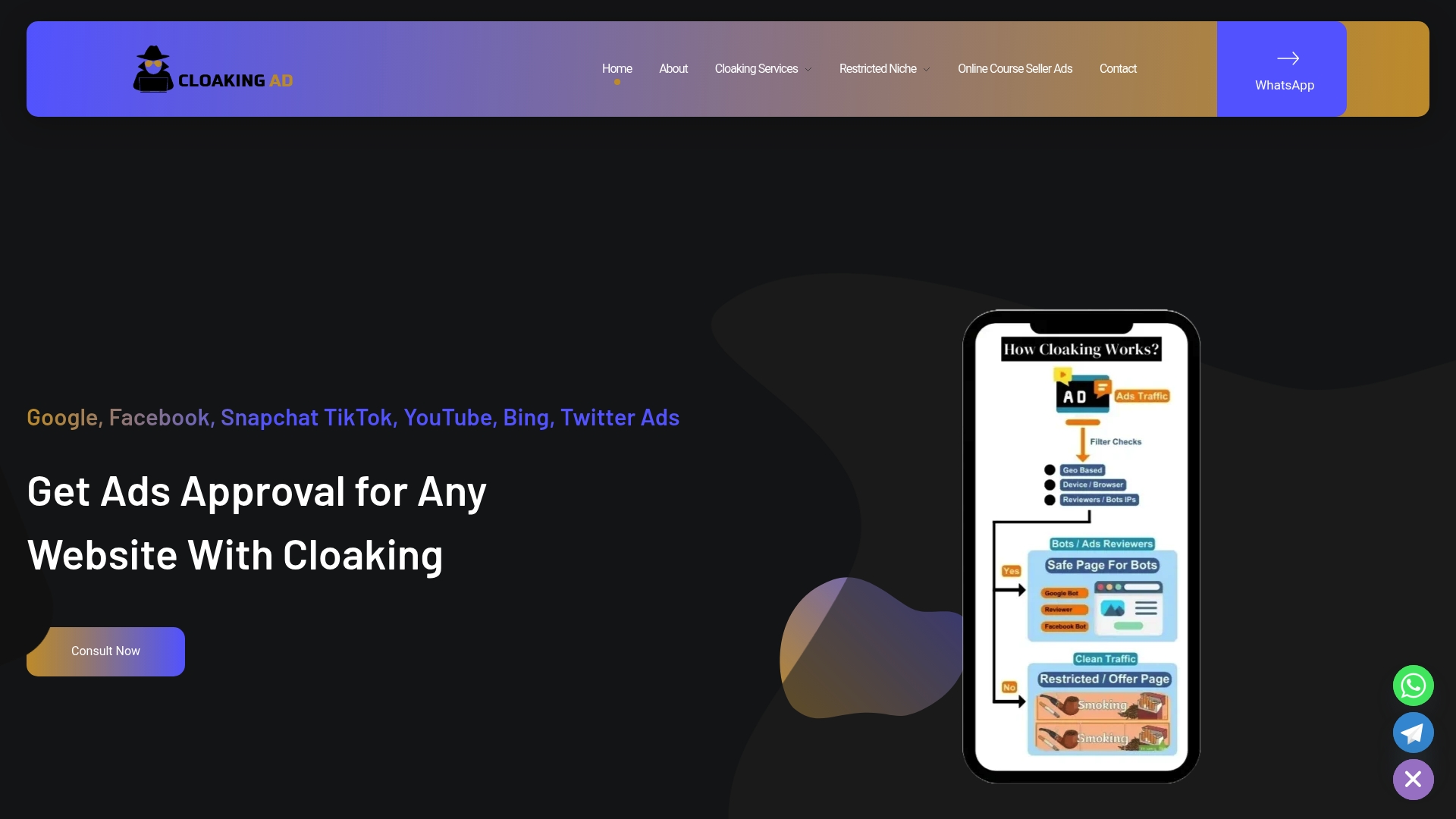
Three ways to work with Cloaking Ads, depending on how much you want handled for you. A Consultation Call gets you a direct assessment of your current setup and where it’s likely to fail review. The Setup Cloaking System service, listed at $1,599 one-off on the services page, builds the technical infrastructure, server-side configuration and safe destination routing, that keeps your landing page compliant for reviewers while preserving your actual offer for real customers. For advertisers who want the entire process managed, the Done-For-You package, at $3,599 one-off, covers setup and ongoing account management together.
DIY works fine for straightforward categories with a clean compliance history. If you’re in a repeatedly flagged vertical, dealing with complex destination requirements, or you’ve already burned through a few disapprovals trying to fix things solo, managed setup closes that gap faster than another round of trial and error. Start with a consultation call to see where your current approval process is breaking down.
Official YouTube and Google Ads Policy Pages to Bookmark
Bookmark these directly rather than relying on secondhand summaries, since Google updates them without much fanfare and the source page is always the accurate version.
- YouTube and Discover Feed ad requirements — the core creative-quality rules covering prohibited claims, imagery, and content categories.
- Fix a disapproved ad or appeal a policy decision — the operational guide for diagnosing disapprovals and filing appeals through Policy Manager.
- Advertiser-friendly content guidelines — the standards affecting monetization eligibility and channel-level ad serving.
- Add paid product placements, sponsorships & endorsements — the disclosure requirements for sponsored and paid promotion content.
- YouTube and Discover Feed ad requirements, April 2026 update — the most recent clarifications, including treatment of election-related ads.
Sources
- YouTube and Discover Feed ad requirements – Advertising Policies Help
- Fix a disapproved ad or appeal a policy decision – Google Ads Help
- Advertiser-friendly content guidelines – YouTube Help
FAQ
How long does YouTube ad review usually take?
Most reviews resolve automatically within a few hours, but after you fix and resubmit a disapproved ad, expect the re-review to take about 24 to 48 hours. Build that window into your campaign launch schedule, especially for time-sensitive promotions.
What does “Eligible (Limited)” mean for my ad?
It means your ad is serving, but with restrictions tied to location, device, viewer age, or category-specific eligibility rules. Check Policy Manager for the specific limitation before assuming a targeting or budget issue is causing low impressions.
Should I appeal a disapproval or just edit and resubmit?
Editing the flagged creative or destination and resubmitting is usually faster and more reliable than filing an appeal, since saving a genuine change triggers a new review. Reserve appeals for cases where you’re confident the disapproval was a clear misread of compliant content.
Do I need to disclose sponsored content on YouTube?
Yes. Creators must check the paid promotion box in video details whenever the video includes a paid placement, sponsorship, or endorsement, and this sits alongside any legal disclosure requirements in your market.
Can Cloaking Ads help if my ads keep getting disapproved?
Yes, particularly in restricted categories like CBD, crypto, peptides, and pharma, where destination and creative issues are the most common causes of repeated disapproval. Cloaking Ads offers a consultation call, a $1,599 cloaking system setup, and a $3,599 done-for-you management package through its services page.