
Most Facebook ad account restrictions are reversible once you identify the affected asset and fix the root cause before appealing. Start at Account Quality in Meta Business Suite. It tells you exactly what triggered the restriction and which asset is affected. Don’t create a replacement account or dispute a charge yet. Diagnose first.
TL;DR:
- Restriction reasons are detailed in Account Quality, and fixing billing issues tends to be the fastest resolution, often within 24 to 48 hours.
- Address all flagged issues in the asset chain—personal profile, Business Manager, Page, and ad account—before submitting a review request to avoid delays.
- Appeals should be clear and concise, focusing on a single remediation story backed by evidence, and submitted only after all relevant issues are resolved.
- Repeated appeals or creating new accounts during the review process can trigger permanent bans and should be avoided.
- For high-risk categories like crypto or pharma, restriction patterns are often structural; professional help may be necessary for ongoing issues.
Table of Contents
- Facebook Ad Account Restricted: Your Priority Recovery Checklist
- Which Asset Did Facebook Actually Restrict?
- What’s Causing the Restriction, and How Do You Fix It?
- How Do You Request a Review That Actually Works?
- How Long Does a Restriction Actually Last?
- Building Account Hygiene That Prevents the Next Restriction
- What Actually Moves Reviews Faster
- When a Restriction Needs More Than a DIY Fix
- Where to Verify This Yourself
- Sources
- FAQ
Facebook Ad Account Restricted: Your Priority Recovery Checklist
Work this list in order. Skipping ahead to the appeal before fixing the underlying issue is the most common reason reviews come back denied.
- Open Account Quality and read the exact restriction wording. Meta usually names the specific policy, payment problem, or verification gap involved, and tells you which asset (ad account, Page, Business Manager, or personal profile) is affected.
- Fix billing first if it’s cited. Update your card, settle any outstanding balance, and add a backup payment method before touching anything else.
- Secure the account if suspicious activity is flagged. Change your password, enable two-factor authentication, and confirm the devices and locations Meta lists as recent logins.
- Document everything. Screenshot the restriction notice, save timestamps, and keep copies of IDs or receipts you submit. You’ll need these for the appeal.
- Submit one Request Review through Business Support Home, referencing the fixes you made and attaching evidence.
- Escalate if needed. If a week passes with no movement, use live chat or phone support inside Business Support Home, or bring in a specialist if the case involves multiple flagged assets.
Pro Tip: Never submit more than one review request for the same issue. Meta’s system tends to read repeated appeals as pressure tactics rather than new information, which can slow your case instead of speeding it up.
Which Asset Did Facebook Actually Restrict?
A restriction on your ad account can actually originate somewhere else entirely. Appealing the wrong asset wastes a review attempt and delays the fix, because the correct recovery path runs through the full asset chain: personal profile, then Business Manager, then Page, then ad account.
Check these four places before doing anything else:
- Account Quality (Meta Business Suite): your primary diagnostic tool, showing the exact reason and which asset triggered it.
- Business Support Home: shows whether the restriction sits at the Business Manager level rather than the individual ad account.
- Payment Settings: flags declined charges, expired cards, or unpaid balances tied to the account.
- Page Quality: reveals whether a linked Page, not the ad account itself, is the actual source of the block.
The wording tells you a lot. “Your ad account’s spending has been paused” usually points to billing. “We need more information to confirm your identity” points to verification. “This ad account can’t be used because of an issue with your Page” means the restriction lives upstream of the ad account entirely.
Run a simple decision flow: check the notice wording, check billing status, check identity verification, then check admin roles on the Business Manager. Whichever step turns up a red flag is where you start fixing. Skip straight to the appeal without doing this, and you risk requesting a review on an asset that was never actually the problem.
What’s Causing the Restriction, and How Do You Fix It?
Meta groups most restrictions into five buckets: policy violations, billing problems, suspicious activity, identity or admin issues, and landing page mismatches. Each has a distinct fix.
- Policy violation: Remove or edit the flagged ad creative or landing page copy. Screenshot the change and note the date, since you’ll reference this in your appeal.
- Billing issue: Pay any outstanding balance, verify your card details are current, and add a backup payment method. Billing-driven restrictions tend to lift within 24 to 48 hours once payment clears, making this the fastest fix on the list.
- Suspicious activity: Change your password immediately, enable two-factor authentication, and confirm that recent login locations and devices match your actual usage. Meta’s own security tools walk through this setup if you’ve never configured it.
- Identity or admin issue: Upload the government ID Meta requests, restore admin access inside Business Manager if roles were altered, and add a second admin as backup.
- Landing page issue: Fix mismatches between what your ad promises and what the landing page delivers, strip out prohibited claims, and complete domain verification if your vertical requires it.
Pro Tip: Account Quality often lists more than one issue at once. Fixing the payment problem while an identity check sits unresolved usually won’t lift the restriction. Clear every listed item in the order Meta presents them, not just the one that’s easiest.
How Do You Request a Review That Actually Works?
Only submit your review request after you’ve corrected the cited cause. Requesting review with an unresolved billing issue or missing ID just burns a review attempt for nothing.
Business Support Home is where you submit the request, and what you include matters more than how fast you submit it. Gather this before you start:
- Your ad account ID and Business Manager ID.
- The exact restriction text, copied from Account Quality.
- A short timeline of what you fixed and when (payment cleared on X date, ID uploaded on Y date).
- Supporting documents: government ID, payment receipts, screenshots of corrected ad creative or landing pages.
Appeals that succeed tend to share one trait: they read as a single, narrow remediation story rather than a general plea. A one-sentence diagnosis followed by three concrete corrective steps and the evidence to back them outperforms a longer, scattered appeal.
Here’s a template you can adapt for Business Support Home:
Keep it professional and short. Reviewers are moving through a queue, not reading a defense brief.
How Long Does a Restriction Actually Last?
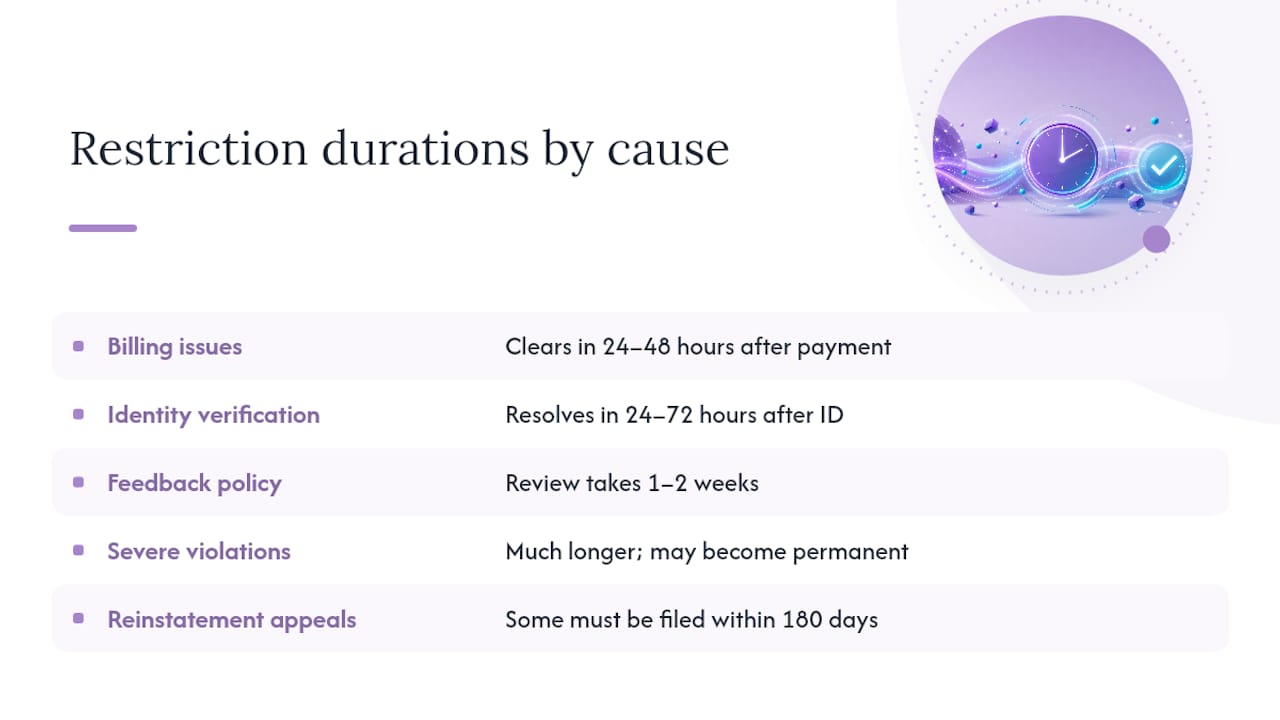
Timelines vary sharply by cause. Billing-related restrictions often clear in 24 to 48 hours once payment is settled, and identity verification issues typically resolve in 24 to 72 hours after you submit ID. Feedback-based policy issues can take one to two weeks to review, while severe or repeated violations can take much longer and, in some cases, become permanent.
Some appeals carry hard deadlines. Certain reinstatement requests must be filed within a 180-day window, so don’t sit on a restriction hoping it resolves itself.
Three actions reliably make things worse: creating a replacement account while your appeal is pending, disputing charges through your bank instead of resolving them with Meta directly, and repeated circumvention attempts. Meta treats these as evasion signals, and a recoverable restriction can turn into a permanent ban once that flag gets attached to your account.
Building Account Hygiene That Prevents the Next Restriction
Most restrictions are preventable. A handful of habits cut your risk substantially:
- Enable two-factor authentication for every admin on the account, not just the primary owner.
- Complete Business verification in Meta Business Suite before you scale spend, not after a restriction forces the issue.
- Keep billing current and add a backup payment method so a single declined charge doesn’t trigger a freeze.
- Avoid sudden spend spikes or bulk edits across many campaigns at once. These often trip automated review systems.
- Keep your ad creative and landing pages aligned. A mismatch between the ad promise and the page content is one of the most common policy triggers.
- Assign at least two admins to every Business Manager, retire access for anyone who’s left the team, and log major account changes as they happen.
Pro Tip: Treat your Business Manager admin list like a security roster, not a formality. If the only person with admin access leaves the company or loses device access, you can lose the ability to even see why the account was restricted.
What Actually Moves Reviews Faster
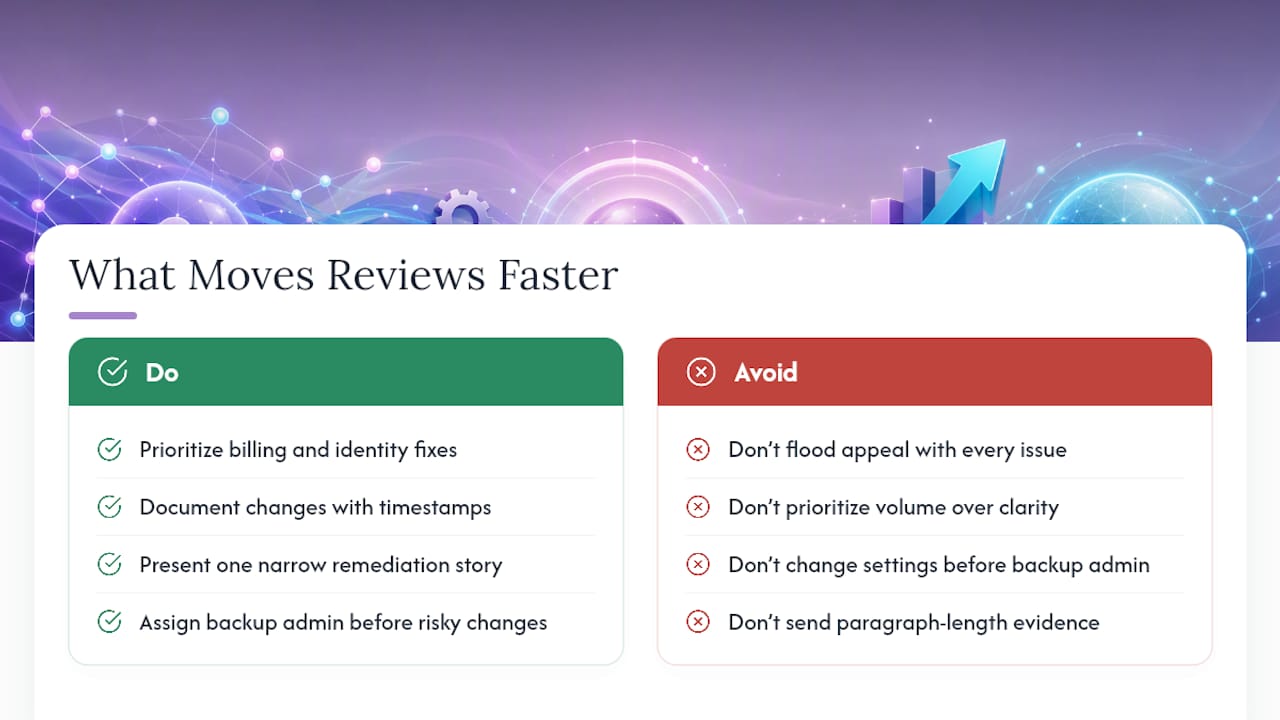
Working restricted accounts across different verticals teaches you fast that reviewers respond to clarity, not volume. Prioritize billing and identity fixes before anything else. Document every change with a timestamp. Present one narrow remediation story in your appeal instead of a laundry list of everything you think might be wrong.
Assign a backup admin in Business Manager before you make any risky change, not after. A single format works well as evidence: one line describing what triggered the flag, followed by three corrective actions with dates attached. That structure gets read faster than a paragraph of context.
— Umar
When a Restriction Needs More Than a DIY Fix
Some restrictions aren’t a one-time billing fix. If you’re running ads in crypto, CBD, pharma, peptides, or another high-risk vertical, you’re dealing with categories Meta’s automated systems flag by default, not by mistake. Repeated bans, cross-asset restrictions, or a pattern of rejections tied to your niche usually mean the underlying problem is structural, not a single bad creative.
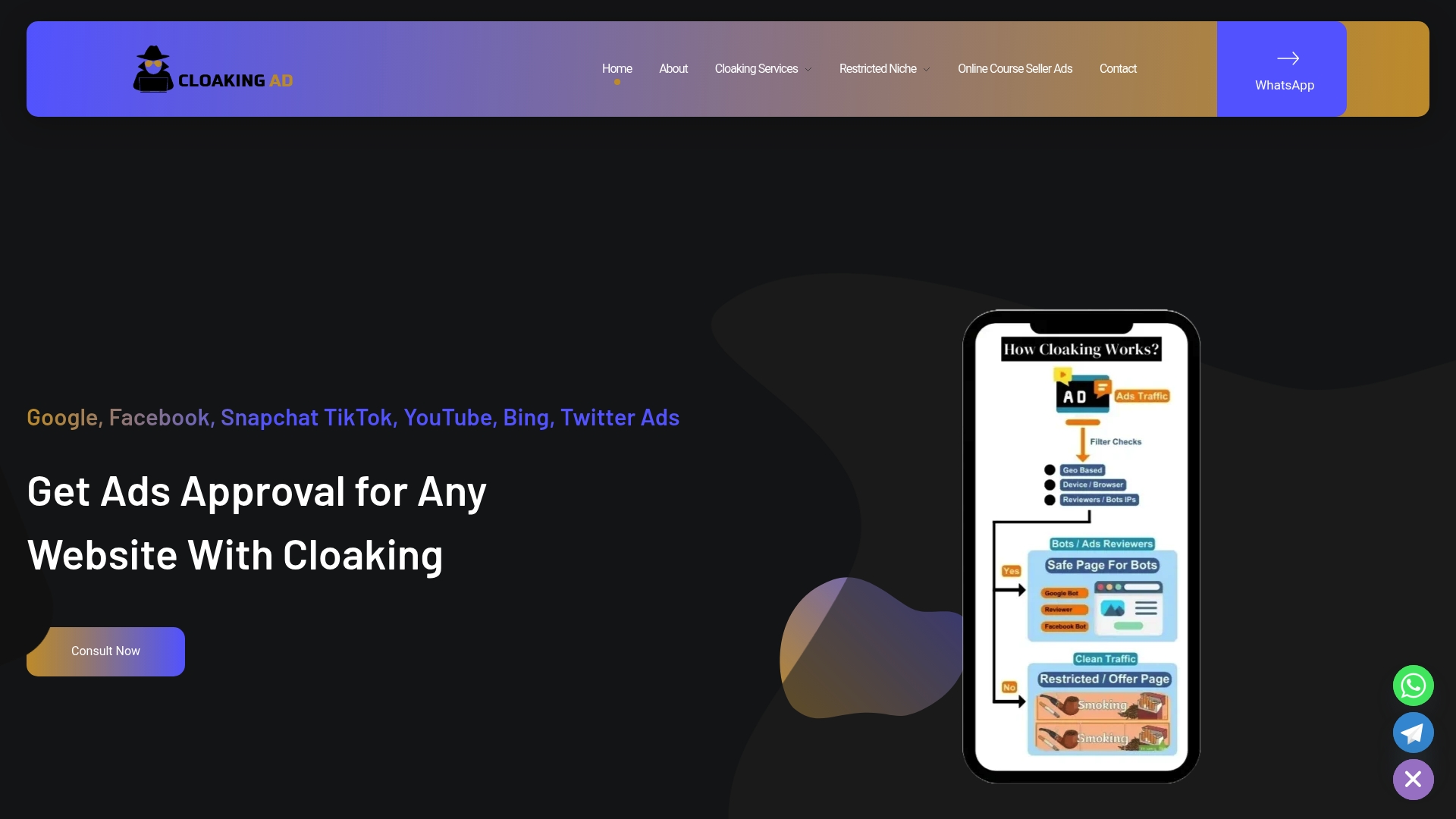
Some providers specialize in restricted categories such as CBD, crypto, forex, peptides, pharma, and replica brands, where standard troubleshooting rarely holds up for long. Services range from a straightforward consultation call to a fully managed, done-for-you setup, including cloaking-only configurations for teams that just need the technical layer handled. The process starts with an assessment of your restriction history, moves into prioritized remediation and documentation support for your appeal, and can include a cloaking system built to keep future approvals stable once you’re back up and running. If your ad account keeps getting flagged despite doing everything right, book a Meta ads compliance consultation and get a straight answer on what your account actually needs.
Where to Verify This Yourself
Bookmark Account Quality troubleshooting and the request review page as your two primary references. Meta’s transparency resources explain the enforcement logic behind these decisions.
Sources
FAQ
How Do I Unrestrict My Facebook Ad Account?
Start by opening Account Quality in Meta Business Suite to see the exact reason for the restriction and which asset is affected. Fix the root cause first, billing, identity, security, or policy, then submit one Request Review through Business Support Home with evidence of the corrections.
Why Is My Facebook Account Restricted From Advertising?
The most common causes are policy violations in your ad creative or landing page, unresolved billing problems, suspicious login activity, or an incomplete identity or Business verification. Account Quality names the specific reason, so check there before assuming which cause applies to you.
How Long Does a Facebook Account Restriction Last?
It depends entirely on the cause. Billing issues often clear in 24 to 48 hours, identity verification in 24 to 72 hours, and policy-related feedback issues can take one to two weeks. Severe or repeated violations can take much longer or become permanent, and some reinstatement requests carry a 180-day filing window.
How Do I Unrestrict Restricted Accounts on Facebook If I Manage Multiple Assets?
Diagnose the full chain first, personal profile, Business Manager, Page, and ad account, since the restriction may originate at a different level than where you noticed it. Appealing the wrong asset wastes a review attempt, so only submit a Request Review once Account Quality shows that action is available on the actual flagged asset.
Can Cloakingad Help if My Account Keeps Getting Restricted?
Yes, particularly for businesses in high-risk verticals like crypto, CBD, pharma, or peptides where restrictions tend to repeat. Cloakingad offers consultation, cloaking-only setup, and done-for-you recovery and ads management, with pricing available directly on its services page.